I'm unhappy with my initial seat assignment on my Turkish Airlines flight, particularly because it lacks my needs. How can I change my seat after completing check-in?
1.315 Views
To change your seat assignment, log in to your Turkish Airlines account and access the online check-in system within the specified time frame for your fare package. From there, you can select a different seat that better suits your needs and preferences.
Turkish Airlines offers online and mobile check-in for domestic and international flights.
Your fare package determines whether you can change your seat assignment, for instance:
For EcoFly and ExtraFly passengers, you can choose and change seats for free 24–90 minutes before your flight. This includes standard and paid seats with emergency exit or extra legroom.
PrimeFly passengers can choose free standard seats and pay for emergency exit or extra legroom within a 24-hour to 90-minute window.
Business Class passengers enjoy free seat selection during online check-in. You can replace standard seats once in a 6-hour to 90-minute flight.
However, keep in mind that once your boarding pass is printed, paid and free seat selection are unavailable.
I have been flying with Turkish Airlines for nearly 20 years, but my recent Business Class experience on TK0027 (Shangha...i–Istanbul, 19 April 2026) was unacceptable. I redeemed 140,000 miles for seat 4J, yet after check-in I was told the seat was defective. Its electronic recline did not work, and I
I am writing to report a problem with my Turkish Airlines business class booking on flight TK39 on 28.03.2026. When I bo...oked this flight in January, seat selection in business class was included, and we carefully chose and reserved seats 4K and 5K, specifically next to the window and directly one be
I purchased two Turkish Airlines tickets for flight TK1939 from Istanbul to Brussels on December 12, 2025, via the offic...ial website www.turkishairlines.com. The booking is under the name Selin Mavi with the reservation code UFCABV. During the purchase, I paid extra to select specific seats, 13J and
On today’s Istanbul–Berlin flight, despite completing my check-in in advance, my emergency exit window seat—purchased fo...r an additional fee—was changed at the last minute due to “operational reasons.” I have faced the same issue on my last three flights as well. I specifically paid ₺1,636 for the em
On June 7, 2025, after my flight with Turkish Airlines from Toronto to Istanbul Airport with my husband, I noticed that ...one of our suitcases had a broken wheel base, detached from where it was mounted. I filed a damage report at the airport and initiated the necessary procedures, then submitted feed
I am a 16-year-old girl. My family and I planned a trip for me to visit my uncle who lives in the United States, and my ...family purchased tickets for the Dulles-Istanbul flight in April 2025. The day before the flight, I confirmed my seat assignment online as seat 16H. On August 28, 2025, when I sat
On August 30, 2025, I purchased a ticket for Turkish Airlines flight TK4960 from Istanbul to Yüksekova through their off...icial website (PNR: T4WTS5). The flight time was shown as 11:55, and I was initially assigned to gate G6A. However, around 10:30, the gate was changed, and I was informed far too l
Although I made extra seat selections on the flight I purchased from Turkish Airlines, the company changed the aircraft ...on the last day to accommodate more passengers and completely disregarded the extras that we, as passengers, had paid for and were supposed to benefit from—without offering any ref
I purchased a connecting flight from Istanbul to Lima with Turkish Airlines. I paid extra to select my seats. The itiner...ary was with Turkish Airlines to Bogota and then with LATAM Airlines to Lima. I called Turkish Airlines customer service to confirm if my luggage would be transferred, and they ass

Hello everyone, I bought a ticket from Turkish Airlines and paid an extra ₺150 for a window seat. However, when I went t...o check in on the day of the flight, I saw that Turkish Airlines had moved me to a middle seat and removed me from the window seat I had paid for. The ₺150 I paid was not even visi
The so-called “ticket exchange campaign” announced by Turkish Airlines is all for show. It is not possible to change tic...kets neither on the website nor on the mobile application. I have been trying to change my ticket for about 16 hours. I want to change my Istanbul-Ankara TK2174 flight dated April
We are enjoying! the pleasure of encountering the usual Turkish Airlines crisis again. Turkish Airlines, which charges e...xtra for seat selection, not only changed the ticket I chose, but also gave my seat to someone else, and we encountered a new crisis inside the plane. My girlfriend and I cannot be
I’ve never experienced such unprofessional service as I have with Turkish Airlines. Even if you book seats next to your ...friends, the seating arrangement can be changed at their whim. They don’t care if you’ve paid extra for those seats – they’ll still move you and then offer alternative seats with a
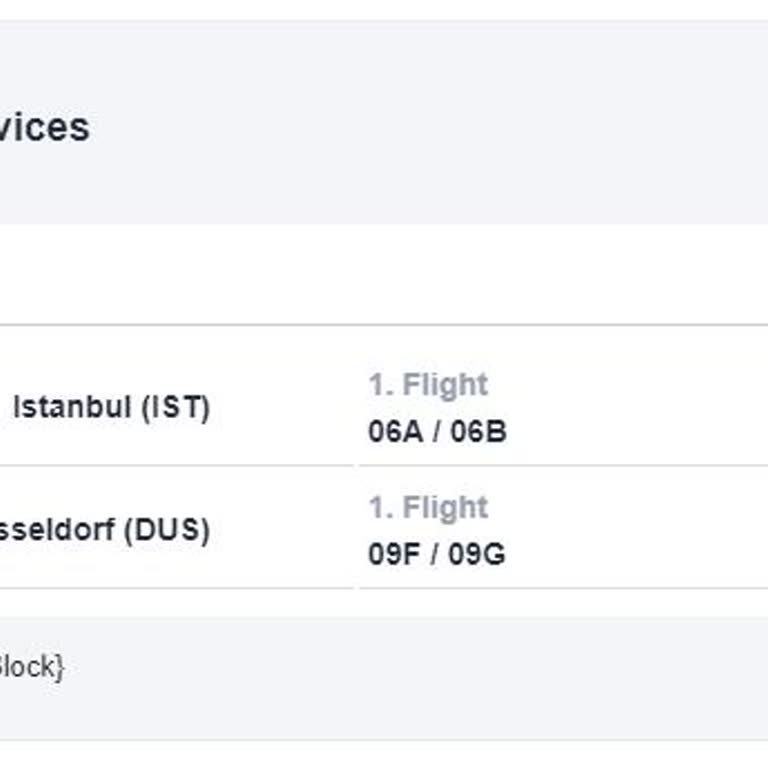
On May 20, 2024, I booked round-trip tickets from Düsseldorf to Istanbul for myself, my spouse, and my baby, carefully s...electing seats in the front rows to ensure a more comfortable journey. The flight is in October 2024, and we made an early reservation specifically to choose seats that would help
I never expected this from Turkish Airlines, and I can't understand how they were voted the best airline in Europe. I pu...rchased tickets for a round trip from Munich to Ordu (18.08.2024 - 26.08.2024) for myself and my two children, aged 9 and 11. I reserved our seats in advance, but we were not given
For our international flight on August 22, we booked tickets on July 18 and paid approximately $120 USD to select seats ...for three people. However, despite having accumulated miles, we haven't been able to use them to purchase flights or even to select seats. On August 13, I decided to check our seat
On 21.07.2024, I had a flight from Athens to Istanbul Airport. I am a THY Elite Plus member, which is part of the Star A...lliance group. The flight was operated with a Boeing 777-300 aircraft. I paid ₺798 for an 'Emergency Exit Seat with Extra Legroom' due to my height of 1.93 meters. However, upon bo
On the morning of July 13, 2024, I purchased a ticket for Turkish Airlines flight TK2658 from Istanbul to SIV. When buyi...ng the ticket, I selected my seat and paid for it. However, until the day of the flight, the seat I paid for kept changing. My seat number changed 4-5 times, and I couldn't sit in
I am a passenger on Turkish Airlines flight TK 700 to Sharm El Sheikh. On July 16, 2024, while boarding with my family, ...I discovered that our seat numbers had been changed. This situation is unworthy of Turkish Airlines or any flag carrier. Despite my 10-year-old daughter having a ticket linked to m

I bought a plane ticket from THY a week in advance. I tried to do an online check-in, but I was told there were no avail...able seats. It's really hard to understand. There was no suitable seat for me on the plane I paid for. It turns out that the airline sells more tickets than the number of seats und
I arrived at Istanbul Airport around 17:00 for the 20:15 flight to Bishkek on 05/07/2024. I bought my ticket quickly. Th...e boarding time for the Turkish Airlines Bishkek flight, as shown in the attached photo, was 19:15, but the gate number was not listed on the ticket. While checking the flight info
I live in Antofagasta, Chile. My wife and my 5-year-old child, who has been diagnosed with autism, and I had to travel t...o my family in Izmir. Due to the transit visa requirements in Europe, we decided to fly with Turkish Airlines for the first time and bought Sao Paulo - Istanbul tickets. Because th
Good day, I am O*** O******. On July 1st, we boarded the Istanbul-Konya flight. There was a heated argument between the ...flight attendants and passengers over seating. The cabin chief, Ms. G****, scolded and yelled at the passengers like they were children. Then it was our turn, and as a family of fo
I have a flight scheduled for tomorrow with my daughter who is not even two and a half years old. The seats assigned to ...us have an aisle separating us. When I contacted Turkish Airlines customer service, they told me that I could pay for seat selection to change this illogical arrangement. As if it
Hello, On April 24, 2024, I purchased a plane ticket from Istanbul Airport to Hatay Airport. To avoid any issues, I pai...d extra to book seats next to my spouse. Yesterday, I received a message stating that my seat had been changed due to operational reasons. When I checked the plane, the back sectio