PUBG (Pubgmobile.com)

17100
(81 reviews)
Write a Complaint
483 Complaints
PUBG (Pubgmobile.com)
17100
(81 reviews)
Write a Complaint

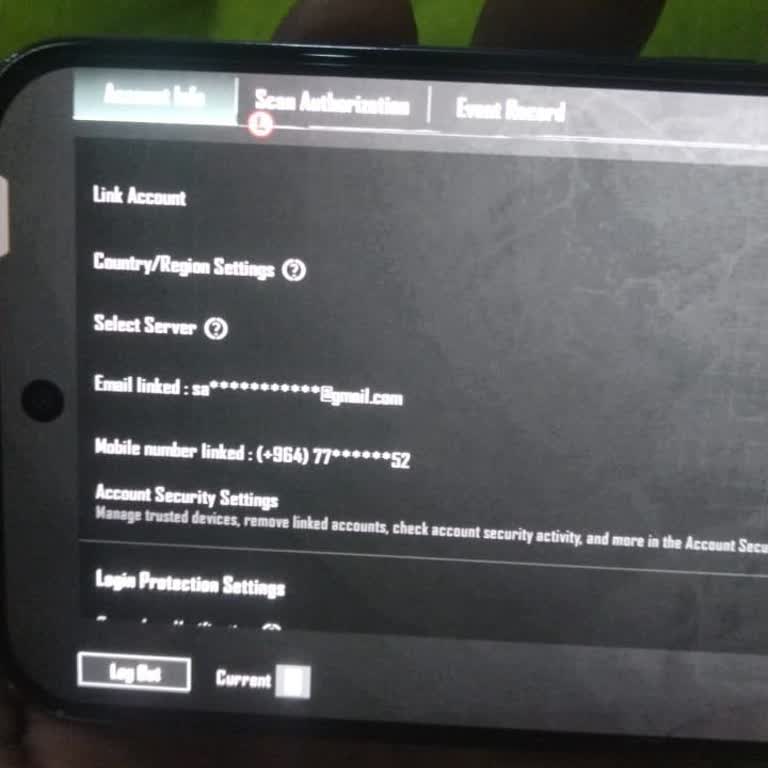
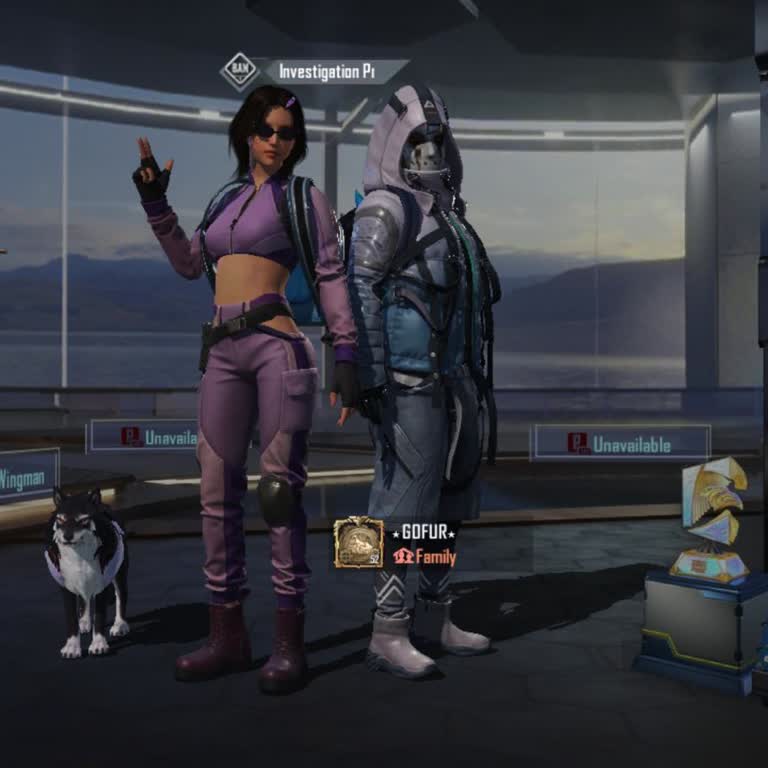
PUBG Mobile Account Wrongfully Banned During Match And Needs Rechecking

assadin
December 08, 9:32 am
27
PUBG Mobile Account Wrongfully Banned During Match And Needs Rechecking
pubg-mobile-account-wrongfully-banned-during-match-and-needs-rechecking-2.jpg

PUBG Mobile Unauthorized Purchase - Mobile Operator Billing Refund!

Cuneyt
December 01, 11:24 pm
39

I Can't Get My PUBG Account Back For Years - Please Help!

Merve
November 21, 12:29 pm
71

PUBG Mobile UC Not Credited After Payment Through Vodafone

Ayşe
November 16, 11:30 am
22
1
Sertaç is completely dissatisfied with the result

PUBG Mobile UC Purchase Not Delivered – No Customer Support Response

Sertaç
November 10, 9:26 am
25

Unauthorized PUBG Charge Refund Complaint

Koçer
November 09, 9:47 pm
24

PUBG Mobile Account Purchase – Login Issue and Refund Request

Eylül
November 09, 2:30 am
19

Undelivered PUBG Mobile UC Purchase – Order #4400

Hasan
November 08, 8:34 pm
17

Misleading Product and Refund Request – PUBG Mobile Account

Özgür
November 08, 8:00 pm
27
1
Ahmet is completely dissatisfied with the result

PUBG Mobile Not Running at 120 FPS on iPad Pro M5

Ahmet
November 02, 5:32 pm
163

PUBG Mobile UC Purchase Stuck on “Pending”

Arda
November 02, 4:46 pm
28

PUBG Mobile Error 9999-15 on iOS — How to Fix Google Login Problem

Ecrinnur
November 02, 2:43 pm
37
2
Berke is not satisfied with the result

Someone Changed My PUBG Mobile Email — How to Get My Account Back

Berke
November 02, 7:02 am
30

Why Was My PUBG Mobile Account Banned?

Samet
November 02, 3:47 am
37

Lost Main PUBG Mobile Account After Lending It to Someone

Malik
November 01, 12:31 pm
27

PUBG Mobile UC Ban Issue on Redmi Devices — How to Fix and Remove UC Ban

Lider
November 01, 10:53 am
27

Facebook Account Hacked After Ownership Transfer — How to Recove Profile

Emil
November 01, 1:16 am
31

PUBG Mobile Twitter Login Not Working on iPhone 11 — White Screen Issue

Enis
October 31, 9:30 pm
27

PUBG Mobile 90 FPS Not Available on Huawei P60 Pro — How to Unlock or Enable It

Samet
October 31, 2:51 am
28

PUBG Mobile UC Charged But RP Not Credited — How to Fix Missing UC or Rewards

Memo
October 31, 12:05 am
27

PUBG Mobile Unauthorized Charge Without Account — How to Get Refund

Yağmur
October 30, 10:28 pm
27

Frequently Asked Questions (FAQ)

Can I get my money back from PUBG Mobile?
  • Refund in PUBG Mobile is possible under certain conditions:
  • You can get your money back if you don't use any digital products in the game within 14 days of purchasing it.
  • However, you will not be able to get your money back for some items, such as equipped skins or opened clothing sets.
  • Similarly, unused G-COIN purchases are also valid for a refund within 7 days.
How do I cancel my PUBG payment?
  • If you wish to stop paying for PUBG on an Android device:
  • Head to Google Play's subscription management settings, press the subscription in question and then tap the "Cancel subscription" button.
  • If you own an iPhone:
  • Access Settings, press your name, and then select iTunes & App Store to terminate your PUBG membership. Choose "See Apple ID" after tapping your Apple ID. Choose the subscription you want to manage by scrolling down and tapping the "Subscriptions" option. Afterward, you can use the available choices to modify or terminate your membership.
Why did my PUBG account got banned?
  • Your PUBG account may get banned for several reasons:
  • - using cheating tools or illicit software like AIM bots and hacks,
  • - logging in from an unauthorized third-party app,
  • - making changes to client data,
  • - using unofficial game clients,
  • - providing false information,
  • - promoting illegal content or websites,
  • - cheating repeatedly in team games,
  • - using unauthorized payment channels,
  • - teaming up with players outside of your team.


  • To unban your PUBG Mobile account, you can try appealing to the PUBG support team through their Help Page.
How can I verify my PUBG Account?
  • The first method is to link your account to your social media accounts, such as Facebook or Twitter. To do this, go to the settings menu in PUBG Mobile, select "Account," and then choose "Link." Follow the instructions provided to link your account to your desired social media account. Once linked, you can verify your account by logging in with your social media credentials.
  • The second is to use SMS verification. To do this, go to the settings menu in PUBG Mobile, select "Account," and then choose "Verification." Enter your phone number and wait for the verification code to be sent to you via SMS. Once you receive the code, enter it into the app to complete the verification process.
How can I contact PUBG Support?
  • PubG offers customer support via Chatbot or by filling out the customer support claim form on their official site www.pubgmobile.com. If you need in-game help, go to “Settings”, and click on “Contact CS.

About PUBG

PlayerUnknown's Battlegrounds, or PUBG for short, is a well-known online multiplayer battle royale game. The South Korean video game studio Bluehole's PUBG Corporation developed the game. First published in March 2017 for Microsoft Windows, PUBG has now been ported to consoles like Xbox One and PlayStation 4 as well as mobile devices.

Up to a hundred players drop onto an island in PUBG, where they must forage for supplies and fight to the death to emerge victorious. The game's fast-paced action and photorealistic visuals have made it a favorite among professional gamers, and competitions featuring the game's players have become increasingly common. PubG can be played single, with a partner, or on a team.