I received a notification about suspicious activity on my Epic Games account. What should I do?
53 Views
What to do immediately after receiving a warning — practical and up-to-date steps:
Change your password immediately
Choose a new, long, unique password and don’t reuse it anywhere else.
Review account logins
In Epic Games settings, check active sessions and log out of all other devices.
Enable two-factor authentication (2FA)
Epic Games supports:
SMS codes;
email codes;
authenticator apps.
This significantly reduces the risk of hacking.
Check your purchase history
Make sure there are no unauthorized charges.
If there are, submit a transaction dispute right away.
Check the email linked to your account
Attackers often try to change the email to lock out the owner.
If you see email change requests, cancel them immediately.
Contact Epic Games support
Include:
the warning details;
the approximate time of suspicious activity;
confirmation that you changed your password and enabled 2FA;
a request to review account changes.
If access is temporarily blocked
Prepare recovery details:
previous email address;
account creation date;
purchase history;
usernames;
devices used to log in.
Document everything
Save screenshots of emails, login attempts, and alerts — this may be needed as evidence.
If Epic Games doesn’t help or you keep receiving suspicious activity alerts, file a complaint on Xolvie to protect your account and speed up resolution.
On May 24, 2026, at around 3:08 AM, I realized my Epic Games account had been stolen. The email address linked to my acc...ount was a*************@gmail.com. After my account was compromised, the secondary recovery account was changed to a different email address — meaning verification codes are now be
On May 23, 2026, at around 9:48 AM, an unauthorized charge of approximately $28 was made on my TEB Bank card through Epi...c Games. The transaction was carried out through an account I have no connection to whatsoever, and the money was taken from my card without any confirmation code being requested f
Between midnight and 12:05 AM on the night of the 20th going into the 21st, four unauthorized transactions totaling near...ly $435 were made on my VakıfBank credit card through Epic Games — completely without my knowledge or consent. Despite having no Epic Games account whatsoever, my card was charged
On May 22, 2026, I received an SMS from my bank stating that a transaction of approximately $15 attempted through Epic G...ames Store using my virtual card had been declined due to an incorrect security code. This is how I found out that someone had attempted to make an unauthorized purchase using my c
On May 12, 2026, at around 10:44 PM, two suspicious transactions were made on my QNB Finansbank credit card through Epic... Games without my knowledge or consent. One charge was for $189 and the other for $247 — both substantial amounts. Since these purchases were made entirely without my authorization
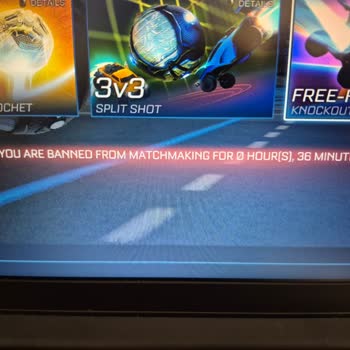
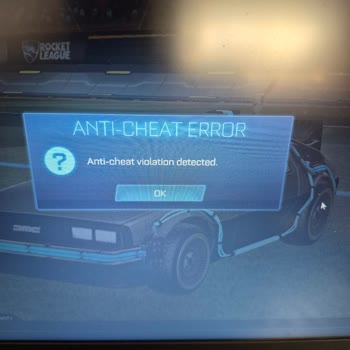
I have been playing Rocket League on PC via the Epic Games platform and after the update on 28 April 2026 I can no longe...r join any online matches properly. Every time I try to enter an online match, I receive an “anti‑cheat violation dejected” warning and I immediately get a 40‑minute ban, so I cann
About one hour ago, my Epic Games account was taken over by third parties. In the email I received from Epic Games, it c...learly stated that my account had been accessed from a different device and IP address, that the email address on the account had been changed, and that my login information had be
Since this morning, I have not been able to log into my Epic Games account registered under the username “Ege16.” Even t...hough I am certain that I am entering the correct password, the login attempt fails and the account does not open. When I tried accessing the account from another location, I noti
On February 8, 2026, two transactions were made without my knowledge or authorization through my VakıfBank World credit ...card by a company called Epic Games Store, based in Lucerne, Switzerland. These transactions appear in my statement as $43 and $76, with the description “EPC*EPIC Games Store Luzer
About a week ago, I stopped being able to access my Epic Games account that I normally use on PC. When I try to log in, ...I receive a “account not found” warning and the only option shown is the account recovery button. The account I created with the email ko************@hotmail.com** now appears as i
On January 18, 2026, I purchased the game “FC 26 TOTY Edition” from the Epic Games Store with the order number a26011811...20308229. The payment was completed without any issues and the game was added to my library. However, when I tried to play the game, I started experiencing a serious problem. When
I have been actively using my Epic Games account for approximately 5 years, and it contains many of my games. Despite ha...ving two-factor authentication enabled, my account was taken over in a very short period of time. First, I received a notification that my email address had been changed, followed
On August 12, 2025, at 11:03 AM, my Epic Games account was taken over through an unauthorized action from a different co...untry, and the Gmail address linked to my account was changed without my consent. Since that moment, I have completely lost access to my account, and I have been unable to log in f
I experienced a serious level loss on my Rocket League account, which I play through Epic Games. I was at Level 93, but ...after exiting the game and logging back in, I saw that my account level had dropped to Level 1. This happened today at around 8:15 PM. I have not made any in-game purchases on thi
On December 7, 2025, at 1:16 PM and 1:21 PM, two separate transactions of $11 + $11, totaling $22, were made through Epi...c Games/Fortnite using my card without my permission or consent. These transactions were carried out by people I do not know. The Fortnite account involved does not belong to me, a
My Epic Games PC account was taken over without my knowledge or permission on November 19, 2025, while I was serving in ...the military. The email address and password registered to my account were changed, and as a result, I am completely unable to access my account. I only became aware of this situat
Today, the email address linked to my Epic Games account (username: Nippymilk) was changed without my permission by some...one from another country. Although I can still log into my account via Gmail, I’m seriously concerned about my account’s security because the registered email address has been alte
On July 1, 2025, my Epic Games account (username: selamettinsucuk) was hacked, and my email address was changed without ...my permission. My account contained paid games and digital content, and after noticing the breach, I realized that my personal information may also be at risk. I immediately conta
On September 6, 2025, an unauthorized purchase attempt for ₺7,986 was made using my VakıfBank card ending in 5636 at a m...erchant listed as EPİC*EPİC Games Store. The transaction did not go through because my account balance was insufficient. However, last month, the same company successfully charged
I purchased games and invested my money on Epic Games on digital content. Unfortunately, about one year ago, my Epic Gam...es account was stolen. Since then, I have been unable to access my own account and the games I paid for. I contacted Epic Games support numerous times, but I have yet to receive a
My Epic Games account was recently hacked. The individuals who stole my account also managed to change the associated em...ail address, making it impossible for me to recover my account through any standard means. I have attempted to contact Epic Games support regarding this critical issue, but I have
Hello, I am experiencing a critical issue with my Epic Games account and urgently request your support. For some time no...w, I have been unable to log in. Despite repeatedly entering my correct username and password, the system continuously redirects me back to the login screen. I've also tried the "f
My Epic Games account (username: f2fxnapolyon) was hacked about 5 weeks ago. The email address was changed to an unfamil...iar rambler.ru address. Although I can still access my account, I am currently unable to change the email or secure the account because the verification codes are now being sent to
My Epic Games account was hacked, and my Google connection was changed without my knowledge. Now, I can’t access my acco...unt because my email is no longer recognized. I immediately tried to recover my account, but the process is useless—there’s no real solution. I submitted a support ticket, but no o
Dear Epic Games Support Team, I am reaching out to address a serious issue with my account. Despite adhering to all rul...es and using my account responsibly, I recently discovered that it has been banned without any valid reason. This has left me frustrated and confused. I request a thorough review o