Google Play rejected my refund due to company policy — how can I appeal this decision?
24 Views
If Google Play rejected your refund due to company policy and you want to appeal the decision:
• Review the exact reason for the rejection (expired refund window, content already used, developer policy, etc.)
• Verify the purchase date and whether you are still within the applicable refund period
• Gather screenshots of the issue, a description of the problem, and the transaction ID (GPA.XXXX)
• Keep copies of any previous communication with support
Contact Google Play again requesting a formal review of your case:
• Include the transaction ID, date, amount, and a clear explanation of why you are appealing
• Attach supporting evidence (technical error, defective content, duplicate charge, etc.)
Ask them to:
• Specify exactly which policy applies to your case
• Review whether the product failed to work as described
• Confirm whether the developer can authorize an exception
• Escalate the case for manual review
• Provide a case number and response timeframe
If they maintain the rejection:
Consider filing a complaint on Xolvie to seek a resolution.
I am a Parkinson’s patient, and I play the Okey Exstra game via Google Play on my Redmi 5G phone. In the game, I had pre...viously bought chip money a few times in small amounts. Last week, at the beginning of the week, the game started to constantly direct me to the purchase screen, and when I pressed
On April 14, 2026, unauthorized charges were made through the Toptop application, which my spouse downloaded via Google ...Play, using Paycell mobile payment linked to my Turkcell line. A total of 13 transactions were processed without our knowledge or consent, each amounting to approximately $94. This
On April 23, 2026, an in-game purchase of approximately $115 was made on the eFootball mobile game through Google Play w...ithout my knowledge or authorization. After noticing the transaction, I submitted a refund request through the Google Play Store within about two hours, but my request was denied.
I am writing regarding unauthorized in‑app purchases made through the MoviestarPlanet game on Google Play. On 14/04/2026..., I noticed several in‑app purchases that I did not authorize, with a total amount of 62.99 being charged to my account. I have all of the transaction IDs from Google Play for thes
On March 28, 2026, I purchased the game Minecraft via the Google Play Store with the order number GPA.3329-5274-0522-125...76, paying ₺300. Although the payment was successfully completed, the game cannot be installed on my device under any circumstances.The device I am using is a Samsung Galaxy A54 5G
I am writing regarding an unauthorized purchase of eFootball coins made through my Google Play account. On 5 March 2026 ...at approximately 12:13 p.m., a transaction of Ksh 6,575 was charged without my knowledge or consent. I did not authorize this purchase, and I have no recollection of performing any
I am writing regarding a Free Fire level up subscription that I purchased through the Google Play Store. The purchase wa...s made on 2 February, and the Google Play order ID for this transaction is GPA.3370-3381-5882-23655. For this purchase, instead of a refund, I kindly request that the amount paid b
I am writing about the payments taken from my card through Google Play for the game “One State RP.” The company does not... refund my card in any effective way; there is almost no proper refund system and everything works automatically, which makes it impossible to resolve my problem through normal mea
On February 17, 2026, I purchased an annual subscription to the Fitify app through Google Play for approximately $9. Sin...ce I was not satisfied with the app, I canceled the subscription on February 18, 2026 — just one day after the purchase. However, several days have passed and I have not received a
I am a PUBG Mobile player, and I am currently unable to play ranked matches due to a UC-related error. When I try to ent...er ranked games, the game displays the message: “You do not have sufficient UC to use this feature. To improve your game experience, please complete the refunded UC,” and does not
I am writing to report an accidental purchase made through my Google Play account and to request a refund of the Play Po...ints used. I am using a Xiaomi Redmi device, and my Google Play account is registered in India. On 7 December 2025, I mistakenly used my Play Points to purchase an emote in the gam
It is absolutely not safe to make any purchases through Google Play. You do not have any consumer rights. I think they a...re doing this as a discrimination against Türkiye. Therefore, please, such companies should not be given a bonus. There was a problem with the application I purchased. I informed t
My 7-year-old son put several games on my phone without my permission, and when I tried to get my money back through Goo...gle Play, they all said no. They told me that their refund policy doesn't apply to my case, and while they said they were sorry, they didn't offer any real help. I keep getting the
My child accidentally made a game purchase on Google Play, resulting in ₺569.99 being charged to my card. I requested a ...refund, but it was denied. I am seeking the return of this amount, as I do not wish to pay ₺569.99 for a game. Please help.
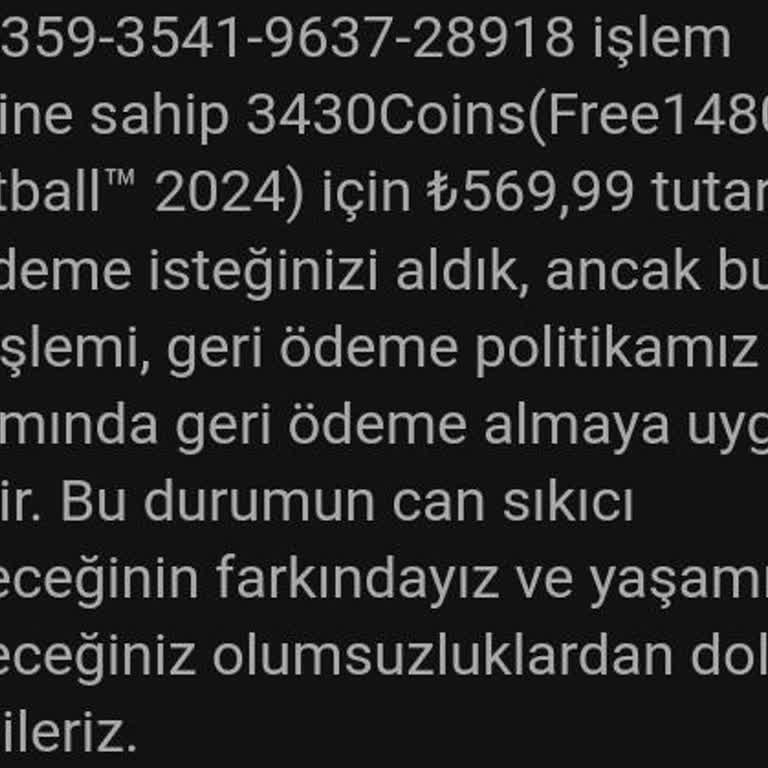
I did not receive the product I purchased in the application I downloaded via GooglePlay on April 13, 2023, at 16:44:32 ...pm. I requested a refund via the e-mail sent to me and GooglePlay did not accept the refund. In addition, the incoming e-mail replied that the refund request you requested is not i