Xolvie Resolution Specialist13 Aralık 2025 13:57
Here are practical and up-to-date steps to restore access:
Reset your password via email
Click “Forgot your password?” on the login page and enter the email linked to your account.
Check Spam and Promotions folders if the email doesn’t arrive.
If two-factor authentication (2FA) is enabled
Make sure your email or authenticator app is working.
If the code doesn’t arrive, try backup login methods.
Double-check login details
Many issues are caused by typos or using the wrong sign-in method.
Make sure you’re logging in via the correct linked service (Google, PlayStation, Xbox, Nintendo).
If your email was changed or the account was hacked
Submit an account recovery request to support and include:
previous email address;
in-game username;
purchase history;
account creation date;
recent activity (if known).
Providing more details speeds up recovery.
Clear browser cache or try another browser
Login issues can be caused by cookies or authorization errors.
Disable VPN or proxy
Epic Games may block logins from suspicious regions.
If nothing works
There may be a temporary authentication server issue.
Wait 15–30 minutes and try again.
If Epic Games delays recovery or refuses to help, file a complaint on Xolvie. This often speeds up resolution and helps protect your account and purchases.
Vote
Related Complaints
Epic Games Needs to Restore My Hacked Account

February 25 2:22 AM
About one hour ago, my Epic Games account was taken over by third parties. In the email I received from Epic Games, it c...learly stated that my account had been accessed from a different device and IP address, that the email address on the account had been changed, and that my login information had be
I Cannot Log Into My Epic Games Account and My Balance Is Missing

February 19 8:29 PM
Since this morning, I have not been able to log into my Epic Games account registered under the username “Ege16.” Even t...hough I am certain that I am entering the correct password, the login attempt fails and the account does not open. When I tried accessing the account from another location, I noti
Epic Games Account Shows “Account Not Found” Error

January 28 10:07 PM
About a week ago, I stopped being able to access my Epic Games account that I normally use on PC. When I try to log in, ...I receive a “account not found” warning and the only option shown is the account recovery button. The account I created with the email ko************@hotmail.com** now appears as i
Epic Games Account Recovery Delayed After Hack — Support Stopped Responding

December 22, 2025 11:31 AM
I have been actively using my Epic Games account for approximately 5 years, and it contains many of my games. Despite ha...ving two-factor authentication enabled, my account was taken over in a very short period of time. First, I received a notification that my email address had been changed, followed
I Face Epic Games Ignoring Support Tickets About Email Change Issue

December 16, 2025 9:59 AM
I no longer have access to the email address registered on my Epic Games Store account because I changed my phone number.... About a year ago, I changed my phone and believed that I had also updated the number on my Epic Games account. However, since my old phone number has been completely deactivated,
I Face Epic Games Rejecting My Account Recovery After Hack

December 14, 2025 11:20 PM
On August 12, 2025, at 11:03 AM, my Epic Games account was taken over through an unauthorized action from a different co...untry, and the Gmail address linked to my account was changed without my consent. Since that moment, I have completely lost access to my account, and I have been unable to log in f
Epic Games Support Not Responding After Account Was Hijacked

December 1, 2025 1:39 AM
My Epic Games PC account was taken over without my knowledge or permission on November 19, 2025, while I was serving in ...the military. The email address and password registered to my account were changed, and as a result, I am completely unable to access my account. I only became aware of this situat
I Face Unauthorized Email Change on My Epic Games Account — Security Disabled

September 30, 2025 6:36 PM
Today, the email address linked to my Epic Games account (username: Nippymilk) was changed without my permission by some...one from another country. Although I can still log into my account via Gmail, I’m seriously concerned about my account’s security because the registered email address has been alte
Epic Games Refused to Restore My Account Despite Full Proof of Ownership

September 28, 2025 12:04 PM
I haven’t been able to access my Epic Games account for a long time. The email address linked to my account is h*@window...slive.com**, but since I no longer have access to that email and also forgot my password, I’m completely locked out of my account. Every login attempt results in a recovery link be
Epic Games Ignored My Hacked Account Report — Need Recovery and Security

September 9, 2025 12:14 AM
On July 1, 2025, my Epic Games account (username: selamettinsucuk) was hacked, and my email address was changed without ...my permission. My account contained paid games and digital content, and after noticing the breach, I realized that my personal information may also be at risk. I immediately conta
I Face Account Theft on Epic Games and Can’t Access My Purchased Games for 1 Year

July 3, 2025 4:03 AM
I purchased games and invested my money on Epic Games on digital content. Unfortunately, about one year ago, my Epic Gam...es account was stolen. Since then, I have been unable to access my own account and the games I paid for. I contacted Epic Games support numerous times, but I have yet to receive a
I Report Epic Games Hacked Account: Email Changed, Cannot Recover Access

June 27, 2025 9:50 AM
My Epic Games account was recently hacked. The individuals who stole my account also managed to change the associated em...ail address, making it impossible for me to recover my account through any standard means. I have attempted to contact Epic Games support regarding this critical issue, but I have
I Report Epic Games Login Block: Cannot Access Account, No Password Reset

June 26, 2025 11:29 AM
Hello, I am experiencing a critical issue with my Epic Games account and urgently request your support. For some time no...w, I have been unable to log in. Despite repeatedly entering my correct username and password, the system continuously redirects me back to the login screen. I've also tried the "f
Epic Games Email Changed Without My Consent

June 14, 2025 9:58 PM
My Epic Games account (username: f2fxnapolyon) was hacked about 5 weeks ago. The email address was changed to an unfamil...iar rambler.ru address. Although I can still access my account, I am currently unable to change the email or secure the account because the verification codes are now being sent to
I Regret Buying Games on Epic Games—Constant Login Issues

May 22, 2025 7:26 PM
Honestly, even downloading a pirated game would offer a better experience than trying to use Epic Games. The platform is... so poorly designed that even if all games were free, it still wouldn’t be worth the hassle. Every time I try to log into my account, I’m met with error after error. I can’t play
I Can’t Recover My Epic Games Account Because I No Longer Have Access to My Email

May 12, 2025 8:39 PM
I’m completely locked out of my Epic Games account and no one is helping. When I try to log in, I’m told I must reset my... password. That would be fine—except the password reset email is being sent to an address I no longer have access to. I can’t retrieve the verification code, and this has left me t
I Can’t Access My Epic Games Account and Lost My Games Worth Thousands

May 8, 2025 11:29 PM
I'm absolutely furious with the lack of support from Epic Games. I’ve had an account for years with thousands of ₺ worth... of games purchased, and now Epic Games tells me my account doesn't exist. I forgot my password and when I tried to reset it, the system claimed there’s no account associated with
My Epic Games Account Was Hacked—Google Link Changed Without My Consent

January 24, 2025 2:43 PM
My Epic Games account was hacked, and my Google connection was changed without my knowledge. Now, I can’t access my acco...unt because my email is no longer recognized. I immediately tried to recover my account, but the process is useless—there’s no real solution. I submitted a support ticket, but no o
Epic Games Account Wrongfully Banned and Uninstallation Issue

December 27, 2024 9:08 PM
Dear Epic Games Support Team, I am reaching out to address a serious issue with my account. Despite adhering to all rul...es and using my account responsibly, I recently discovered that it has been banned without any valid reason. This has left me frustrated and confused. I request a thorough review o
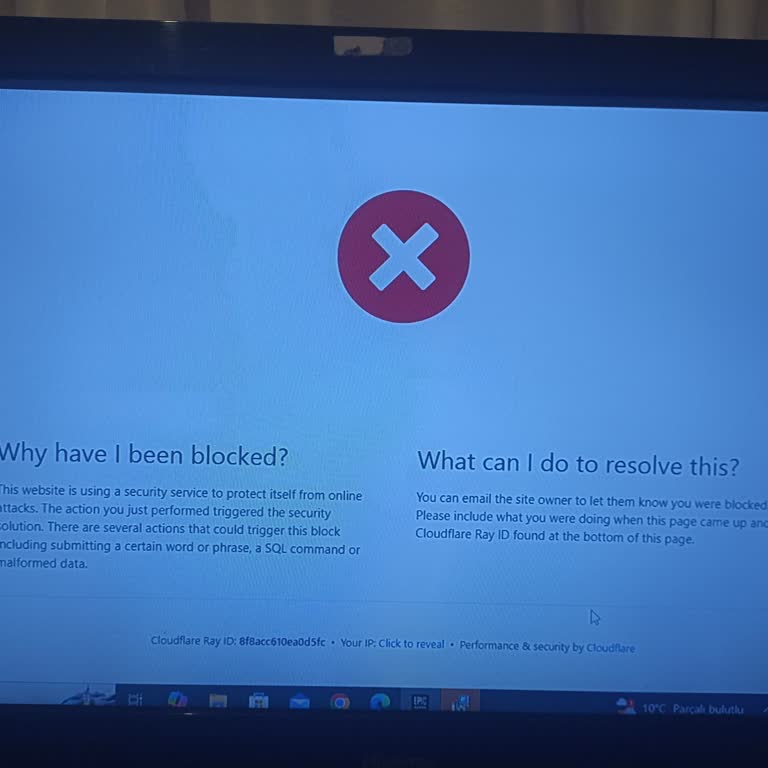
My Ubisoft and Epic Games Accounts Were Hacked, No Response to Recovery Requests

December 7, 2024 12:25 AM
My Ubisoft account was hacked, and since it was linked to my Epic Games account, both are now inaccessible. I discovered... the issue hours after it happened, around 5 AM, and immediately requested a password reset via email, but I have not received any response. I have spent a significant amount of m
Epic Games Account Hacked and Email Changed Without My Permission

December 6, 2024 11:21 PM
I have access to my Epic Games account, but it has been hacked. My original email ending in @gmail.com was replaced with... one ending in @rambler.ru. I checked my Gmail account, and there were no suspicious login attempts. Clearly, my Epic Games account has been compromised. I have proof of ownership
Epic Games Account Recovery Fails Despite Providing Sufficient Evidence

December 5, 2024 10:37 PM
I am very dissatisfied with the inadequate account recovery process on Epic Games. My account was hacked, and despite pr...oviding proof of purchases, my card details, transaction codes, and other relevant evidence, the system still deems it insufficient. The process is flawed—there’s no way to submit
Epic Games Suspended My Account With 5000 Hours in Fortnite and 500 Hours in GTA 5

December 4, 2024 8:08 PM
I was taken aback when I logged into Epic Games and found that my account had been unexpectedly suspended. This account ...boasts an impressive 500 hours of gameplay in GTA 5 and a staggering 5000 hours in Fortnite. I have always played fair and followed the rules, so I'm at a loss as to why this situa
Epic Games Does Not Want to Deal With My Account Recovery Request

November 28, 2024 9:46 PM
On November 16, 2024, the e-mail address and password of my Epic Games account were changed by someone I do not know. I ...do not share my account password and e-mail with anyone. The same problem occurred with my Ea and Rockstar Games accounts. They fixed it in one day. When I wrote to the company reg
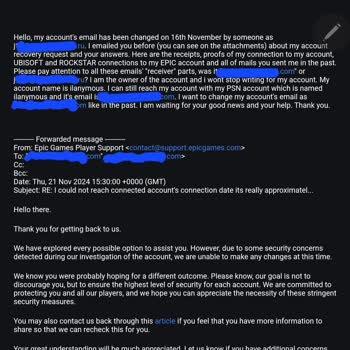
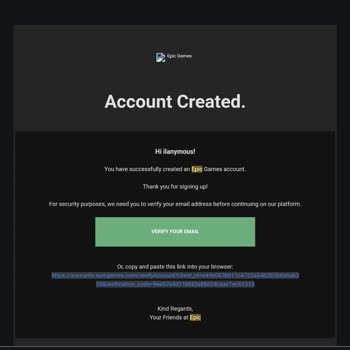
+1
Lost Access to My Epic Games Account, No Support From Help Desk

November 24, 2024 5:47 PM
I’ve been locked out of my Epic Games account, registered with the email [email protected]** and username c. When I tried logging... in after a few days, it acted as if no account existed under that email and prompted me to create a new one. This is unacceptable, as I’ve spent 3.5 years building my library of

Epic Games
View All Complaints