The seller on DHgate is not responding and the order is not progressing. How can I escalate the case?
30 Views
If the seller on DHgate is not responding and your order is not progressing, you can escalate the case through the official process in the Help Center:
• Go to My Orders → Order Details and check the current status and remaining buyer protection time
• Save screenshots of the tracking status and unanswered messages
• Confirm whether the estimated shipping time has already passed
According to DHgate’s Buyer Help Center process:
• Go to My Orders → Return & Refund
• Select the appropriate reason (not shipped / not received)
• Attach clear evidence (screenshots, dates, attempts to contact the seller)
• Submit the dispute before the buyer protection period ends
Request that:
• The seller responds through the system
• DHgate intervenes if there is no response
• The platform verifies whether valid shipping proof exists
• A refund is processed if there is no valid dispatch
• A case number and clear resolution deadline are provided
If the seller does not cooperate:
• Use the “Escalate Dispute” option for DHgate review
• Keep all communication within the platform
• Preserve all evidence as backup
If you’re facing a similar situation, you can also share your experience on Xolvie to see how others resolved it and bring more visibility to your case.
I placed an order for a bag through DHgate from a seller named "dhwanglijia" on 11/19/2025. My order number is 315077307...659. After the product entered Turkey, I was hit with a very high customs duty. Since I didn't find it reasonable to pay that amount, I had to return the product instead of accepti
On January 28, 2026, I placed an order through DHgate from a store named "Star87" for 2 Unlocked Mini 3G Smartphone Soye...s XS13 phones, intended as student phones for my daughters. I paid a total of $116. However, the phones were never delivered to me by customs. Customs initially didn't want to expl
DHgate Order Tracking: YY218926722CN This order was never delivered to me, yet the DHgate system marked it as delivered.... When the package arrived in Turkey, I was asked to pay a mandatory customs broker/customs handling fee. This fee was higher than the value of the product itself, so the package
About three months ago, I placed an order on DHgate and paid approximately $72 by credit card. Despite the long time tha...t has passed, the product has still not been delivered. The system only displays messages like “your package is on the way, please be patient,” which makes me feel like I am being
On November 16, 2025, I placed an order on Dhgate for a pink leopard-print bag under order number 315003982766. Even tho...ugh the payment was taken from my account, the order status has been showing “processing” for about a week, and the item has not even been shipped. I contacted both Dhgate and the
On October 5, I placed an order on DHgate for a Tandorio brand watch (order number: 314116494251). I selected the seller... “us_arizona.” However, the item was lost during shipping and never reached me. I informed the seller about the situation and requested a refund, but I did not receive any respons
I would not recommend ordering from DHgate, as there seem to be many sellers who don’t fulfill their promises, and DHgat...e appears to side with them rather than helping customers. I ordered an LED projector, but the seller never shipped it. When I tried to request a refund, I found out that the selle
I purchased a shaving brush from DHgate, and it came damaged. I was genuinely taken aback when I saw that the final amou...nt at checkout, with all taxes and fees included, came to about ₺680. When the package arrived at my home, I was unexpectedly asked to pay an extra ₺370. I was caught off guard by

I placed an order on DHgate 2-3 months ago, but after initial tracking updates, the shipment stopped moving. When I cont...acted the seller, I was told to "be patient", only to later find out that my package was lost in transit. Instead of sending the exact items I originally ordered, they offered a d

I ordered a game console from DHgate.com on April 23, but accidentally confirmed the delivery due to a language barrier.... When the package didn’t arrive, I contacted the seller, who told me the item was lost in shipping. I asked for a replacement, but the seller stalled until the transaction closed o
I ordered an item from DHgate that was returned after failing to pass through customs. However, despite the return, I ha...ven’t received my refund. The seller told me to open a dispute, which I did, but I’m still waiting for my money. It’s been since March, and every time I reach out, I get the same r
This like my third shopping on Dhgate, the first two was test-fire and now I see what the fuss is about, it's total SCAM...!!! they never approve a refund I mean wth? thank God the last was a cheap item, they're keeping me wait for like a month now, the order was placed on June 19, I should have done m
I placed two orders on DHgate, order numbers 32724590310 and 32724590311, on April 4, 2024. The seller marked them as sh...ipped the same day. However, the tracking information shows that both orders were "delivered" on June 10, 2024, which is false. I never received these items. I am unable to file a
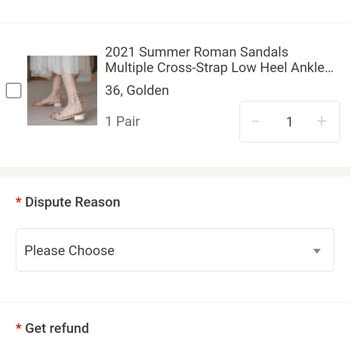
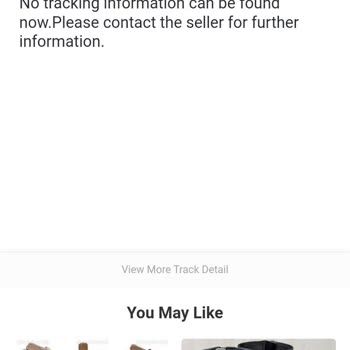
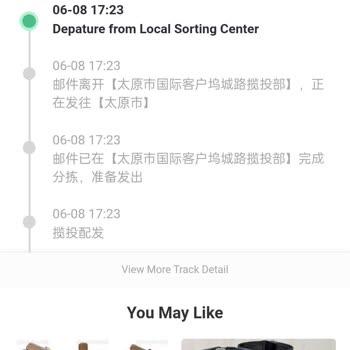
I'm having trouble locating my order from Dhgate in the system. It seems to be missing, and I'm unable to track it down.... I've misplaced my funds and require help from the appropriate authorities. I have included the receipt and am eagerly anticipating a resolution. I've included some pictures of the
I made a purchase on May 13, 2024, with DHgate. The order number is 32313695086. According to the seller, the item was s...hipped on the same day. However, the tracking information indicates that the order was delivered on December 6th. I am unable to initiate a dispute. I'm uncertain about whether it'
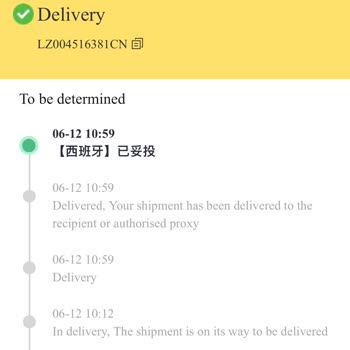
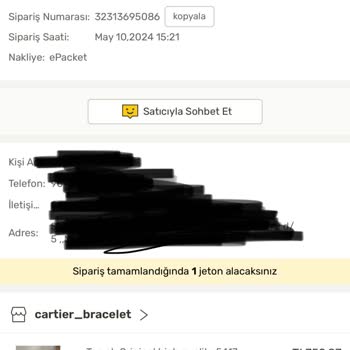

You'd think a big company like DHGate would have it figured out, but nope. Just frustration and disappointment all aroun...d. Do yourself a favor and shop somewhere else! Your sanity will thank you. I ordered a present for my son's Christmas, thinking it'd be there quick – wrong! Took like FOUR MONTHS!
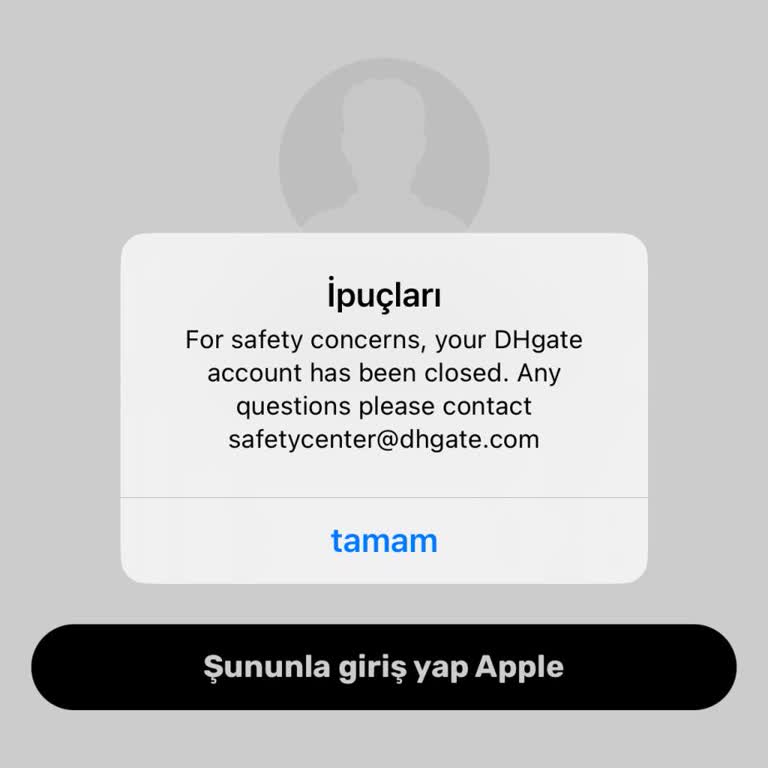
I've made a bunch of orders from this website called DHgate, but when I tried to log into my account yesterday, I got a ...warning saying my membership got closed for security reasons. Whenever I attempt to contact someone through email, I never seem to get a response. I've got a bunch of orders that a
DHGate really screwed me over! I was pumped when I ordered this thing online, but when it finally showed up, it looked l...ike it had been through a warzone. Zippers busted, seams falling apart—total disaster! hit up the seller, thinking they'd make it right, but they just gave me the runaround with em
Disaster is what you do better!!! ordered a so called beautiful wedding dress online, all excited, sent them all my meas...urements super carefully... When it arrived, it was like they sent a dress for a child! My wedding is coming up soon, and I can't exactly wear a dress that wouldn't even zip! conta
More than forty days have passed since I made my purchase of a Zippo lighter, and I still have not received it. I am thr...eatening legal action until you promptly handle my return. Your treatment of customers is perplexing. Never again will I purchase from you. Claimant 'N*****' asserts that shipment