My Apple AirPods were working fine, but recently they've started to disconnect from my device at random intervals. How can I fix this frequent disconnection problem?
1 Views
It’s sad that when your AirPods suddenly stop connecting to your device after they've been working perfectly. The good news is that you can take several troubleshooting measures to fix this problem and establish a more reliable connection:
• Bluetooth Connection Check: Check the Bluetooth connection on your device. Turn on Bluetooth and pair your AirPods. Open Settings and select Bluetooth. Make sure Bluetooth is on and AirPods are under "Paired Devices."
• Restart AirPods and Device: Minor software glitches may cause connectivity issues. Restarting often fixes these issues. Put your AirPods in the charging case for 30 seconds and remove them to restart. Hold the Power button until the "slide to power off" screen appears to restart your device. Slide the power off button to the right and hold it until the Apple logo appears to power on your device.
• To fix persistent disconnections, reset your AirPods. Put them in the charging case and hold the setup button on the back for 15 seconds. The charging case's light flashes white and orange before turning white. Release the setup button when the light turns white.
• Update Device Software: Use the latest software version on your device. Apple frequently updates to fix bugs and boost performance. In Settings, tap General, then Software Update. Download and install updates as instructed.
Remember to share your struggles so others can help you too.
On October 31, 2025, I purchased an AirPods Pro 3 (Serial Number: J0JW017W6M) through Hepsiburada.com, an official Apple... distributor, for ₺13,924, paid by credit card. From the very first use, I have continuously experienced issues such as muffled and distorted sound and occasional static noise. Due
The right earbud of my AirPods Pro 2 with serial number JQYQ763H5P has not been working at all for about two months. I r...eceived the product as a gift on July 30, 2023, and the warranty expired 60 days ago. However, during that period, I was out of town due to family reasons and could not use it. Whe
My AirPods 4 have not been charging at all for the past two months. I purchased the product from Media Markt in Kahraman...maraş and sent it to the authorized service center, where a service request was created under record number 102682069877. However, the device was returned to me marked as “repaired
My AirPods Pro has a persistent static noise problem that occurs only during phone calls. Since I did not use the produc...t very frequently at first, I only recently noticed the issue when I started using it more regularly. After researching, I learned that this problem is a known manufacturing defect
I sent my AirPods to Apple service with tracking number 2505-636032 due to a persistent microphone issue. During phone c...alls, the person on the other end hears my voice as muffled and cutting in and out. Despite clearly describing the problem, I received my AirPods back with a note saying, “Inspecte
Open Letter to Apple: Where is Customer Satisfaction? Dear Apple Representatives, I purchased my AirPods 2 two years ago..., and within this period, they have broken down twice. The first issue was that one of the earbuds stopped producing sound. When I took it to an Apple-authorized service center, th
I purchased AirPods Pro 2nd Gen from Vatan Bilgisayar four months ago. The bottom tip of the earbuds kept coming off, an...d I also experienced sound issues. I sent them in for warranty service, but I was told it was a user error, and they asked me to pay ₺3,800 for repairs. How can a part randomly co
I purchased Apple AirPods in July 2024, and within a few months, I began experiencing issues. In October 2024, I contact...ed Apple Support, and they created a case ID and sent me details about the nearest service center via email. Unfortunately, due to personal family issues, I couldn’t address the pr
I sent my AirPods Pro 2, which are still under warranty, to Apple's authorized service center, with coordination from Ap...ple Turkey, due to issues such as connection drops and the other party not being able to hear my voice during calls (these problems existed almost from the first day of purchase).
I submitted my AirPods Pro to Gürgençler Authorized Service for repair under warranty due to an issue where the person o...n the other end of phone calls hears my voice muffled. As a result of the service process, one earbud was replaced, but the other was deemed to have “minimal, invisible damage” and
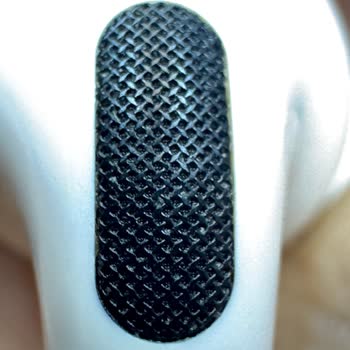
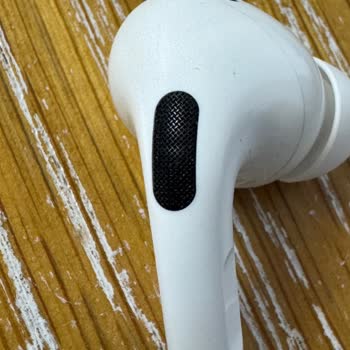
I purchased two Apple AirPods 3rd Generation sets, one for myself and one for my son. Both headphones have had sound lea...kage issues since day one. My son’s AirPods have been sent for warranty service three times, but the problem reoccurs within a day of being returned. Most recently, the service cen
I'm using AirPods Pro 2, which I purchased on 25.04.2024, and it hasn't even been a year yet. The left earbud produces r...obotic and mechanical sounds during long conversations. Additionally, when watching videos, the audio and video stop by themselves after a while. Siri notifications are also at a v
On January 26, 2023, I encountered an issue with the right side of my 2nd Generation AirPods Pro not charging and dying ...immediately. This problem started about three months ago, but due to my busy work schedule, I couldn’t take it to the service center sooner. A week ago, I finally submitted the dev
I’ve been using the AirPods Pro 1st generation, and after a while, they started to have this annoying crackling sound is...sue. Turns out, it’s a pretty common problem with this model. I was really surprised to find out that Apple knows about this problem but only provides a replacement if you pay afte
I am dissatisfied with my Apple AirPods because of frequent connection drops. When I contacted Apple's service center, t...hey informed me that they could not repair the gadget and only offered a replacement with a new one. However, they ask you ₺3,500 for a single earbud and ₺7,000 for both. This is a
I lost my Apple AirPods, and when I check the location on the app, it only shows the last place they were connected. Sho...uldn't it give me the current location? Once the battery dies, the location feature becomes useless. I contacted Apple Support, but all they told me was to report it to law enforce
I brought my 2nd generation AirPods Pro to the service center due to a persistent crackling issue. Unfortunately, since ...I purchased the product from abroad (Iraq), I couldn’t find the receipt. As a result, the service center declined to provide any assistance, stating that without the invoice, they
I regret purchasing the Apple AirPods Pro 2, as they cause pressure in my ears and give me headaches. I wish I hadn’t sp...ent so much money on them. At first, I thought it was just me, but the more I use them, the more I realize they’re simply uncomfortable and not worth it. Even cheaper products are
I’ve carefully used my 1st generation AirPods Pro, but just a month and a half after the warranty expired, the left earb...ud started crackling. It’s incredibly frustrating to have this issue right after the warranty ended, almost as if it was designed to fail. I expected better from Apple, especially
Hey, my Airpods 2 earbuds are losing battery too quickly and having trouble staying connected. Even though I explained t...he problem to the authorized service, they basically told me that I wouldn't be able to get the same level of performance as I did on the first day. I want my device to work as wel
I had to send my AirPods Pro in for warranty service once after purchasing them, and they were replaced. Now I'm having ...sound problems with my headphones once more. The most annoying part is that, despite the fact that my warranty hasn't expired, they're claiming it's out of warranty and demanding p
I gave my device for repair 2 times and 1 time to Vatan Bilgisayar, the place where I bought it. I have Bluetooth and Wi...-Fi disconnection problems on my device. When I first gave it to them, the screen was changed and my intact screen started to not print. I gave it again and the screen problem was
During the warranty period, my Apple AirPods Pro broke, so I took them to the Akasya Apple store to get a new pair. When... I got the new pair, I tried them out right away and found that they were also broken. I went back to the store right away to tell them what had happened. After waiting for another
I have a problem with audio transmission with my Apple Airpods headphones. In other words, there is no sound in conversa...tion and communication with Siri. Regarding this, I took the product to Apple Genius Bar before and when they checked it, they said there was no problem. I took it again yesterday
Assalamu Alaikum and have a nice day! I bought the AirPods Pro 2nd Generation headphones on April 21, 2023, about 9:35 p....m. I didn't know much about the product, but I believed it had the same feel as prior Apple products. I went to the Troy Company in Eskisehir's MediaMarkt Mall and described what