Lenovo

9100
(11 reviews)
Write a Complaint
137 Complaints
Lenovo
9100
(11 reviews)
Write a Complaint
1
Süleyman is completely dissatisfied with the result

I Face an Excessive Repair Fee for My Lenovo Tab 11 Pro Despite Extended Warranty

Süleyman
December 09, 5:48 pm
20
1
İlay is completely dissatisfied with the result

Lenovo Yoga Slim 6 Shutdown Burned Motherboard And Replacement Request

İlay
November 27, 9:42 am
22
1
Can is completely dissatisfied with the result

Lenovo Legion 5 Cosmetic Fail - Discoloring Palm Rest

Can
October 08, 1:59 pm
22

Lenovo Device Unusable for 2 Months – Urgent Refund Request

Göktuğ
September 08, 1:44 pm
31
1
İsmail is completely dissatisfied with the result

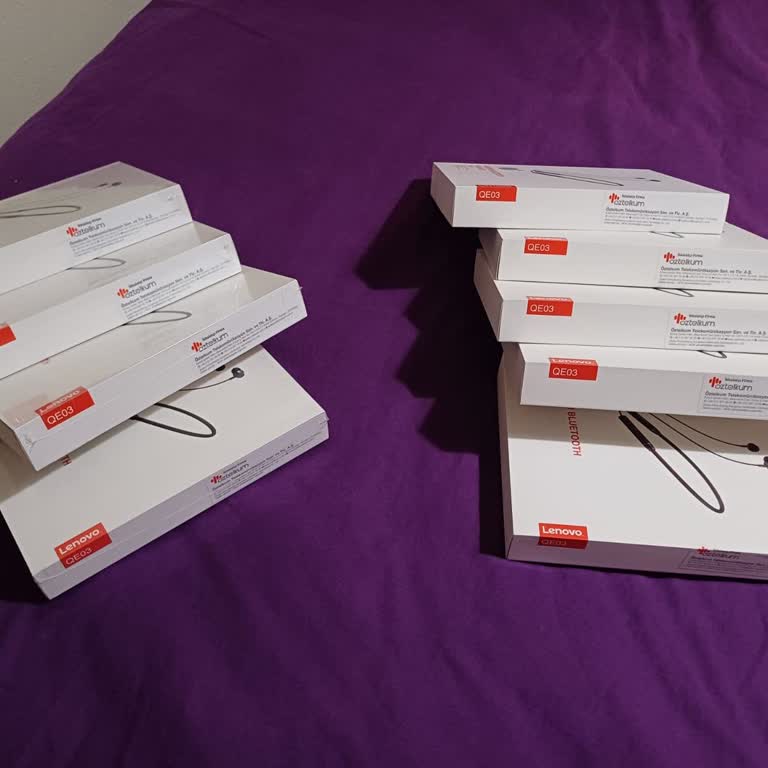
Lenovo QE03 Earphones I Bought Online Arrived Not Working

İsmail
August 11, 3:09 pm
17
Lenovo QE03 Earphones I Bought Online Arrived Not Working

I Cannot Unlock My Lenovo TAB M9 After Factory Reset

Süleyman
July 30, 1:08 pm
29
1
Alper is completely dissatisfied with the result

Lenovo Fails to Quote Full Repair Parts for My Legion Pro

Alper
July 16, 6:59 am
25

Lenovo Laptop Stuck In Service for 2 Months – No Repair, No Solution!

Furkan
June 24, 1:15 pm
23
1
Şafak is completely dissatisfied with the result

Lenovo XT62 TVC – Scratches On A Brand New Product

Şafak
June 19, 1:55 pm
32
Lenovo XT62 TVC – Scratches On A Brand New Product

My Lenovo Loq Gaming Laptop Freezes and Crashes During Games

Emir
June 17, 10:10 pm
40

My Lenovo L3 Laptop Screen Turned Pink and Has Vertical Lines

Ceren
June 17, 4:26 pm
20

My Lenovo Tab M11 Battery Drains Too Fast

Özge
June 14, 1:14 pm
39

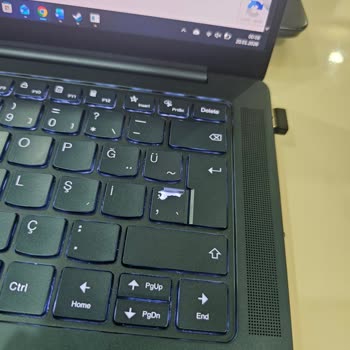
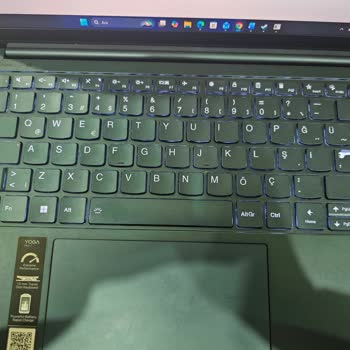
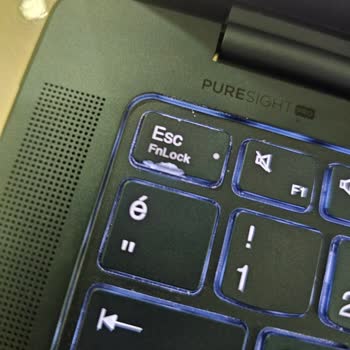
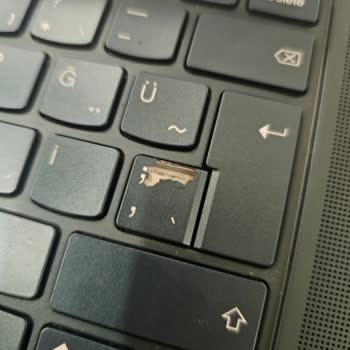
My New Lenovo Laptop Keys Broke Warranty Denied

Nazar
June 14, 12:15 pm
18

My Lenovo Gaming Laptop Overheats to 90°C

Umut
June 13, 1:26 pm
19
1
Murat is completely dissatisfied with the result

Lenovo Tablet Screen Discolored Without Impact - Warranty Claim Denied

Murat
May 15, 11:49 pm
64

My Lenovo USB-C 65W Charger Shows an X on Battery Icon but I Can’t Return It

Alhamza
May 11, 5:19 pm
19
1
Abdullah is completely dissatisfied with the result

Lenovo Wanted to Charge Me to Fix Shift Key on My Under Warranty Ideapad 3

Abdullah
May 08, 3:28 pm
23
1
Sertuğ is completely dissatisfied with the result

Lenovo Yoga Duet7 Has Recurring Screen Issues and Warranty Service Fails to Fix It

Sertuğ
January 06, 11:16 am
31
1
Emine is completely dissatisfied with the result

Lenovo Refused to Repair My Yoga 7 Bought Abroad Despite Mainboard Failure

Emine
December 29, 2024 9:50 pm
19

My Lenovo LOQ 15IRH8 Charges Slowly with Red Light – Need a Fix

Rüya
December 28, 2024 11:43 pm
33
My Lenovo LOQ 15IRH8 Charges Slowly with Red Light – Need a Fix

Lenovo LOQ 15IAX9 Battery Drain During Gaming Due to Insufficient 170W Adapter

Özkan
December 26, 2024 2:31 pm
29

Lenovo Loq Ryzen 7 Gaming Laptop Overheating After Service

Erdem
December 26, 2024 1:05 am
66

Frequently Asked Questions (FAQ)

How long does Lenovo warranty typically last?
  • The standard warranty offered by Lenovo for their goods lasts for one year and protects against flaws in both the materials and the craftsmanship of the product. There are some goods that may come with an extended warranty, and there is also the option for customers to purchase additional coverage for their warranties. For instance, Lenovo laptops in the United States typically arrive with a one-year basic warranty, yet the option to acquire an extended two-year or three-year warranty is available.
  • Therefore, it’s better to refer to the proof of purchase. Yet, here is a general outline of Lenovo’s warranty policy in terms of duration.


  • Laptops: 1 year
  • Desktops: 1 year
  • Servers: 3 years
  • Storage devices: 3 years
  • Monitors: 3 years
  • Printers: 1 year
How to procure replacement/spare parts for Lenovo products?
  • There are multiple options for acquiring replacement or spare parts for Lenovo products:
  • Lenovo offers replacement parts for its products directly through its official website. You can locate the necessary parts by searching for the model of your product and then navigating to the "Parts" section. In addition, Lenovo offers bulk pricing options for shipments with 50 or more components.
  • Multiple authorized Lenovo resellers specialize in the sale of replacement parts. You can access a catalog of authorized resellers in your region from the official Lenovo website.
  • Additionally, numerous third-party vendors are involved in the sale of Lenovo replacement parts. These suppliers can be located through online searches. To ensure the credibility of the selected vendor, however, extensive research must be conducted.
What information do I need to apply for a Lenovo warranty?
  • When acquiring replacement or spare parts for Lenovo products, it is essential to have the following information:
  • The Product Model is the most essential piece of information. The model number is located on the rear of your Lenovo product.
  • Number of Parts: The part number functions as a unique identifier for the required part. It can be found in the Lenovo parts catalog or by contacting the company's customer service.
  • Quantity: Determine the number of required components.


  • Once you have this information, you can begin your quest for the necessary components. Prior to making a purchase, it is prudent to compare prices across multiple vendors.
What voids Lenovo warranty?
  • Basically, unauthorized alterations or fixes to a Lenovo product void its warranty. This includes opening the product's shell, attempting to fix it yourself, or installing unapproved third-party components or accessories. In addition, accidental or improper use-related damage may not be covered by the guarantee.
What are some of the most typical Lenovo computer issues?
  • As with any PC, Lenovo systems may experience performance issues, software glitches, or hardware malfunctions. Some of these difficulties may be remedied through troubleshooting or software updates, while others may require expert repair or replacement of components. Lenovo provides support resources, including online forums, user guides, and technical support services, to users who experience problems with their devices.
How can I troubleshoot some common Lenovo computer issues?
  • Power Concerns:
  • If your Lenovo computer does not power on, check the power cord and outlet for appropriate connection and functionality.
  • Try a different power cord if necessary.
  • If the power cord is properly connected and the outlet is functional, the problem may lie with the power supply unit.
  • Disconnect the power supply unit from the computer for several minutes and then reconnect it.
  • If the problem persists, consider replacing the power supply unit.


    • Excessive heating:
    • Dust accumulation obstructing ventilation, obstructed vents, overclocking, and faulty hardware are all potential causes of overheating.
    • To prevent overheating:
    • Remove any dirt from the computer.
    • Ensure that vents are not blocked.
    • Reduce the core speed of the CPU.
    • Replace any faulty components.
    • If the problem persists, it may be necessary to consult a qualified technician.


    • BSOD (Blue Screen of Death):
    • BSOD denotes a critical error typically caused by hardware or software issues.
    • BSOD should be diagnosed as follows:
    • Check Event Viewer for error records preceding the Blue Screen of Death.
    • Refresh drivers.
    • Perform a memory exam.
    • Restores the system to an earlier configuration.
    • Perform a reinstallation of Windows.
    • Persistent BSOD issues may necessitate professional evaluation and repair.


    • WiFi Connection Problems:
    • In the event that your Lenovo computer has WiFi connectivity issues:
    • Ensure a secure connection to a WiFi network.
    • Try rebooting both your computer and your router.
    • If the problem persists, consider updating the WiFi driver software.
    • If problems persist after implementing these measures, it may be prudent to seek assistance from a qualified technician.
    How can I contact Lenovo?
    • For sales and general inquiries, call 1-855-253-6686,
    • Lenovo's website also includes a sales chat feature.
    • Lenovo's small business team can be reached at 1-866-426-0911 or online.

    About Lenovo

    Beijing-based Lenovo is a worldwide technology business. When it first opened its doors in 1984, it was known as Legend, and its primary concentration was on creating and marketing personal computers in China. Lenovo expanded globally in 2004 after rebranding.

    Lenovo is one of the leading computer manufacturers in the world, making laptops, desktops, tablets, smartphones, and other electronics. The company develops virtual reality, artificial intelligence, and IoT products.

    Lenovo operates in over 60 countries, mostly in the US, Europe, and Asia. Lenovo offers data center, cloud, and IT consulting services for enterprises in addition to consumer products.