My Lenovo laptop started to overheat after a few hours of use, how can I fix this problem?
18 Views
A Lenovo laptop can overheat for a number of reasons, and there are practical solutions to address this problem. It is important to consider factors such as ambient temperature, device maintenance, and intensive software use.
Ventilation check: Make sure the vents are not clogged with dust. Using compressed air can help clean them. Stores such as MediaMarkt or Amazon offer specific cleaning kits.
Cooling base: Using a base with external fans is an economical and efficient solution.
Software management: Check which programs consume more resources using the Task Manager and close them if they are not essential. Also, updating drivers and BIOS from the official Lenovo website can improve thermal management.
Location and surface: Avoid using the laptop on soft surfaces such as beds or sofas. Placing it on a rigid table or with a raised stand can improve airflow.
If none of the above solutions work, please share your experience. You can also file a complaint on our website.
While using only Microsoft programs on my Lenovo Yoga Slim 6, the device suddenly shut down during a system update and n...ever turned back on. When I contacted the authorized service center, I was told that the motherboard had burned out. Since the device is still under warranty and the issue is not d
I have been experiencing persistent overheating and freezing issues with my Lenovo LOQ 15IAX9 laptop since March 30, 202...5. Although the device is under warranty, these problems have not been resolved, and I have been unable to use the laptop for approximately two months. Moreover, the device has bee
I am absolutely furious with Lenovo! I bought a Lenovo gaming laptop just 17 days ago, and it's already a complete failu...re. When I play games, this machine overheats dramatically, reaching temperatures up to 90 degrees Celsius! This is completely unacceptable for a laptop specifically marketed and s
I purchased a Lenovo Loq 15AHP9 with Ryzen 7 8845HS and RTX 4060 from Hepsiburada’s authorized seller two months ago. Si...nce day one, I have faced numerous issues, and the laptop has been sent to service twice. The first time, the authorized service claimed there was no hardware issue and returned i
I purchased a Lenovo Yoga laptop from the Mediamarkt Hilltown store two months ago. From the start, the battery never fu...lly charged and drained quickly, and the device overheated rapidly. When I took it to the service center, they confirmed that the device was defective and initially offered a repla
On April 7, 2024, I bought a Lenovo Yoga 7 notebook with order number 36116611 from the Media Markt website. The next da...y, I received the items from the Marmara Forum store. Due to warping in the lower cover of the computer casing caused by overheating, I requested a product exchange within the allo
I purchased a Lenovo Gaming 3 laptop, and initially, everything seemed fine. However, soon after turning it on, I notice...d it was blowing ice-cold air from the keyboard. While the FPS in games was initially good, I later experienced a drop in performance, and the cold air stopped coming from the lapt
It has been about 3 months since I bought my Lenovo Ideapad 5 laptop. Since the day I bought it, it has been constantly ...running at high volume, but that didn't bother me. However, from the moment I bought it, even if I open a movie, the laptop gets extremely hot. As a content creator on Youtube.com,
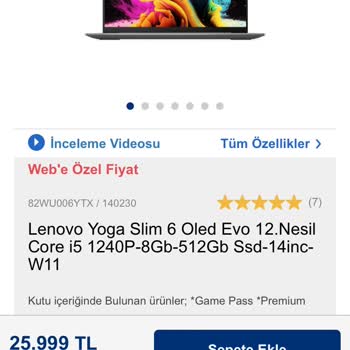
I made the regrettable decision of purchasing a Lenovo Yoga Slim 6 OLED Evo 12th Gen Core i5 1240P-8GB-512GB SSD-14 inch...-W11 model laptop from Vatan Bilgisayar, and I'm deeply disappointed! Upon unboxing, the product was found to be defective. It's impossible to anticipate such issues without experi
I bought a laptop, "Lenovo Ideapad Slim3 core i3," just 3 days ago from the store. The device does not meet the stated s...pecifications and quality that the staff mentioned. It charges abnormally quickly and also discharges rapidly. It heats up quickly, sometimes emitting unpleasant sounds in the back
I bought a Lenovo notebook from Vatan Bilgisayar on October 14, specifically seeking a product without heating issues. I...t was sold to me with the assurance that I wouldn't experience any heating problems. However, the very next day, excessive heating prompted me to file a complaint. The product was
I highly suggest doing thorough research before buying the Lenovo Ideapad Gaming 3. When you're spending your hard-earne...d money, it's important to check out other brands that offer better quality. I messed up, and I strongly advise you not to do the same. The laptop says it will give you an amazing
I sent my laptop in for warranty service because it was overheating. But, when the laptop was given back, it wasn't work...ing or charging correctly, suggesting that it had been treated poorly while being handled. I had to send it back once more. I was surprised when the service center told me that I h