BC.Game froze my account after KYC update, how can I get access to my balance again?
157 Views
Go to the BC.Game support page at support.bc.game, log in, and use the Live Chat or Submit a Request option.
Choose Account Issues and explain that your account was frozen after a KYC (Know Your Customer) update.
In your message, include your BC.Game username, registered email, date of KYC submission, and any ID verification details you used.
Be clear that you completed KYC and want access to your balance—especially if no violations were communicated.
If live support is slow, send an email to [email protected] or reach out on their official Telegram support channel for faster resolution.
Avoid multiple KYC attempts, and ensure your submitted documents are clear, valid, and not expired to prevent further issues.
❗ If this happened to you too, feel free to share your experience below.
You can also 👉 file a complaint on Xolvie 👈 to warn others and push for a resolution.
My issue began on May 6, 2026, after I successfully made a withdrawal from my BC.Game account to my Moniepoint bank acco...unt. Following the withdrawal, I attempted to complete a verification process using my child's National Identification Number (NIN), not realizing that the verification would not b
I have been using a B.C. Games account registered from Nigeria for about two months. However, for more than a month now,... I have been completely unable to log into my account because the system continuously displays a message saying that my account is “temporarily unavailable.” This issue has persis
I am a BC Game user on Android and I have not been able to access my account for some time. When I try to log in, the sy...stem shows the warning “temporarily unavailable account” and does not let me enter. Since the first day this problem started, I have not been able to log in even once. I contacted
I have been unable to access my BC Game account through the Android app for more than eight months. Whenever I try to lo...g in, it always shows the message “temporary unavailable” and does not allow me to sign in on my own device or on any other device. Before this problem started, I was able to log i
I have been using BC Game through the Chrome browser on my phone, and today when I tried to log in, I was suddenly shown... a message stating that my account has been temporarily suspended. There was no additional explanation or error code provided—only the suspension notice—and to my knowledge, I have
Hello BC.GAME Support Team, My BC.GAME account has been showing the message “Your account is temporarily unavailable” si...nce 22/04/2026 and I am completely unable to log in. My registered email is ishwarmm***@gmail.com and my username is ish***. I am a regular and compliant user of your platform, I o
I am experiencing a serious issue with my BC.Game account related to KYC verification and an allegation of “multi-accoun...t behavior,” which has resulted in my funds being frozen and my account being restricted. I am based in India and have been using BC.Game with balances in USDT, SOL, BC coins, and
I am a user of BC Game and my main account access has been temporarily unavailable after my KYC was rejected. My BC Game... user ID is 64604***. About 10 days ago, my verification was rejected with the explanation that my photo was unclear, and since then I have not been able to access my account. I co
I had an account with bc.game from Canada, which was suddenly blocked about three months ago, and at the same time my ac...count balance was reset to 0 without any satisfactory explanation. Before the block, I had approximately 2,000 in my balance. I contacted bc.game support regarding the blocked acco
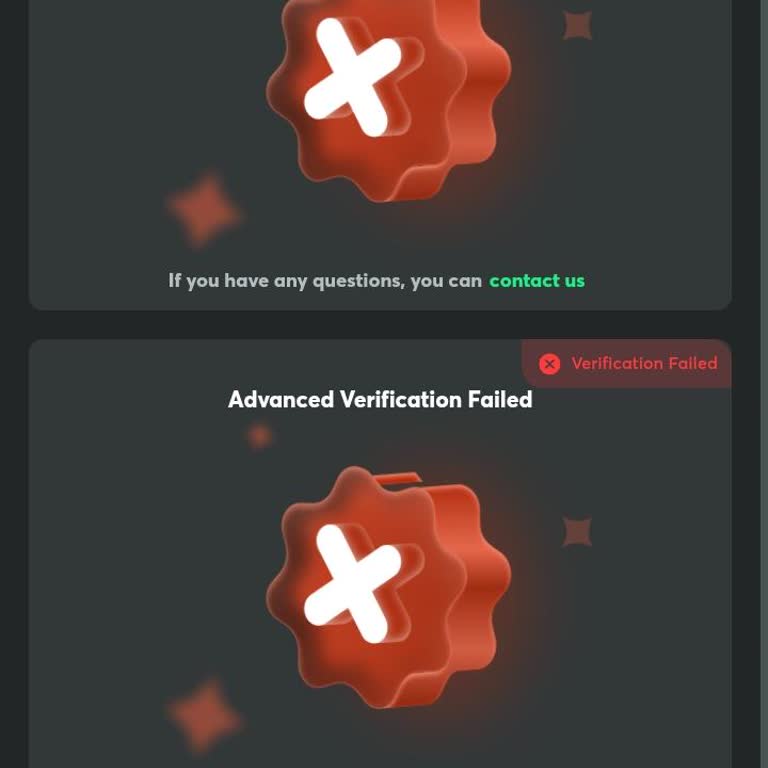
I am a BC.Game user and I am experiencing an issue with the KYC verification on my account, which is registered under th...e email address kamal.kis*****[email protected] and has the user ID 100951866. My KYC verification recently failed, and for the past 24 hours, the system has not provided any option
I am writing regarding a serious issue with my BC.Game account registered under the email address bhatbilalb****@gmail.c...om. Today, my account was frozen after a failed KYC verification attempt. As a result, my account is locked, my balance is blocked, and I am unable to access two deposits that are
I have been using a BC Game account from India under the username “Mk9610,” and on January 31 my account was blocked aft...er my KYC verification was marked as failed. At the time my account was blocked, there was a balance of 11,000 in it, which I can no longer access. When I contacted BC Game custome
User ID: 99686008 I have an account with Bc.game from India, and I have been facing a failed KYC verification and accoun...t access problem for the past 20 days. During this time, I have not been able to use my account properly, even though I have already deposited 200 in it. For the KYC process, I sub
I am writing about my BC.GAME account, which has been temporarily suspended since 3 January 2026 during my attempt to co...mplete the KYC verification. While I was trying to submit my KYC details in order to be able to withdraw my funds, the verification process went wrong and, instead of being complet
My BC Game account has been temporarily banned since 11.01.2026. I am requesting that my account be urgently reviewed an...d that this temporary ban be removed as soon as possible so that I can access my funds again. My account details are as follows: my User ID (UID) is 29453705, my username is KASHMI
I am a user of the BC Game platform and my KYC verification has not been approved. Today I received a message stating th...at I have reached the maximum number of submission attempts for my KYC, and since then I am unable to submit any new documents. Because of this, my withdrawals are currently blocke
I have been experiencing a serious problem with my BC.Game account since 10 November 2025 and still cannot recover my ac...count or access my balance of over 2,000. On 11 November 2025 at 01:27 I received an email that the email address on my account was changed from my own email, sherift***@gmail.com,
I have a problem accessing my BC.Game user account and I would like it to be resolved as soon as possible. My BC.Game us...ername is “Pras1***”. Although I know my Gmail address and password, I cannot log in and I receive the message “Your account is temporarily unavailable. Please contact our customer
I am a user of the BC Game platform, and I have been unable to access my account for several days. My BC Game user ID is... 6431465. Since 23 December, I have not been able to log in to my account because the verification or login message is not coming, even though the system shows a recovery email. No
I have been playing as a regular customer on BC Gaming’s casino games and had never experienced any issues with my accou...nt until recently. On December 18, 2025, I was logged in and playing normally between around 9 p.m. and midnight. After that session, when I tried to log back into my account, I st
I am having an issue with my BC.Game account, which has been completely unavailable for the last day. When I try to log ...in, I receive the message that my account is “temporarily unavailable” and I cannot access any part of the platform. There is a deposit of 200 rs in this account that I am currentl
I want BC.Game KYC verification. Please check. Can you complete my KYC verification in my BC.Game account? I lost my KYC... verification, and I need help to complete it again. I request that you check the status of my BC.Game account and help me finish the KYC verification.
My KYC verification was not approved, and I received a message stating that I have reached the maximum number of submiss...ion attempts. In accordance with BC.Game platform regulations, I was informed that further verification will no longer be available. Thank you for your understanding. I kindly requ
It has been more than a week, and BC.Game has still not resolved my issue. My personal verification on BC.Game is blocke...d, and I request that this problem be fixed as soon as possible. I have already contacted BC.Game customer care, but I have not received any response. My funds are still in the gam
I can’t log in to my BC.Game account. The message says, “Confirm — Your account is temporarily unavailable. Please conta...ct our Customer Service team for assistance.” I reached out to [email protected] but I still haven’t been able to access my account. Please resolve this issue as soon as possible.