Global Blue delayed my VAT refund for months, how can I get my money back faster?
15 Views
If Global Blue delayed your VAT refund for months and you want to speed up getting your money back;
Check your refund status first;
• Go to Global Blue → Track Refund
• Enter your refund reference number
• Note:
– Refund amount
– Refund method (card / cash / bank)
– Current status
• Screenshot the status page
Verify customs validation;
• Make sure your Tax Free form was properly stamped at the airport
• If using digital validation, confirm it shows “Validated”
• Refunds won’t process without customs approval
Check your payment method;
• For card refunds:
– Confirm the original card is still active
• For bank transfers:
– Verify IBAN/SWIFT details were correct
• Screenshot your bank statement (showing no refund)
Contact Global Blue Support;
• Explain the refund has been delayed for months
• Provide:
– Refund reference number
– Purchase date & country
– Amount
– Screenshots
• Ask them to:
– Confirm if the refund was issued
– Provide exact processing date
– Give a clear payout timeline
If the problem remains unresolved, consider filing a complaint on Xolvie to raise awareness and pursue a resolution.
On 2 June, I completed my tax-free procedures with Global Blue at Venice Airport and selected my credit card as the refu...nd method. On 5 June, I received a confirmation email from Global Blue stating that my refund had been successfully processed and paid. Despite this notification, the refund amount
After shopping in Belgium, I completed the required customs validation for my Tax Free refund at the airport because the...re was no Global Blue refund office available. After returning to Türkiye, I mailed all of my invoices and Tax Free documents to the Global Blue Türkiye office on June 23, 2026. As
On June 21, 2026, before my flight from İzmir Adnan Menderes Airport to Ercan, I went to the Global Blue office at the a...irport to claim my Tax Free refund. However, there was no employee present at the office. Following the posted instructions, I completed the form by entering my IBAN information ac
On January 2, 2026, I made a purchase at the New Balance store in Eindhoven, Netherlands, and completed a tax-free refun...d process through Global Blue. Our passports were scanned at the airport, our tax-free form was approved, and all procedures were fully completed. However, even though nearly two m
On November 18, 2025, I purchased one iPhone 17 Pro and one iPhone 17 Pro Max from the Plaisio store in Thessaloniki, Gr...eece. I paid for both phones with my own credit card. For the tax-free process, one form was issued under my passport and the other under my spouse’s passport. Upon exiting at the
On September 14, 2025, I completed a tax-free refund process through Global Blue at Naples Airport for a purchase I made.... As a result of this transaction, I was supposed to receive a refund of €51.5 to my credit card. However, despite the time that has passed, I have seen that this payment has still
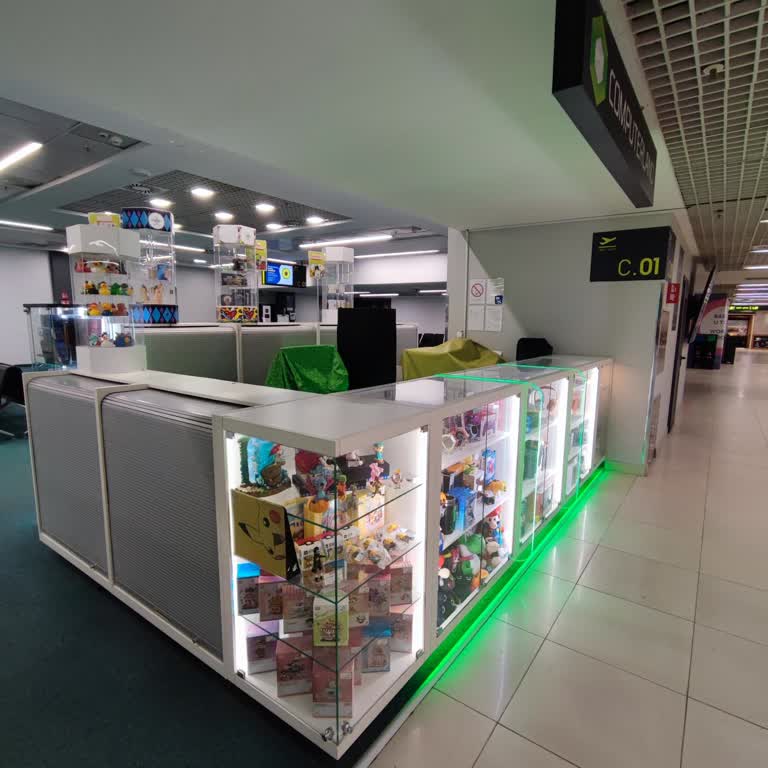
On January 20, 2026, I went to the Global Blue office located next to counter C01 at Belgrade Nikola Tesla Airport to pr...ocess my tax refund. Although the posted closing time of the office was 8:00 PM, there were no staff members present from 6:00 PM onward, and the office was completely closed. As a
On November 23, 2024, I made a purchase in Vienna and completed all the required steps for a Tax-Free refund through Glo...bal Blue. However, to this day, I have not received any refund to my account. I’ve been trying to reach Global Blue’s customer service for weeks. I’ve called every number listed on
I still haven’t received my tax refund from Global Blue, and I’m beyond frustrated. On June 13, 2025, I made a purchase ...in Vienna, Austria and proceeded with the Tax-Free refund process while I was in Budapest. I completed all the necessary paperwork as instructed — I filled out the forms, signed th
I am deeply frustrated with Global Blue. On May 14, 2025, I completed all the required Tax-Free procedures at Nice Airpo...rt. I was clearly told that the refund would be issued to my credit card within a few weeks. However, it has now been well over that timeframe, and I still haven’t received a singl
On April 17, 2025, I made a purchase totaling €510.98 and completed my Tax Free process at Berlin Brandenburg Airport. I... properly filled out the Global Blue refund documents and dropped them into the designated Global Blue mailbox at the airport as instructed. Despite following every step, I still h
I am beyond frustrated with how Global Blue has handled my tax refund request for a purchase I made at MediaMarkt in Ger...many. The customs stamp was successfully placed on my original tax-free document during my departure on 11.01.2025. However, since the merchant had not initially submitted the tax
On March 13, 2025, I purchased a phone from Media Markt in Amsterdam, Netherlands, and submitted the Tax Free form provi...ded by the store to the Global Blue office located in İstinye Park, Istanbul. At the time, I was clearly told that the refund would be deposited to my card within four weeks. Howe
Back in February, I made a purchase in Belgium and had my tax-free form stamped at the airport before returning home. Wh...en I arrived in Turkey, I was told that I also needed to submit the form at the Global Blue counter in Istanbul Airport. I personally handed over my form at the counter as instruct
On March 13, 2025, I purchased a phone from MediaMarkt in Amsterdam, Netherlands, and submitted my completed tax-free fo...rm to the Global Blue office located in İstanbul İstinye Park. At that time, I was clearly told that the tax refund would be deposited to my card within 4 weeks. It’s now been nea
I made several purchases in Greece and submitted a Tax Free refund request at the İpsala Border Gate as instructed. At t...he time, I was told the refund would be processed within two days. However, it has now been over a month, and I still haven’t received my refund. Not only has no money been return
We recently made two separate purchases in Dedeağaç, Greece, and completed the Tax Free process for both through Global ...Blue. While the refund for the first purchase was successfully credited to my account, the second refund of €48 has still not been paid. It’s been well beyond the promised timeline
I made several purchases in Greece and completed the Tax Free process under my boyfriend’s name (Ö**** D******). After g...etting the receipts stamped at customs, I mailed all the required documents to the Global Blue office on January 31. Despite following every step correctly, I haven’t received any