There is no physical damage to my Apple iPhone, and the carrier is not the source of the problem yet my sound is cut off in the call. How can I resolve these sound issues?
10 Views
If you're experiencing persistent sound issues with your Apple iPhone, such as no sound, distorted audio, crackling, or poor sound quality during calls, follow these troubleshooting steps to resolve the problem:
• Check the iPhone Ring/Silent Switch: Make sure the switch is not in silent mode (no orange). Swipe down from the top-right corner of an iPad to open Control Center and disable Silent Mode.
• Your device's screen protectors, films, or cases may be blocking the speaker.
• Inspect Speaker Openings: Check for blocked or dirty device speaker openings. Check the iPhone receiver for blockage or dirt. Use a clean, dry, soft-bristled brush to clean the speaker or receiver opening.
• Make Sound Changes: Move the Ringer and Alerts slider a few times in Settings > Sounds (or Sounds & Haptics) to test sound. If the slider is dimmed or the speaker is silent, it may need service.
• Test Speakerphone: Call your iPhone and enable speakerphone. Call FaceTime on an iPad or iPod touch. Voice issues like static or crackling may be related to your network or reception. Call again later or from another location.
If none of the above solutions work, it's essential to entrust technical issues to professionals. Consider taking your iPhone to an authorized service center to ensure you don't compromise your warranty rights. Also, write here to attract attention and see if others have anything to say.
My AirPods Pro has a persistent static noise problem that occurs only during phone calls. Since I did not use the produc...t very frequently at first, I only recently noticed the issue when I started using it more regularly. After researching, I learned that this problem is a known manufacturing defect
I sent my AirPods to Apple service with tracking number 2505-636032 due to a persistent microphone issue. During phone c...alls, the person on the other end hears my voice as muffled and cutting in and out. Despite clearly describing the problem, I received my AirPods back with a note saying, “Inspecte
I purchased an Apple iPhone only six months ago, and in that brief period, I've had to send it for service three times. ...During my third visit, I was surprised to find that a part of the phone was actually replaced, as Apple had previously stated they had only cleaned the speaker. I was truly disappo
As a loyal Apple customer who trusts the brand’s quality, I submitted my iPhone 11 to the Apple Zorlu AVM Authorized Ser...vice Center due to serious hardware and software issues under warranty. After the first repair process, I was informed that my device was "fixed" and ready for pickup. However, upo
After updating my iPhone to iOS 17.6.1, the volume on my phone has decreased significantly. I can barely hear the other ...person during calls, making it extremely frustrating to use. This issue started right after the update, and I’m now stuck with a phone that doesn’t function properly for calls. Eve
I recently visited the Apple store in İzmir Optimum Gürgençler to address a problem with the sound on my iPhone 12. The ...representative at the technical service informed me that this was a well-documented issue with the iPhone 12 series and assured me that regardless of my warranty status, the phone
Since purchasing my iPhone 14 Pro Max from Apple, I've experienced constant freezing, camera malfunctions, and unexplain...ed discoloration on the device's body without any physical impact. I sent the product for servicing, but they refused to cover it under warranty. The week I bought it, I contacted
The iPhone 15 I bought turned out to be faulty. I contacted Apple support multiple times, but they couldn't find any pro...blem. They directed me to a service center. I went to Troy service in Mavibahçe three times, each time a different issue came up, and I couldn't manage to hand it over. I called cu
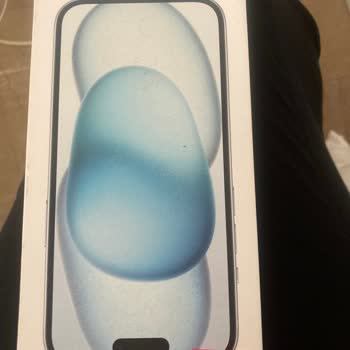
Just a few months after buying my iPhone 15, I've run into an annoying problem with the volume button. At first, the but...ton started to feel less firm, which made it a bit challenging to press. This issue escalated to the point where the button stopped working completely. Looking for a solution, I de
Around a year ago, I bought two 64GB iPhone 11 phones from Vatan Bilgisayar, one for my daughter and one for myself. I i...nitially missed it, but subsequently recognized there was a problem with my phone, which I took to an authorized service center when it was four months old. The issue is as follows
I am a user of the Apple 15 Pro. I recently purchased it, and not much time has passed since then. Before this, I was us...ing the 14 Pro. The battery life of my old phone lasted longer than this model, and the camera quality was better, capturing superior photos than the 15 Pro. I am not satisfied wit
I am using iPhone 14 Pro max. My 8 month old phone turned out to be problematic. My friend bought it 1 month after me. T...here is the same problem. Our voice does not reach the other party during any call. While there is a clear sound coming from the other side, my voice does not reach the other side.
Despite my iPhone 14 Pro Max having a 1.5-year warranty, the speaker issue was unjustly deemed a user error. Despite wai...ting for 4 hours, they claimed a repair cost of 25k in my country. It's baffling how a giant like Apple can resort to such practices. I've been a loyal Apple user for seven years,
My 2nd Generation Airpods with Serial Number: H18HJ3ABLX2Y, still under warranty, have a peculiar issue. When I use the ...left earphone to listen to music, there's no problem. However, during calls, the other person can't hear me, although I can hear them perfectly. This problem doesn't consistently o
Think twice before purchasing Apple products. While the product quality is undeniable, their approach to technical servi...ce can be frustrating. I own an iPhone 14 Pro, a US device. When my cable stopped working, I contacted Apple Support. Unfortunately, they informed me that they couldn't assist with
I purchased my iPhone 11 64 GB on May 22, 2022. While I initially used it without any issues, recently, I've been experi...encing problems with the speaker making a buzzing sound, which seems to be a chronic issue. I've also encountered occasional screen freezes and low call volume, making conversation
Green dots appear on the camera of my iPhone 13 in brightly lit environments. Sometimes small, sometimes big, sometimes ...several. For this reason, I sent my device to Apple Van technical service. But my device was sent back saying that the error did not occur again. No action was taken. I still have
After updating my iPhone 13 128 GB to iOS 17, I noticed a significant change in the sound from the earpiece. This proble...m made it nearly impossible to hear the other person on the other end of a phone call, whether I was making or receiving it. I immediately contacted Apple, who suggested it was a h
I've run into two frustrating issues while using the iPhone 14 model with WhatsApp. To begin with, when I play and liste...n to voice messages in the chat, the sound is initially extremely high-pitched and distorted. This is issue number one. Second, when I'm typing a message in WhatsApp chat, the word
On August 25, 2022, I purchased an iPhone 11, red 128 GB device. The phone began experiencing issues such as random shut...downs during calls, screen freezing, rapid battery drain, and excessive overheating in June 2023. I sent it in for warranty service, and they replaced the screen without providing
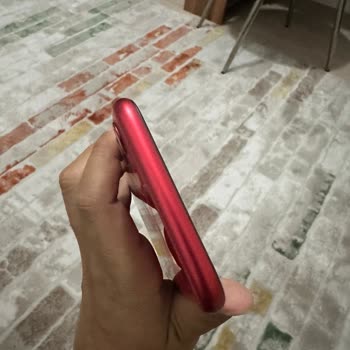
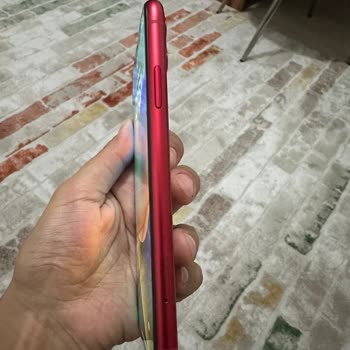
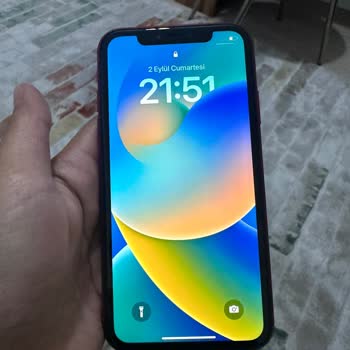
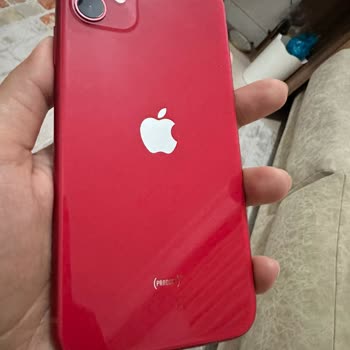
My iPhone 11 is supposed to be waterproof up to 2 meters for 30 minutes, but a little water got on it, and the screen st...opped working. The phone can't be used because the sound keeps going in and out. It's been under warranty for more than a year, but they say it's no longer covered because it got w
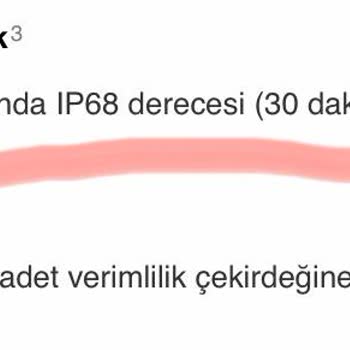
After updating my iPhone 14 Promax with Apple Beta 6 software, which I purchased from Hepsiburada on 11.04.2023, I encou...ntered a frustrating issue—my voice wasn't transmitting during phone calls. Seeking help, I contacted Apple support. They provided me with an article explaining how to revert from
I gave my device for repair 2 times and 1 time to Vatan Bilgisayar, the place where I bought it. I have Bluetooth and Wi...-Fi disconnection problems on my device. When I first gave it to them, the screen was changed and my intact screen started to not print. I gave it again and the screen problem was
My iPhone 12 has a Wi-Fi and network problem. I took it to Genpa technical service, where they tested the device and cla...imed there was no issue. The Apple solution center couldn't provide a solution either. My device consistently experiences network and Wi-Fi problems. The Türk Telekom operator issu
I contacted Apple Support regarding my iPhone 13 Pro issues, including muffled sound, crackling noises, and erratic volu...me changes through the Top Speaker. They advised me to send it to Genpa Etiler Central Service for repairs. Since I figured I might as well, I requested a paid battery replacement,