Skyscanner redirected me to an OTA that canceled my ticket, how can I recover my money?
5 Views
If Skyscanner redirected you to an OTA that later canceled your ticket and you want to recover your money;
Contact the OTA (online travel agency) and Skyscanner with a clear escalation;
• State that you booked via a Skyscanner redirect and the OTA canceled your ticket
• Provide your Skyscanner search details, OTA booking reference, airline, route, travel dates, and cancellation date
• Confirm whether your card/account was charged and the amount debited
• Attach screenshots/emails showing the cancellation and payment confirmation
Ask them to;
• Confirm who canceled the ticket (OTA, airline, or system error)
• Explain the exact reason for the cancellation
• Process a full refund immediately if the ticket was canceled without your request
• Provide a clear refund method and timeline (card, wallet, original payment method)
If they respond with vague reasons like “supplier issue,” “fare problem,” or “system error”;
• Ask for written proof of the cancellation reason
• Request confirmation that the fare rules do not allow them to keep your money
• Ask for the refund reference/ARN once processed
If the refund is delayed or support stops responding;
• Save all booking emails, payment proofs, screenshots, and chat logs
• File a complaint on Xolvie to report an OTA cancellation after Skyscanner redirect and seek help recovering your funds
I live in Istanbul and purchased my plane ticket through Skyscanner via Gotogate. My flight with Kuwait Airways, schedul...ed for June 18, was canceled by the airline through absolutely no fault of my own, and the transportation service I paid for was never provided at all. For this booking, I used a v
I purchased a ticket for a June 10 Ankara–Jeddah flight through the agency Gotogate, which I was directed to via the Sky...scanner app. The direct flight I booked was later canceled. Even though there was a direct flight from Ankara to Jeddah that same day at 2:45 PM, they tried to notify me and get my
I purchased a flight ticket through Skyscanner from the third-party agency Aunt Betty for travel from Canberra to Sydney... and then from Sydney to Doha and on to Samsun Çarşamba on 22 April. The booking was confirmed, and I travelled from Canberra to Sydney on the 22nd to catch my flight, incurring fu
On Sunday, April 12 at 9:58 PM, I booked a flight from Antalya to Seoul through Skyscanner. The payment was processed vi...a MoneyPay/ETS Ersoy, and a total of $1,069 was charged to my card. The airline PNR number appears as 9B6QLH through One Guchub. However, despite the payment being successfully ch
On October 4, 2025, via Skyscanner and using Kiwi.com as the agent, I booked flight ticket number 684597127 for Cambodia... (for October 17). The payment of $919 was made by credit card. On October 6, due to compulsory reasons, I requested a cancellation. My cancellation was accepted with a fee of 30 E
I booked a round-trip flight from Çukurova to Bangkok for November 3, 2025 (departure) and November 11, 2025 (return) th...rough Skyscanner, using Kiwi as the provider. My reservation number is 685664903. I paid approximately $1,321 by credit card. My tickets were sent to me by email, but they do not a
On October 3, 2025, I purchased a ticket for the Ankara–Baku flight operated by Azel Airlines through the Skyscanner app.... My reservation number was SQERB29J, and I paid ₺8,356 for the ticket. However, when I arrived at the airport, I was informed that my ticket had been canceled without any prior no
I’ve been repeatedly misled by Skyscanner, Etstur, and Ucuza Bilet while trying to purchase international flight tickets.... The prices listed on their websites look highly attractive, but when I attempt to book, the tickets cannot actually be issued. It’s a complete bait-and-switch experience. When I
I was charged on my card for a hotel or flight reservation made through a Skyscanner-linked provider, but I never receiv...ed any confirmation email, booking number, or itinerary. I tried every method to contact the company—submitted multiple support tickets, double-checked my email folders repeatedly,
On June 25th, I booked a flight through Tickets.com.tr after being redirected from Skyscanner, thinking I had found a ch...eap deal. I paid the listed price without issue, but soon after, I came across numerous online complaints about this agency. Concerned, I checked my flight on the airline’s officia
I am absolutely furious with Skyscanner and XL Rent! I rented a car through Skyscanner, and just one day before my vacat...ion, the reservation was canceled! To make matters worse, the "solution" offered by XL Rent was to cancel through Skyscanner and then rebook directly with them, but at exorbitant n
On January 8, 2025, I searched for Ankara-Jeddah flights on the Skyscanner app and was directed to Tickets.com.tr, where... I purchased two tickets for ₺5464.98. A few hours later, I received an email stating: "Thank you for booking with reference number 5M9117GM. Unfortunately, the airline has remove
While I was in Saudi Arabia, I wanted to purchase a return ticket through Skyscanner. On their site, I bought a ticket f...rom a company called Tickets.com.tr for ₺2,990. However, the ticket was never delivered to me, and I had a hard time getting my money back. This delay caused my return trip to be p
My Wizz Air tickets, with order numbers 1009-214-726 and 1017-568-072, were canceled by the airline. I purchased these t...ickets with a cancellation guarantee and have been fighting for a refund for over a month. During my numerous conversations with Skyscanner customer representatives, I have been to
Upon being redirected from Skyscanner to Kiwi.com, I proceeded to purchase an airplane ticket. I was told that my flight... details would be sent via email, but I never received any information. Unfortunately, the email did not reach its destination and it seems there is no available phone number for h
On January 6th, I searched Skyscanner for a flight from Jeddah to Cairo. Opting for Airarabia's February 25th ticket, I ...proceeded to purchase through the Mytrip app as directed by the site. I bought two Airarabia tickets with cancellation guarantee. However, when I tried to cancel, Mytrip directed m
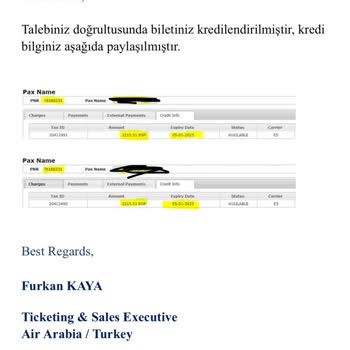
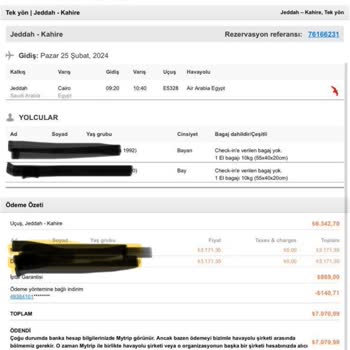
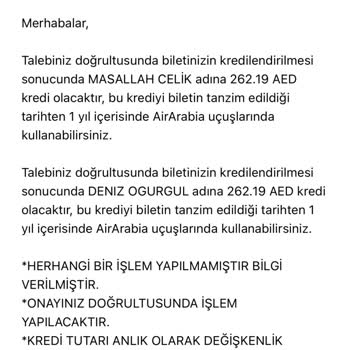
Hello everyone, I purchased a ticket through Gotogate, a partner of Skyscanner, for ₺75,000. Shortly after, I was inform...ed that the ticket had been canceled. I can't fathom the reason behind it. Immediately, we made another attempt to book and successfully secured another ticket via Mytrip.com, this
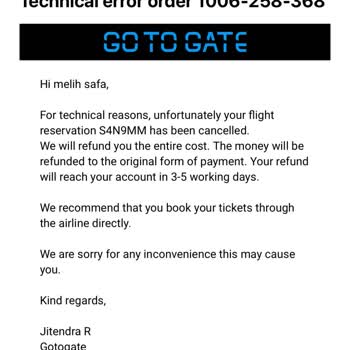
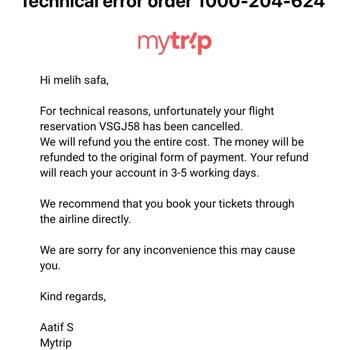
I had a flight with Wizz Air on March 1, 2024, at 22:05 to New York Stewart Airport via London and Iceland with my son. ...I purchased the ticket from a company called Mytrip through Skyscanner. However, the airline staff refused to let me and my son board the flight, citing the lack of transit visas.
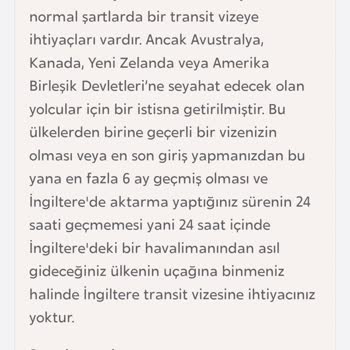
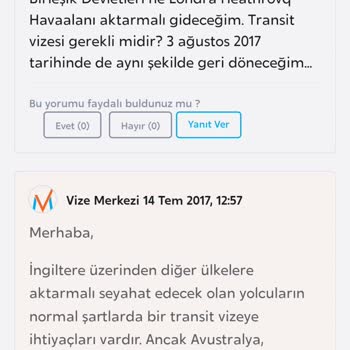
I bought a round-trip flight from Ankara to Belgrade on November 6, 2023. Even though I purchased the ticket on Skyscann...er, the payment took me to the ticket.com.tr website. I trusted Skyscanner's reputation, so I went ahead with the transaction and made the purchase. On December 5th, I found out t
I reserved a round-trip flight for two people using Budget Air, as suggested by Skyscanner. But, because of unexpected e...vents, one of the travelers can't go on the trip. We're looking to cancel their ticket and get a refund for the portion we can't use. Unfortunately, every time we try to cancel on