There were unauthorized charges on my Play Station account, how can I report this?
89 Views
If you've seen charges on your PlayStation account that you didn't make, follow these steps to report and fix the problem:
• Check the history of transactions:
First, go to your PlayStation Store transactions and look over the charges. Make sure there aren't any good reasons for the payments that you might have missed.
• Think about common reasons:
Look over some of the most common reasons why payments don't go through, like recurring subscription fees, accidental charges, or purchases made by family members using your payment information.
• Giving Up Your Account Thought to:
If you can't find a good reason for the charges and think your account may have been hacked, you need to take action right away.
• Change your email password:
First, make a new password for your email account. This step is very important to keep people from getting into your communication channels. If you can't figure out how to change your email password, contact your email provider for help.
• Change your PlayStation Network password:
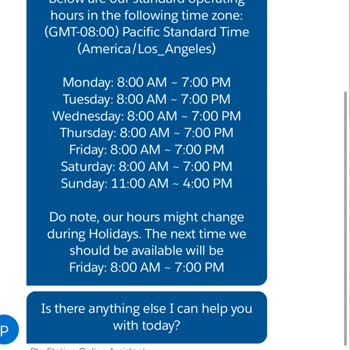
Forgot your PlayStation Network password? Use the PlayStation Online Assistant, which you can find at the bottom of the PlayStation support page. This keeps your account safe and stops people from getting in without your permission.
• Talk to PlayStation Support:
As soon as possible, call PlayStation Support to report the fake charges. If you give them information about the transactions that seem fishy, they can help look into the problem and fix it.
You can get in touch with PlayStation Support through the official channels on the PlayStation website or the support page. It's important to act quickly to protect your accounts and deal with the charges properly.
My PlayStation Plus Deluxe subscription was automatically renewed without any prior notice or my approval. On May 19, 20...26, I realized that a charge of approximately $109 USD had been withdrawn from the Ziraat Bank debit card linked to my Turkey-region PlayStation account. I only became aware of the
On October 22, 2025, a transaction of ₺3,170 was made from my QNB Bank virtual credit card through PlayStation Network U...K without my knowledge. Even though I don’t have a PlayStation account, my card information was used for this unauthorized transaction. I contacted both PlayStation and QNB Bank cu
On September 23, 2025, at 01:56 AM, a charge of ₺1,499.99 was made to the credit card linked to my PlayStation account, ...even though I did not make any purchase. In my bank statement, the description appears as “PlayStation Network reconciliation: 2010740”, but there is no invoice or order number rel
I noticed two unauthorized charges on my card from PlayStation and disputed them with my bank, which then refunded me. S...hortly after, PlayStation suspended my account. At first, I thought it was related to my PS Plus subscription, as the charges appeared on the same day the next payment was due, but
On September 3, 2024, I noticed two unauthorized charges from YDS PlayStation Network on my bank card: ₺1049,00 and ₺2,1...0. I immediately reported the issue to my bank on September 19, 2024, and initiated a dispute process. On October 22, 2024, I received an email from PlayStation informing me that m
On April 16, 2025, I received an email informing me that the prices of my monthly Sony PlayStation subscriptions would i...ncrease. Normally, my subscription renews on the 28th of each month. Although the price hike was announced to take effect on June 24, I wanted to upgrade my plan to an annual subsc
My Sony PlayStation account was banned, and I can't reach them in any way. The membership fee, which was ₺250, increased... to ₺1500, so I canceled it thinking it was an unauthorized transaction, as it was taken without my knowledge. Then I saw that my account was banned, and it turns out Sony had take
I had a PlayStation account that I initially couldn't top up, so I created another account, which I've been using for ne...arly a year. I no longer use the first account. Despite not sharing the account with anyone, a transaction was made from it, and the email address was changed, meaning the account
Hello, I just wanted to let you know that on 20/08/2024 at 00:30, a sum of ₺8,000 was taken from my account without my a...uthorization. It seems like my account has been compromised. I reached out to the bank to cancel a transaction of approximately 8,000 TL, however, my account has not been restored
My nephew was using my Sony PlayStation account, they tricked the child and stole it with a QR code and changed the Gmai...l mail, I am calling 444 Sony about this issue, it redirects to a number with 0312, it does not even ring, and I sent an e-mail to [email protected], it has been over 1 wee
Hello there! I've been rocking the PlayStation 5 for about a year now. I was just about to reach the end of my Deluxe pa...ckage, and I wasn't really keen on renewing it. But it got renewed on its own and they took money from my card without me knowing. Can I please get a refund for this amount? I'm un
My card got charged ₺2,740 on April 29, 2024, because my PlayStation Plus membership was renewed without me knowing. Eve...n though you've canceled your membership, it won't actually end until after 12 months. I kindly ask PlayStation Turkey to cancel this renewed membership and provide a refund.
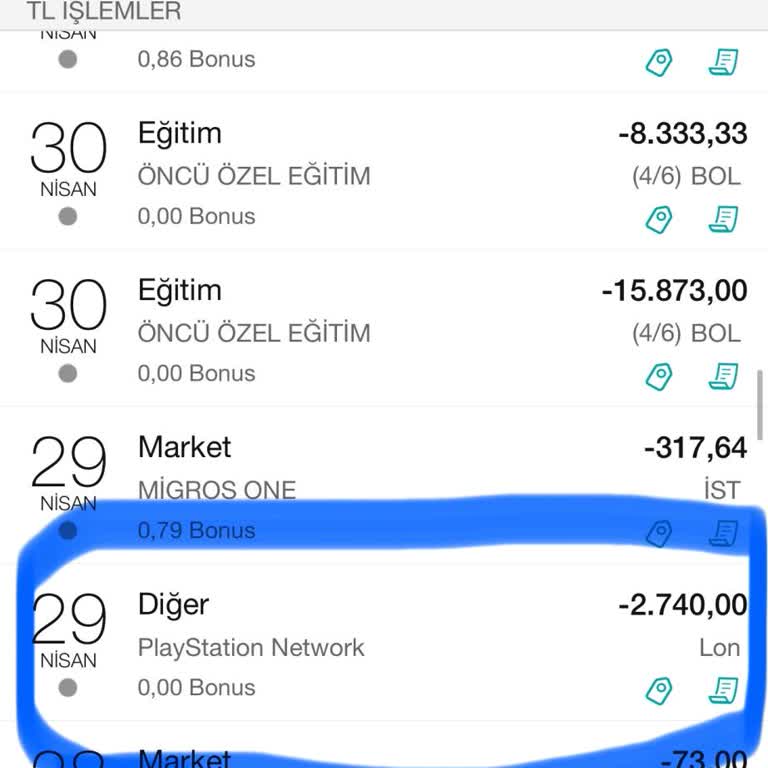
Without my consent, PlayStation unexpectedly renewed my subscription on 29.04.2024 and charged ₺1,400 to my credit card.... I would like to request a refund for this amount. Kindly ensure the return of my funds. Engaging in transactions without proper authorization is not acceptable for a brand of this
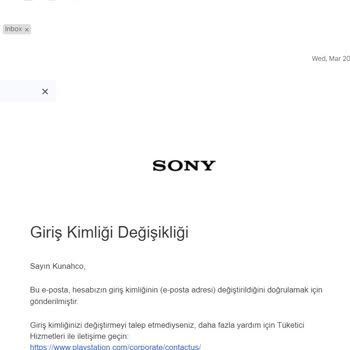
Yesterday, I received an email informing me about a modification in my PlayStation account email, and it appears that al...l my information has been compromised. Even with the email update, all my details are still the same. I am able to provide any required information, such as purchase history and ca
In March 2023, I purchased a PlayStation 5 from Germany. After just a few uses, it suddenly shut down one evening and ha...s not powered on since. The warranty is still valid, but Sony Europe has informed us that products purchased there do not have warranty coverage here. With some hesitation, we ende
I recently discovered an unexpected charge of ₺2,817 from PlayStation on my card, and it happened without any notice or ...authorization. It was only when I reviewed my card statement that I realized what had occurred. Despite sending multiple emails to cancel my subscription, I haven't received any re
Hello, my PlayStation account has been compromised. They changed the email and the password, and I can't get in. They bo...ught multiple games without my consent on the 29th of December. All the money in my brother's bank account has been drained, and it's his rent money. Please, I need to refund these
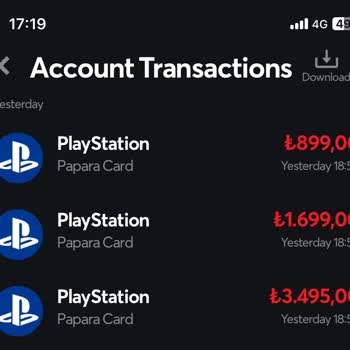
PlayStation made three unauthorized withdrawals from my Papara account without my knowledge on July 8, 2023, at 6:58 p.m.... and 6:59 p.m. I am requesting the cancellation of these transactions as soon as possible, as well as the immediate return of my money, totaling 6093 TL, which was withdrawn from