I purchased something online from Play Station, and it didn't work on my computer yet they refused to provide a refund. How can I address this issue?
6 Views
If PlayStation won't refund you for an online purchase that doesn't work on your computer, follow these steps:
• Check PlayStation's refund policy to see if your situation qualifies. Check for digital purchase or technical issue restrictions.
• Next, gather order details, transaction IDs, and PlayStation support correspondence. Use this information to contact customer support via chat, email, or a hotline. Clearly explain the issue and justify a refund.
• Be specific about how the purchased item or service didn't work on your computer and any error messages or malfunctions. To express dissatisfaction without confrontation, be polite and calm.
• If initial support doesn't work, politely request escalation to management or higher support. PlayStation may respond faster if you use its official social media channels, which companies often monitor for customer feedback.
If the issue persists, contact consumer protection agencies as a last resort. Only consider this step after exhausting all other options. Record your PlayStation correspondence, including timestamps and responses. You need persistence and respectful communication to resolve the issue and get a refund for the non-functional purchase.
Yesterday, I purchased GTA 5 Online from the PlayStation Store. Today, the game was downloaded and installed. However, w...hen I tried to open it, I could not enter the online mode. The game informed me that without a PSN Plus subscription, I cannot access GTA Online, and that I only own the story mode
When we try to pay for our PlayStation subscription, they want to make us pay the increased price, but it's my natural a...nd legal right to pay the price shown on the system. Just like seeing a discounted price tag at the grocery store and seeing it overpriced at the checkout, customers pay the price
I recently attempted to redeem a gift code on the PlayStation Store, but I continuously encounter an error message durin...g the process. The last time I successfully used a code was over two months ago, so this is not a repeated or recent code entry issue. Frustrated by this problem, I tried reaching
I purchased a game from the PlayStation Store, and although it initially ran smoothly, I realized I did not enjoy it and... decided to request a refund. Unfortunately, when I contacted PlayStation support, they refused to process my refund. Unlike other platforms such as Steam, which allow refunds und
I purchased Stick Fight The Game on my PlayStation 5, expecting to enjoy a smooth gaming experience. Unfortunately, from... the very first attempt to launch the game, I encountered a persistent error message stating that the game could not start. I tried several times to open it, but the same error occ
I am an active PlayStation user and currently hold a PlayStation Plus Extra subscription. However, I am writing to repor...t an ongoing issue that negatively impacts my user experience on the PlayStation platform. Specifically, when browsing the PlayStation Plus Extra library, I noticed inconsistencie
A transaction was made on my card through the PlayStation system. I sent an email with the reference and authorization c...odes, but they did not issue a refund and instead asked me to call customer service. When I called, the person on the line said they couldn’t find a case number and asked me to exp
I recently requested refunds for a few games on PlayStation. These games were purchased less than two weeks ago and have...n't even been downloaded. Yet, I've been waiting for over a week for what should be a simple refund process. If your intention is to delay until the refund period expires, I want y
I tried to subscribe to the Fortnite Crew Pack in the game, but no matter how many times I tried, PlayStation Store kept... showing the E-8210604A error, preventing me from purchasing the content even though there was sufficient money on my card. I had previously made purchases on PlayStation Store wit
I attempted to purchase FM24 on the PlayStation Store on April 26, 2024. During payment, it showed an error message "An ...error occurred, please try again in a few minutes," but the money was deducted from my account. When I tried again, the same error occurred, and it deducted the money again. How wi
On May 29, 2024, I bought two games from the PlayStation Store and paid ₺1,171.52 using my Nays card. Unfortunately, I c...ame across an error message that simply stated, "An error occurred." Even though the charge went through, the games didn't show up in my library. I have made several attempts to re
Dear Playstation Turkey, My refund request was not accepted on the grounds that the game was downloaded; but the game is... a PS5 game. I don't even have a PS5. Even I realized that I bought the wrong version of the game when there was no download option. Sony's response is that the game has been downl
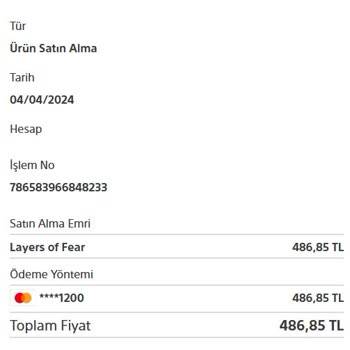
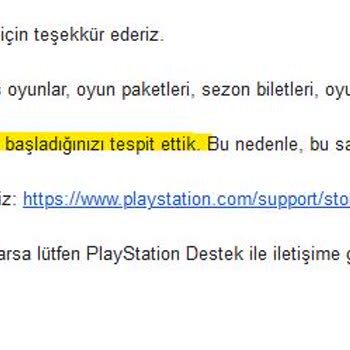
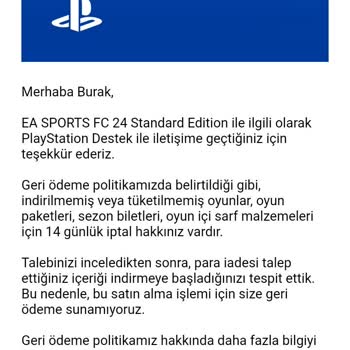
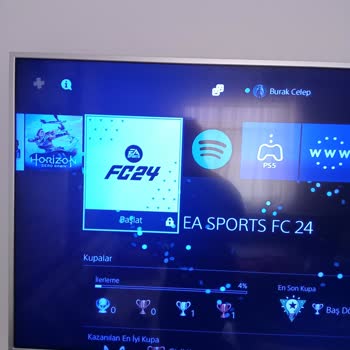
I accidentally bought EA Sports FC 24 on March 11th. There is a refund policy that lasts for 14 days, and I quickly cont...acted them through Gmail on March 12th. I got a message saying that they'll refund the payment in 5 business days. But here we are on March 20th, and still no refund for the game f
On March 16, 2024, I attempted to purchase the game "Giga-Bash" from the PlayStation Store for my son. However, instead ...of the game, I accidentally bought one of the in-game packages. I realized this after downloading it. I immediately requested a refund. Today, the PlayStation support team emailed
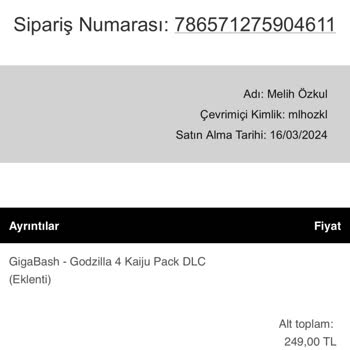
I'm really disappointed with the lack of communication regarding this issue. It's disheartening that, despite my efforts... to rectify the situation, there has been no response to my multiple emails. I'm questioning the customer service standards of the PlayStation Store. I understand that technical gl
attempting to purchase Call of Duty: Modern Warfare 3, due to a system error, I unintentionally bought Modern Warfare 2,... a product I did not want. The combined cost of both games is 1999 TL, creating confusion and dissatisfaction. To initiate a refund, I was advised not to download the game, but the
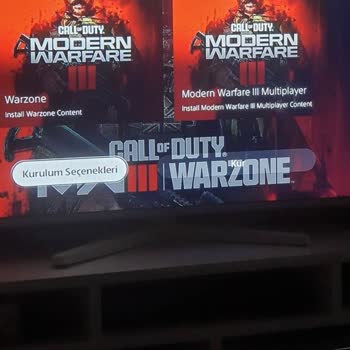
We purchased GTA V for our PlayStation 5. On the PlayStation screen, the game's picture appears as "GTA V." Now, when I ...enter the store via PlayStation, it looks the same, and I bought the right GTA when I purchased it. But when you enter the game, GTA Online appears and demands a fee to open the st
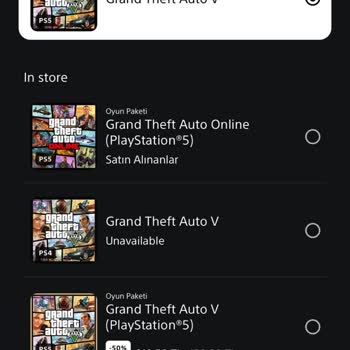
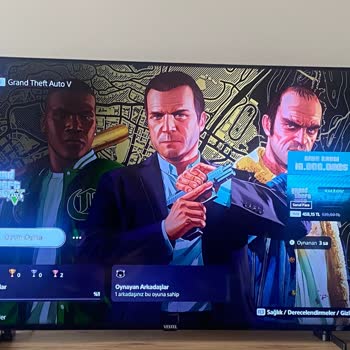
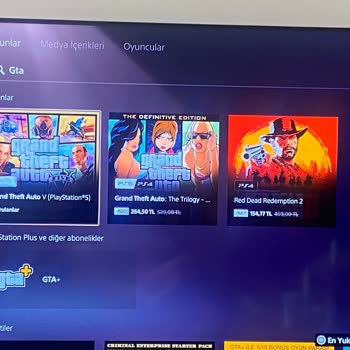
Accidental purchases from the PlayStation Store were not refunded by the PlayStation Store. The reason was that the proc...ess was too long. He made the purchases by mistake. But despite this, we didn't get any support, there's nothing to do. But I didn't expect a return like this. I expected them to h