My Cambly subscription is about to end, and I do not wish to renew it automatically for the next billing cycle. How can I end auto-renewal?
240 Views
Auto-renewal is common in subscription services. It means automatically renewing a subscription plan or service for another billing period without customer action. It’s possible to end auto-renewal at Cambly following their instructions. When you end it, however, you will still be able to complete your current plan until it expires. If you decide to continue with Cambly in the future, you can reactivate your subscription before the end date to maintain your discount.
To end auto-renewal for your Cambly subscription when it's about to expire, follow these steps:
• Log in to your Cambly account on your web browser or mobile device.
• Navigate to the "Subscription" section in your Account Settings. You can usually find this option under your account settings or preferences.
• Look for the "CANCEL SUBSCRIPTION" button, and click on it to turn off the auto-renewal option.
• Confirm the cancellation when prompted.
Any existing discounts you have will be canceled and won't apply to future purchases. Lessons scheduled for after the subscription's expiration date will be canceled, and this action is irreversible.
Last year, I purchased an individual one-year membership from Cambly. Around 1:30 a.m. on October 29, 2025, approximatel...y around $524 was charged to my credit card for renewal without my approval or consent. I was never informed in advance that an automatic renewal or payment would occur. As soon as
On 02.10.2025, a renewal fee of ₺15,762.52 was withdrawn from my account for my Cambly Kids monthly subscription without... my permission or approval. I received no prior notification (such as email or SMS) that the subscription would be renewed; the only message I got was after the payment, stating “y
My daughter accidentally signed up for Cambly. I’ve been trying to contact Cambly Customer Service to cancel the transac...tion, but I can’t get through to anyone directly. There’s only a Support Request section, and I haven’t received any response from them. I even submitted multiple tickets through t
Dear Cambly Legal Department, I am formally notifying you of a breach of contract regarding my subscription. Cambly unla...wfully charged my account twice and, after fully refunding one of the payments, wrongfully terminated my active subscription without prior notice or my consent. Despite my multiple
I bought a one-year Cambly membership, but the bad interface and inadequate service caused me to cease using it three mo...nths ago. They instantly renewed my subscription without any notice, and I discovered the price straight away. I got assistance right away to ask for a refund and cancel the renewa
CAMBLY's system is very prone to duplication and misunderstanding. Unfortunately, I didn't check again because I had a o...ne-time, 1-month subscription, but 6-7 withdrawals were made from my card. What should I do to refund the withdrawn amount? I sent them an email, but they responded by saying the r
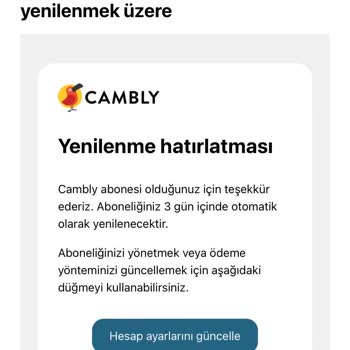
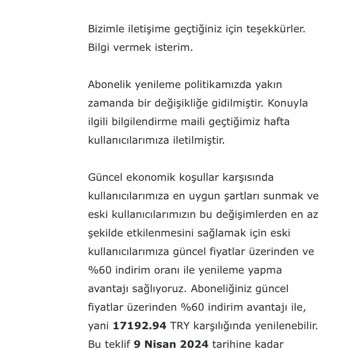
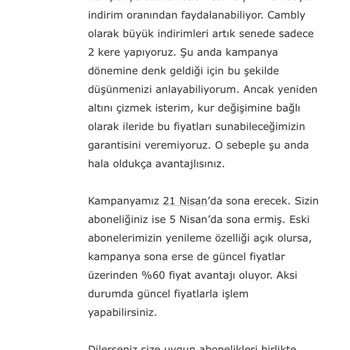
I have been a user for 3 years. I experienced an interesting situation during the renewal period this year. First of all..., I received an e-mail stating that my subscription would be renewed. However, there was no information about the renewal fee in the email or my account information. I opened a lim
During the Black Friday campaign, we got a gift membership for my mom. The instructors aren't holding any classes, and s...he hasn't been able to attend any. They promised, "You can return it within 14 days," but there's no option for returns on the website. Those thinking about getting a membership sh
I bought several packages from Cambly last year. I believe my subscription was supposed to end this month, and I didn't ...renew it or purchase a new package. Yet, tonight, money was deducted from my account. This is deceitful and unacceptable. How can you withdraw funds without my confirmation? If thi