Hint has been charging me for months without permission — how can I cancel the subscription?
6.829 Views
When Hint deducts months without your authorization, the most effective move is to cancel the subscription immediately and dispute the improper charges. Here are practical steps:
• Check subscription status: Go to the app or https://hint.app → Account / Billing and confirm whether auto-renewal is still active.
• Cancel directly: Turn off the subscription from the app dashboard or—if you paid via Apple or Google Play—cancel it in your account’s Subscriptions to prevent future charges.
• Request a refund: Write to [email protected] with the subject Unauthorized subscription charges. Attach the payment receipt and the charge dates.
• Use the official form: At https://hint.app/help/refund-policy open a ticket with the same documents so there’s a written record.
If you don’t get a resolution, file your complaint on Xolvie to document the case and add pressure for a refund.
I am writing regarding an unauthorized subscription charge from Hint that appeared on my government-issued Mastercard in... the USA. On 09/02/2026, an amount of $34.99 was charged to my card for a Hint subscription that I never signed up for, never authorized, and have never used. I did not start any f
I was charged an amount of R486.04 on 3 September 2026 by “HINTAPP.CO WILMINGTO…” via my Standard Bank card, even though... I have never subscribed to or knowingly used any service from this company. I only noticed the transaction on my bank statement, where it appears as an outstanding card authorisat
I am writing to complain about an unauthorized charge made today on my Zenith Bank account by HINTAPP.COM/US. On 01/09/2...026, an amount of GHS 353.83 was deducted from my account as a VISA purchase with the description “VISA PURCHASE-HINTAPP.COM/US” even though I have never requested, subscribed to o
I am writing regarding an unauthorized payment taken via PayPal from my account in connection with the merchant “Hint”. ...On August 28, a charge for $44.99 USD was taken through my PayPal account, which is linked to my debit card, without my knowledge or consent. I only made a single one‑time purchase
I recently discovered a charge of 39 euro on my account linked to an app indicated as “Hint app QN72P wilmin”. I never a...ctivated any subscription or gave clear consent for such a payment, so I consider this charge unauthorized and not transparent. I did not previously contact the app’s customer supp
Since June 2026, I have been repeatedly charged by a service called Hint App even though I have never signed up for this... service, never heard of it before these transactions, and have certainly not authorized any payments. The amount of 29.99 USD is being taken from my Cash App card, and in my Cash
On 23.08.2026 an unknown charge of 29.99 € from HINTAPP.COM/US with the phone number +1 646 845 18** was taken from my c...ard without my knowledge or consent. I have never used any services related to this company before and I have not knowingly subscribed to any of their products or platforms. I requ
I recently noticed several unauthorized charges related to the Hint app, even though I never subscribed to the service o...r provided any payment details directly to Hint. On 28 July and 1 August, small transactions of 1 USD each were charged via PayPal with the description “PAYPAL *HINT APP”. In addit
I recently discovered that an amount of 29 was withdrawn from my PayPal account by a company or app called “Hint” on 10 ...July. I have never knowingly used or signed up for any service under this name, and I did not authorize this payment in any way. This charge appeared without any prior notice, expl
My name is Violet W*** and I am writing about unauthorized charges taken from my Cash App card by a service called Hint.... I do not remember ever signing up for Hint, I had no use for it, and I did not knowingly agree to any subscription or recurring payments. Despite this, Hint kept taking money from
On June 19, 2026, at around 2:58 a.m., an amount of $29.99 was taken directly from my debit card/checking account for a ...Hint subscription, even though I have never subscribed to this service and do not even know what Hint is. Previously, there had already been attempts by Hint to take money from my
On 23 June, £29.99 was taken from my account by HINTAPP.COM/UK without my authorisation. Previously, I had only paid £1 ...for a “soulmate sketch” out of curiosity and at no point did I knowingly agree to any subscription or recurring payments. The transaction was made under my name, Dean Rodge**, usin
Today I noticed two unauthorized charges from WireLab Inc / Hint app on my Cash App account, even though I am not subscr...ibed to any of their services. Around 10 minutes ago, I was charged 29.99 USD and an additional 0.50 USD. These transactions appeared on my Cash App with the payment identifier RQX
On June 12, I noticed that I was charged for the Hint Soulmate service without my clear knowledge or consent. The paymen...t was taken from my card ending with 3029, and I was not properly informed that such a charge would occur. I request a full refund of this Soulmate-related charge and the immediate
I am filing a complaint regarding unauthorized charges related to the Hint application. I do not have this app, I did no...t consent to any subscription, and yet money is being continuously taken from my account. So far, I have noticed charges taken twice on 03.05.2026, once on 12.05.2026 and again tod
I am writing to report an unauthorized subscription charge from Hint App to my credit card issued by Ventu County Credit... Union. On February 17, 2026, I made what I understood to be a one‑time purchase in the Hint App, and at no point did I knowingly agree to any form of monthly or recurring subscrip
I have been experiencing unauthorized charges from the Hint mobile app subscription that I never approved. Since Februar...y 2026, an amount of $29.99 has been taken from my Cash App account every month under the name Melisa C*** and I have no idea how or why this subscription was started. I have never
For about a year now, from May 2025 to May 2026, I have discovered that I have been repeatedly charged by the Hint app t...hrough my Cash App card. The amount is usually $29.99 per month, and on some occasions I have been charged more than once in the same month. I never knowingly subscribed to this ap
I noticed that on 30 May I was charged 29.99 € from my Wise account by the Hint app, even though I do not knowingly have... any active subscription or paid plan with them. I do not know which subscription or product this payment is for and I did not intend to make a purchase of 29.99 €. Before this cha
On May 25, I noticed an unauthorized subscription charge of $29.99 from Hint App, processed through my PayPal account, a...fter using Hint via Facebook. I only agreed to purchase a single picture for $1.00 on Facebook and at no point did I consent to any ongoing subscription, Tarot service, or similar
I recently discovered that two payments were taken from my Revolut debit card in favour of HintApp without my authorizat...ion. The transactions are for 29.99€ on 11 April 2026 and 29.99€ on 9 May 2026. I do not know which product, service or subscription these payments relate to. I remember only signi
I recently saw an advertisement for Hint on Instagram and purchased only a soulmate sketch for approximately $1 through ...the ad link. I did not subscribe to any service or authorize any further payments. However, on 26/05/26, an amount of around $49 was unexpectedly deducted from my Commonwealth Bank
I am writing regarding unauthorized subscription charges of $29.99 that Hint America Inc. has been taking from my accoun...t every month since February 13, 2026. These charges are appearing through Cash App, which pulls the funds directly from my Navy Federal bank account. I have never given my consent
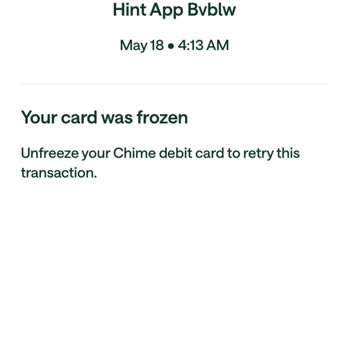
I recently discovered that Hint America charged my Chime account for a subscription that I never knowingly signed up for.... On May 14, 2026, I authorized a $1.00 charge for a sketch, believing it to be a one-time payment only. However, on May 22, 2026, an additional charge of $29.99 was taken from my
I am writing regarding an issue with the Hint App on my iPhone. Today I discovered a $29.99 subscription on my account t...hat I did not knowingly sign up for, and I have been unable to cancel it through the normal options in the app. I do not want this subscription, and I did not intend to authorize a

























2 Comment