When I was trying to make a purchase at Garena Free Fire, my payment was interrupted due to network issues. How can fix this?
27 Views
If you were trying to buy something in Garena Free Fire but your payment was interrupted because of a problem with the network, do these things to fix the issue:
• Use stable WiFi connection: If you're going to buy something, you should always try to use a stable WiFi connection. But be careful with open or free WiFi because it might have low bandwidth, which could cause transactions to be interrupted.
• Check Mobile Data Signal: If you're using mobile data, make sure your signal is strong and that you're on the right mobile standard (4G or LTE). This helps keep the connection stable while the purchase is being made.
• Close Background Apps: Close any background apps that are open before you start Free Fire. Also, look for apps that are running in the background and close them if you see any. These can use up bandwidth and make your network less stable.
As long as the problem lasts:
• Turn Off and On Again: Try turning off and on again your device. If your device is having IP and DNS problems, turning it off every so often can help. To get the most out of your device, you should restart it every five days.
If you've got more insights to add, don't hesitate to let us know.
I am a Free Fire player from Pakistan and on 5 August 2026 I purchased diamonds through Garena Top Up Center using JazzC...ash. In total I paid 220, but the diamonds were never added to my Free Fire account even though the payment went through. After seeing that the diamonds did not arrive, I tried to
I am writing about an issue I experienced in the game regarding the Sakuna bundle. I play from India on the Asian server... and recently spent 450 diamonds on 4 February, but I still did not receive the Sakuna bundle, while my friends were able to get it. I spent my diamonds with the clear expectation
On October 19, 2025, at around 9:10 a.m., I purchased a monthly membership for my Garena Free Fire account (ID: 22997216...99) using my Ziraat Bank debit card. I immediately received an SMS payment confirmation from my bank, but the membership was never activated in my account. I tried logging out and
On August 28 (Thursday), I purchased a top-up for Free Fire using a Play Code worth 1500₺. The payment was successfully ...processed, but right after completing the transaction, I was disconnected from the game. When I logged back in, I realized that the diamonds were never credited to my account. My i
I purchased a weekly VIP on Garena Free Fire, but the diamonds did not appear in my account. I thought I would wait 10–1...5 minutes, but it has been 2 hours and still no diamonds. I tried to file a complaint through player support in the game settings, but there is no page—it’s just a blank screen. My
On August 22, 2025, I attempted to purchase a monthly subscription in Garena Free Fire using a Google Play code on my An...droid device. The payment of ₺300 was successfully deducted from my account, but the subscription never started. Instead, I received an error message during the purchase process, a
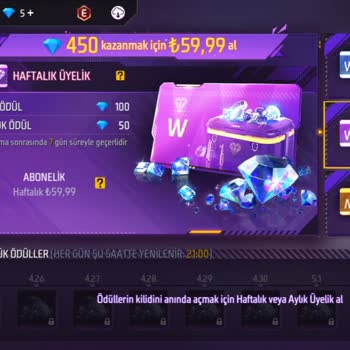
I recently purchased a weekly membership in Garena Free Fire via the Android app, paying ₺59.99 with my Paycell card. Th...e payment was successfully deducted from my card, but my membership was never activated. This is not the first time I have faced such a problem with Garena Free Fire, and experienc
For the past two weeks, I’ve been completely unable to access my Garena Free Fire account, which is linked through Faceb...ook. I’ve tried logging in multiple times, but the system just won’t let me in. Every time I attempt to sign in via Facebook, I’m met with a black screen, and then after about 30 s
I tried purchasing diamonds in Garena Free Fire for the first time and also planned to subscribe to a membership. Howeve...r, even though I had enough money in my account, the transaction failed and the system gave me an error. I attempted the same process again using a different card, thinking the iss
Please Garena Free Fire, recover my money. Due to a few mistakes, my auto-pay was turned on, and the payment was receive...d by you, but I did not purchase anything. Please refund my money—I need your help. The money was taken through auto-pay, and I can’t use it to purchase a weekly membership now. So
Free Fire is not updating, and the service seems to be down. The server is either very slow or completely unresponsive. ...The game is running very slowly, and it feels like Free Fire might have shut down—there haven’t even been any updates. Has it been removed from India? My signal is full, but the ne
Dear Garena Team, my Free Fire account is experiencing a loading issue. I kindly request your help in resolving this pro...blem. My UID is 2141665002. I have never faced this kind of loading issue before with my account, and I would like to know how to fix it. I humbly request you to look into the issu
Hello Garena, I have a problem in Free Fire. When I try to open it, the game gets stuck at the resources loading screen ...and doesn’t open. I don’t know why this is happening, but I kindly ask you to fix this issue as soon as possible. I already tried clearing the cache and reinstalling the game, but
I purchased a monthly membership subscription in Free Fire, but due to network issues, I didn’t receive the diamonds. I ...canceled and repurchased the subscription, but still no diamonds came through. On the third attempt, the diamonds finally arrived, but my account was charged ₺900 in total. This is
Hello, I made a ₺300 payment from my bank account to purchase a subscription in Garena Free Fire. The money was successf...ully withdrawn, but I never received the diamonds in my account. It has now been over 24 hours, and there’s still no update or resolution. This has never happened before—I’ve made
I’m extremely frustrated with my recent experience in Garena Free Fire. On April 25, 2025, I purchased a weekly membersh...ip for ₺60. The payment was successfully processed, and the amount was deducted from my card without any issues. I even submitted proof of the transaction to your team to show that
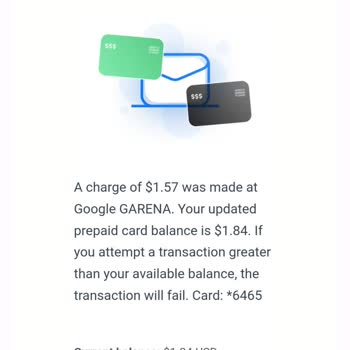
Garena, I can’t access Free Fire using my home internet! My mobile data works fine, but my Wi-Fi connection gives me a n...etwork error, preventing me from logging into the game. This is clearly an issue on Free Fire’s end, and I expect a fix as soon as possible. Additionally, the game is overrun with
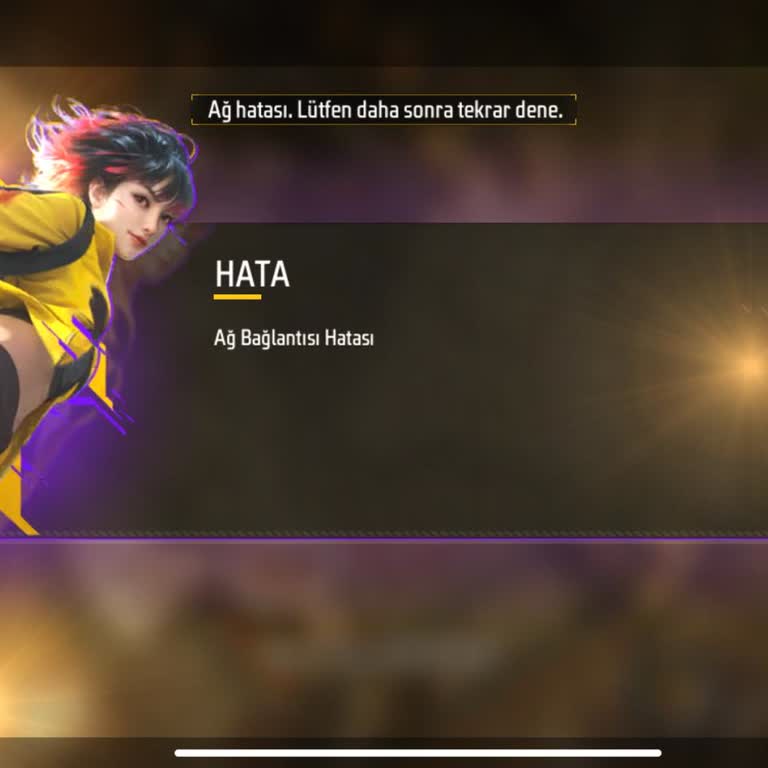
I just made a ₺150 diamond purchase in Garena Free Fire, but I encountered a serious issue. On my first attempt, I got a...n error message saying "Internet error, purchase could not be completed." So, I exited and retried the purchase, and this time it was accepted. However, when I checked my bank acc
I recently attempted to purchase 2180 diamonds in Garena Free Fire, but the transaction failed, and I did not receive th...e diamonds. Additionally, the money has not been refunded to my bank account, leaving me frustrated and without the diamonds I paid for. It’s been two days now, and I haven’t recei
I bought 2180 diamonds for ₺540 via GG Top Up, but there was an error, and although the payment was processed, the diamo...nds never showed up. This is incredibly frustrating! I tried to make a purchase two times; one transaction was successful, but the other one just didn’t go through. I am extremely
I'm unable to purchase items in Garena Free Fire even though I have diamonds in my account. I attempted to use 1 diamond... to get one of four items, but it didn’t work. Despite having enough diamonds, I still can't acquire the items. Please resolve this issue as soon as possible—I'm requesting it be
Over the past two weeks, I've encountered difficulties when trying to add diamonds to my Free Fire account. I keep getti...ng this annoying notification about my Google Play account, even though everything is fine and there are no issues. This problem is stopping me from joining in on fresh activities
Over the past two weeks, I've encountered difficulties when trying to add diamonds to my Free Fire account. I keep getti...ng this annoying notification about my Google Play account, even though everything is fine and there are no issues. This problem is stopping me from joining in on fresh activities
Lately, I've been having some trouble with making in-game purchases in Garena Free Fire. It's really frustrating because... I can't seem to complete the transactions. Looks like your purchase didn't go through. Please make sure to choose the appropriate country in your Play account. Even though I've fo
I attempted to purchase diamonds through Garena Topup Center using a Havale/EFT bank transfer. During my first transacti...on, I mistakenly forgot to enter the required code in the payment description field. As a result, the diamonds were not credited to my account. Realizing the error, I repeated the