I bought a token on Trust Wallet but it didn't arrive in my wallet, how can I see purchased tokens?
962 Views
There are several ways to fix a Trust Wallet token that hasn't appeared in your wallet:
Trust Wallet transfers funds within 0-20 minutes, depending on the blockchain network, after confirming the transaction. If you haven’t gotten yours, see any of the following work for you: • Internet Connection: Make sure your internet is stable. Switch mobile data and Wi-Fi on and off to reconnect. If enabled, check that your VPN is not affecting connectivity.
• Trust Wallet bridges blockchains, but not all tokens are supported. If the token isn't supported, your wallet won't show it. Check if the token is supported and manually add it.
• Confirm Wallet Addresses: Check that the transaction wallet addresses contain the cryptocurrency. Check the blockchain explorers for those addresses.
• Make sure your wallet is backed up before reimporting. Disconnect and reconnect your wallet in the app. Data may be refreshed by this process.
• Try Another Device: Sometimes a different device can fix or identify the issue. Check your balances on another device with the Trust Wallet app.
If the problem persists after exhausting all other options, contact Trust Wallet customer support. Your transaction may have internal glitches that they can fix. Visit their website's "Support & Feedback" section to contact them. And of course, see if there are others who’ve experienced and successfully overcome the same issue.
On 05/10/2026 at approximately 7:01 PM, I connected my Trust Wallet to Zerotrx.io in order to convert the Tether (USDT) ...balance in my wallet into TRX. A total of 22 USDT was deducted from my wallet, but after the transaction was completed, the expected TRX balance was never credited back to my walle
After completing a swap transaction through my Trust Wallet, $150 disappeared from my account. I used the built-in swap ...feature within Trust Wallet to exchange coins. The transaction was confirmed, but when I checked my wallet balance afterward, I noticed that my funds were missing. I performed the
I transferred Dogecoin into my Trust Wallet account, and the payment has been confirmed on Blockchair for seven days now..., yet my account balance still shows zero. I am asking for your help to resolve this issue, as the transaction has been confirmed, but the funds are still not appearing in my Trust
I sent TRX from my Luno wallet to my Trust Wallet, and then I tried to send the same amount back to Luno. Tronscan says ...the transaction is confirmed, however the money has never shown up in my Luno wallet. I asked for aid and gave them my wallet addresses, but I still haven't gotten a clear answer o
I transferred MASA coins from my Bybit account to my Trust Wallet, but they are only showing in the transaction history ...and not in the available balance. Please, what should I do now? I want this issue to be resolved as soon as possible. The coins appear only in the history section, not in my availa
My friend sent me some money through Cash App to my Trust Wallet in BTC. I received the first transaction of $299, and t...he second one of $300, but now I can’t see anything added to my wallet balance or transaction history. When I used another app to check, it showed that the transaction was received
About 15 days ago, I tried to transfer USDT through Trust Wallet, but the transaction was never confirmed and the screen... displayed an “error” message. I performed the transaction using the latest version of the app, and I paid around 4,500 (₺) in transaction fees at the time. The transfer was intend
I can't trust anymore Trust Wallet. I bought USDT yesterday and today my balance is 0 and I know nothing about how? Fort...unately it was a small amount. And I tried to deposit small amount of USDT from Bybit. Withdraw completed but never received on Trust Wallet, how?
I paid the transaction fee, but Trust Wallet still hasn’t sent my 16 USDT from my wallet. I’ve tried contacting support,... but all I get are pointless responses. When I say the USDT hasn’t left my wallet, they tell me to contact Binance. I emailed them, and they asked for my info, promising to check—b
I paid 1000 INR through the Trust Wallet app to receive 9.95 USDT, but it’s been almost 9 hours and I still haven’t rece...ived any USDT in my Trust Wallet. Could you please check the status and let me know as soon as possible? If the payment wasn’t successful, I would like to know how long it will tak
I transferred money into my Trust Wallet account, expecting it to arrive like any normal transaction. The transfer shows... as “sent” on my end, but the funds never actually showed up in my wallet. It’s as if the money just vanished. I’ve double-checked everything—the recipient address, the network, th
On my recent transaction, I transferred 7,899 Nillion (NIL) coins from my Trust Wallet to my Binance wallet, but the fun...ds have not shown up in my Binance account to this day. The transfer was made correctly, and I verified the transaction details multiple times. Here are the key details: Transact
I transferred coins from Gate.io to my Trust Wallet, but the funds are not appearing on the wallet's main screen. Althou...gh the transaction appears when I click “Check Network Connection,” it still doesn’t show up on the homepage of Trust Wallet where my other balances are listed. This is incredibly
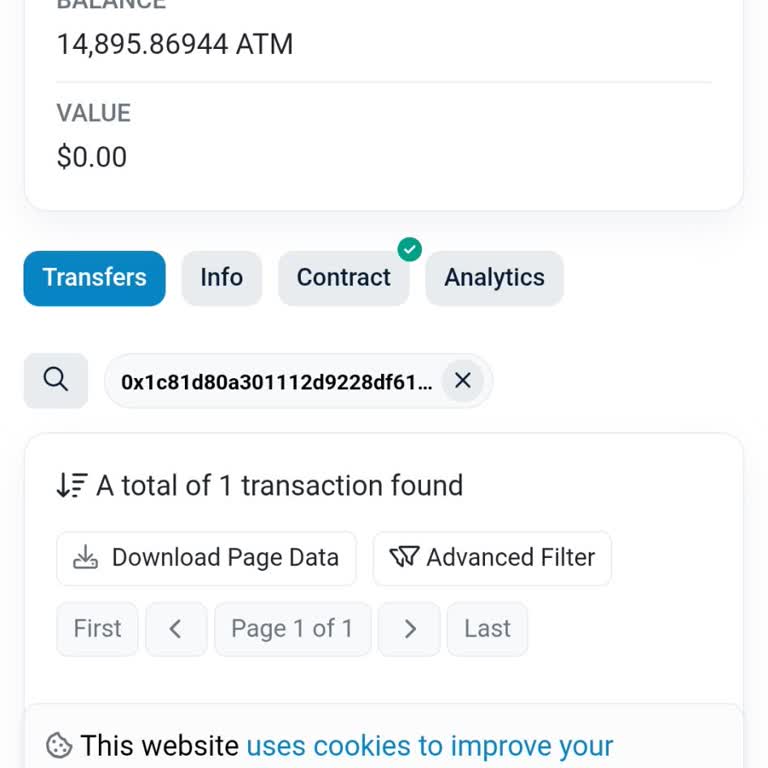
I used Trust Wallet to swap sETH for Ethereum, and while the sETH was deducted from my account, the ETH never arrived in... my wallet. The transaction appears to have gone through, but my ETH balance hasn’t updated—and I’ve been left with no access to my funds. I’ve tried everything to reach someone a
On January 18, 2025, I transferred 114 USDT from Bybit to my Trust Wallet. Despite the transaction showing as "confirmed..." and "successful" in the wallet, the balance never appeared. To test further, I sent an additional 1 USDT on January 21, 2025, carefully rechecking the network and address before
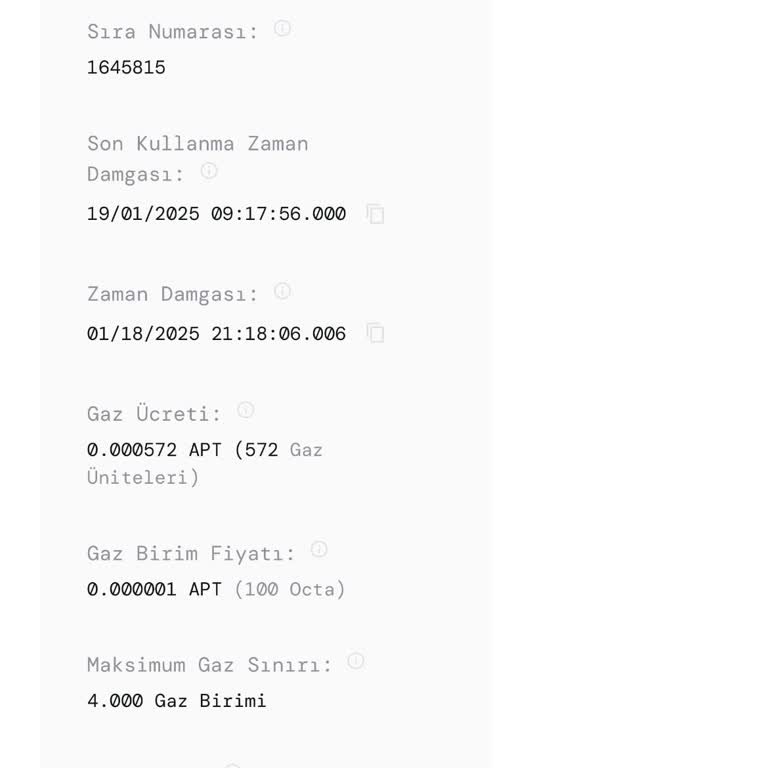
I have FTM tokens in my Trust Wallet, but I’ve been unable to see them for 10 days. The wallet indicates they should be ...accessible under Sonic, yet I cannot locate them despite thoroughly checking. I am unsure of the steps to resolve this issue and urgently need assistance. Is there an alternative s
The coins I sold on PancakeSwap on November 27 never showed up in my Trust Wallet, which makes me very angry. The wallet... makes it clear that the coins were sold, but my amount hasn't changed. What happened to my money? I have no idea, and I feel useless because I don't know who to talk to. This is a
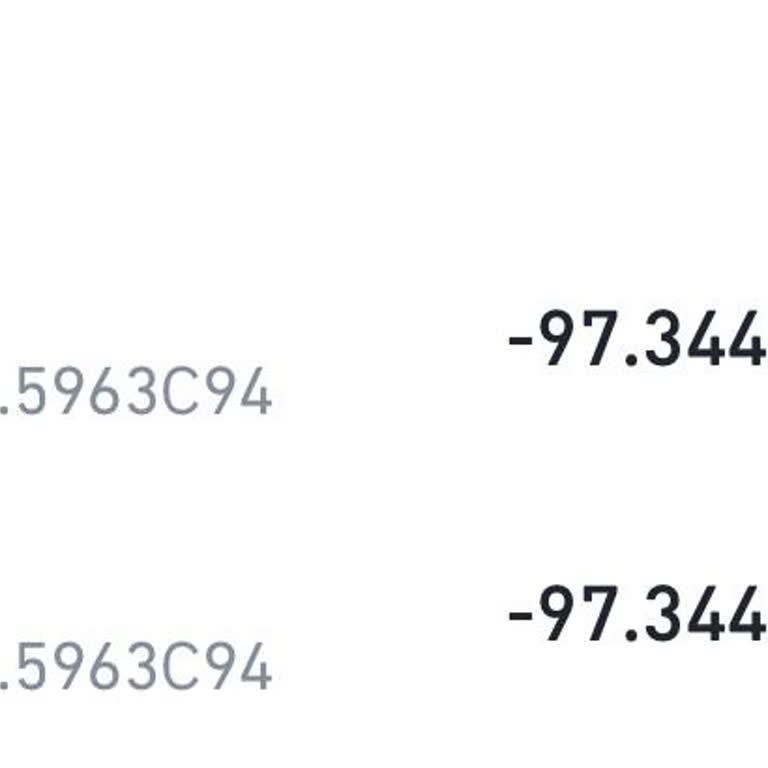
I transferred my DFC tokens from Trust Wallet to my account on LA Token two days ago, but they still haven’t arrived. Th...is delay is causing significant financial losses, as I expected timely processing for such transactions. It’s extremely frustrating to face such issues with a platform I trusted fo
I’ve been missing my FEG tokens from my Trust Wallet account for over a year. Despite multiple attempts to fix the issue..., including uninstalling and reinstalling the app, my tokens are still not showing up. It’s extremely frustrating not knowing where my funds are or who to contact for help. Trust
I sent coins from my Trust Wallet to two different exchanges on two separate days—one in ETH and the other in BNB. Howev...er, neither transaction has reached its destination. This is highly frustrating and unacceptable, especially for a platform that is supposed to be reliable. Trust Wallet is rapidl
I sent funds to my Trust Wallet account, but the money is missing and does not appear in my wallet. This is extremely co...ncerning, as I trusted Trust Wallet to securely manage my transactions. Adding to the frustration, I have been unable to contact anyone for support or assistance. It’s unacceptabl
I recently used Trust Wallet to purchase Pitbull tokens through a transaction of approximately $300. While the transacti...on appears to have been successful—clearly documented with a visible smart contract and transfer details—the $300 is missing from my wallet balance. This is highly distressing as
I purchased Gamestop coin through Trust Wallet, and while it initially appeared in my wallet for 1–2 hours, it has since... disappeared. Despite waiting for over a week, the issue has not been resolved. I am extremely frustrated with the lack of action and clarity regarding my investment. If this prob
My Baby Doge Coin is missing from my Trust Wallet account; I cannot see it listed in my wallet. Interestingly, my other ...coins are visible without any issues, but Baby DogeCoin has disappeared completely. Could you help me understand why this is happening and how I can recover or view my missing coi
I was able to deposit money, but it hasn't been added to my wallet, and the amount has been deducted from my account. My... ID is 92953845, and I raised a request under request number PMNT-1458359. It's been 8 days now, and the problem still hasn't been resolved. Please address this issue as soon as po