My wireless headphones from Temu arrived today, but they won't connect to my phone. How can I start the return process?
15 Views
To start the return process for your wireless headphones from Temu, you can follow these steps outlined in Temu's Return and Refund Policy:
Request a Refund:
• Log in to your Temu account on Temu.com or the app. If you don't have an account, click on "Save your Order" in your Temu order email to make a return.
• Find your order in "Your Orders" and click on the "Return/Refund" button.
• Select the item(s) you want to return and the reason for the return. Provide any necessary additional information.
• Choose your refund method (Temu credit balance or original payment method) if you're not returning the item.
Return Process:
• If you need to return the item(s), select your return and refund methods. Temu will provide a return label for free return shipping within the United States.
• After packaging the return items, print and tape the provided return label onto the package.
• Drop off your package at the nearest USPS/UPS location.
Your voice matters, so don't hesitate to express your opinions in the comments section.
If you have extra information or insights, feel free to share them in the comments or file your complaint.
In October 2025, I ordered a CL-3666 Heat Massage Belt from the Temu website, and the product was delivered to my addres...s in early October. I used the device under completely normal conditions, about one to two times per day; it was never dropped, exposed to liquid, or physically damaged in any way,
I ordered several products from TEMU on 21 November 2025, and they were shipped with iMile. The tracking number of my pa...rcel is 6112125956849, and the delivery address is Via Rocca Cencia 5*, 00132 Roma, Italy. The courier came to this address, but at that time I was in my home country, Bangladesh,
Temu uses an AI-powered model to make products appear high quality, but the actual items received are nowhere near that ...standard. After I received my order, they told me the product had been discontinued, so I couldn’t even leave a review. If that’s the case, why did they sell it to me in the first
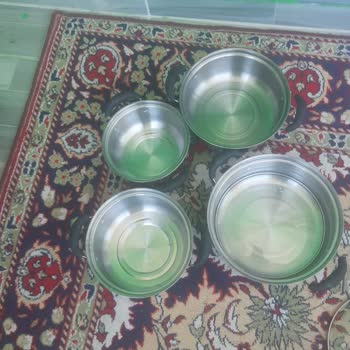
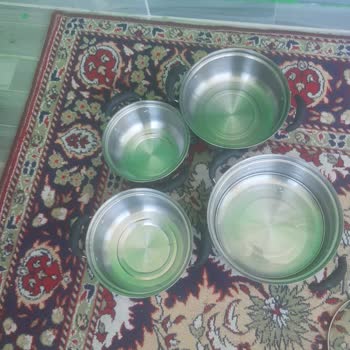
The products shown in the images on TEMU have nothing to do with what actually arrives after placing an order. The Chine...se sellers on the platform are not conducting honest trade either. I ordered a pot, but what I received was a toy meat grinder. I also ordered a toy meat grinder, and a family pool
I realized I made an error with my order from Temu and promptly asked for a refund. The details indicate that the refund... for my order from February 12th was expected to be credited to my card by February 19th. Yet, here I am, still waiting for my funds. I reached out to my bank to get clarity on the
I made an order on Temu on February 10 and canceled it just five minutes later. It's February 19, and I'm still waiting ...for my refund. I reached out to Ziraat Bankası for clarification, and they verified that no refund has been issued. I have contacted Temu’s help center several times, but I continu