I reset my Telegram password, but the code was never sent to my email; how can I get email verification?
144 Views

If you didn't receive a verification code to your email when resetting your Telegram password, first, ensure the email address linked to your Telegram account is correct and accessible.
Check your spam or junk folders, as automated messages can sometimes end up there. You can also try requesting the code again, ensuring a stable internet connection.
If the issue persists, try accessing Telegram through the web version at https://web.telegram.org, as this can sometimes bypass app-specific issues.
You might also see an option to receive a verification code through a phone call if you wait a few minutes on the "Enter code" page.
For further assistance, contact Telegram's support team directly. You can do this through the app by navigating to Settings > Ask a Question or by visiting their support page at https://telegram.org/support.
Be sure to provide detailed information about the problem, including the steps you've already taken, to help expedite the support process.
If none of the above solutions work, please feel free to share your experience. You can also file a complaint on our website.
I am writing regarding a serious security and account issue with my Telegram account on Android. I am the legitimate and... sole owner of the phone number registered with the country code +91 (India), but I am currently unable to access my Telegram account. For about one month I have not been able to l
For the past six months I have been unable to receive a verification code from Telegram on my email address and therefor...e I cannot access my account. I have never successfully received a Telegram verification code on this email, even when I first tried to register or log in. I have checked all folde
I was using Telegram on my Android phone and my account appears to have been hacked. Since yesterday I have completely l...ost access and the app does not open my account anymore, so I cannot log in or see my chats. I have not been able to take any screenshot, because whenever I try to open Telegram it
I am writing about a security problem I am experiencing with my Telegram account on my Android device. My account appear...s to have been hacked and the email or contact details linked to it have been changed without my authorization, and I am now unable to recover my account normally. On the recovery
I can no longer access my Telegram account on my Android phone (Redmi Note). My account is linked to an old phone number... that I have completely lost access to, so I cannot receive the login codes that are sent via SMS or call. I have a backup email address registered with my Telegram account, but th
I have been unable to log in to my Telegram account linked to the phone number +251974860*** in Ethiopia. When I try to ...log in, the confirmation screen says that the code has been sent to an email address that does not belong to me, so I cannot receive the code and cannot access my account. I kindly
I am having a login problem with the Telegram mobile app. Today I tried to log in on my current phone, but the confirmat...ion code is still being sent to my old device, even though I am using the same phone number. I no longer have access to that old device, so I cannot see the code and cannot log in
I am having a problem using Telegram Messenger and I cannot complete my access. I deleted the app and downloaded it agai...n, and when I tried to sign in with my email and the code that was sent to me, an error message appeared on the screen saying “Sorry, this email can't be used.” I only use Telegram
I am trying to create a new Telegram account on my Android phone, but I cannot receive the verification code needed to s...ign up. I have tried registering with my phone number 8008459*** and with my email address galilesh***@gmail.com, but in both cases no code is sent. This problem started recently a
I am using Telegram on an Android phone and I have been unable to recover my Telegram account for the last three days, a...fter not using it for about six months. When I try to recover my account, I receive the verification code, but I get a message saying that my email is not allowed, and I cannot com
I am writing regarding a serious security issue with my Telegram account on my Android device. My account appears to hav...e been hacked, and I have seen that it is being accessed or linked with another email ID that does not belong to me. This situation started about a week ago, and since then I have
I can no longer access my Telegram account on my Android phone. My account is linked to an old phone number registered i...n the Philippines, and I have completely lost access to this number, so I am unable to receive the login codes that are sent via SMS or call. Although I have a backup email address
My Telegram account, which is registered with my own mobile number, appears to be linked to an email address that does n...ot belong to me. Yesterday evening at around 7:39 PM, everyone in my contacts received a notification that I had joined Telegram, and when I tried to log in, the login code was bei
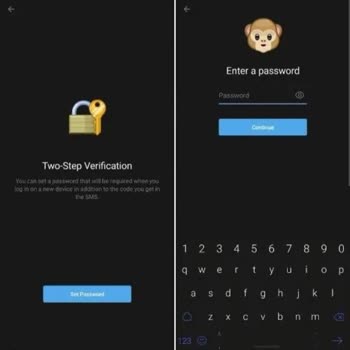
I have been using a Telegram account registered with the mobile number +91 76800069** on my Android phone. Today I logg...ed out of my account, and when I tried to log in again, I was unexpectedly asked for two-step verification, even though I clearly remember that I did not enable this option when I
I have been unable to access my Telegram account on my iPhone 14 Pro Max since around November–December last year. My ac...count is linked to an old phone number to which I have completely lost access, so I cannot receive the login codes sent via SMS or phone call. Although I have a backup email addres
I have been unable to access my Telegram account, which is registered with the phone number +91-8010990***, for the past... 3–4 days due to suspected unauthorized access. When I attempt to log in, I receive an “invalid email ID” message, and it shows that the verification code is being sent to an unfam
I was using Telegram on my Android phone and now I suddenly cannot log in to my account. Because of this, I suspect that... my Telegram account has been hacked or accessed without my permission. I am currently completely unable to access my account and I do not understand how to recover it. I have impo
I can no longer access my Telegram account on my Android phone. My account is linked to a Nigerian phone number with the... country code +234, but I have completely lost access to this number, so I cannot receive the login codes that are sent by SMS or phone call. Because of this, I have been unable to
I am writing because I can no longer access my Telegram account on my Android phone. My account is linked to an old phon...e number to which I have completely lost access, so I am unable to receive the login codes that are sent via SMS or call. Although I have a backup email address registered with my
My Telegram account linked to the phone number +91 8197621*** has been hacked, and since 2 December I have not been able... to access it. The attacker added their own email address to my account, and now the login codes are being sent to that unknown email instead of to my phone number. My phone number
I am contacting you because I am unable to access my Telegram account anymore. I no longer have access to my previous ph...one number that is associated with my account. Despite having my backup email address registered, I'm unable to log in using it. I also have two-step verification enabled, and I ca
Telegram banned my account number without warning me, and I don’t know why. Please, what can I do to get my Telegram acc...ount back? I really need it, and I promise to respect all the rules and regulations. They are not sending me my code, and I don’t understand why they banned me. Please help me reco
How can I get my Telegram code? Can you please send me my Telegram code if possible? I have tried many times, but you ar...e not responding. I urgently need access to my account to continue my work. Without the code, I am completely locked out and unable to communicate properly.
I have been using the Telegram app on my Huawei phone for almost two years without performing any updates. However, for ...the past four days, I have been unable to access my account. Each time I try to open the app, it suddenly asks me to enter a password, even though I never set one. I never enabled
For the past 4–5 days, I have been unable to receive the verification code from Telegram. On my Android device, the app ...displays the message “Code sent,” but the SMS never arrives. Today alone, I tried 5–6 times, and the problem persisted. I even attempted logging in with the same number on a differ