Sugo suspended my account for suspicious activity—how can I prove it was a false flag?
9 Views
If Sugo mistakenly suspended your account for "suspicious activity," you should first contact Sugo support and give them detailed evidence.
You can do this by sending an email to [email protected] or using the in-app support with your registered phone/email and user ID. Be sure to clearly explain that you didn't break any rules so they can look into the flag.
To make your case stronger and show that you followed the rules, add screenshots of the login records, the suspension message, and any other action that might be useful.
Clearly ask for a formal appeal, a full account reinstatement, and a detailed explanation of what led to the suspension in your message.
Users often get banned with vague messages about "suspicious activity" and no warning, so make them look at the evidence you gave them and make a new decision.
If support is slow or doesn't respond, make a complaint on Xolvie to get people's attention on the problem.
I have been unable to log in to the SUGO app, which I use through the Google Play Store, since August 5. The app offers ...“Sign in with Google” and “Sign in with Facebook” options, but whenever I try to log in, I receive a warning saying that my device has been banned due to suspicious activity and th
I am unable to log in to the SUGO app on my Honor X9c phone. I was previously able to use the app without any problems o...n the same device, but for about a week now, whenever I try to access the app, I receive a red warning stating that my device has been restricted due to violations and suspicious a
My SUGO account was closed at around 9:00 p.m. without any explanation, with only a message stating, “Your account has b...een closed due to suspected cheating.” I was using this account to earn money, and it had a balance of approximately 200K. When I contacted SUGO support about the issue, I receive
My Sugo account on the iOS app was suddenly and unfairly shut down on July 17, 2026. I received a message stating that m...y account was banned due to suspicious activity or a violation of the user agreement, but I was given no clear explanation or specific reason. I have not broken any rules or polici
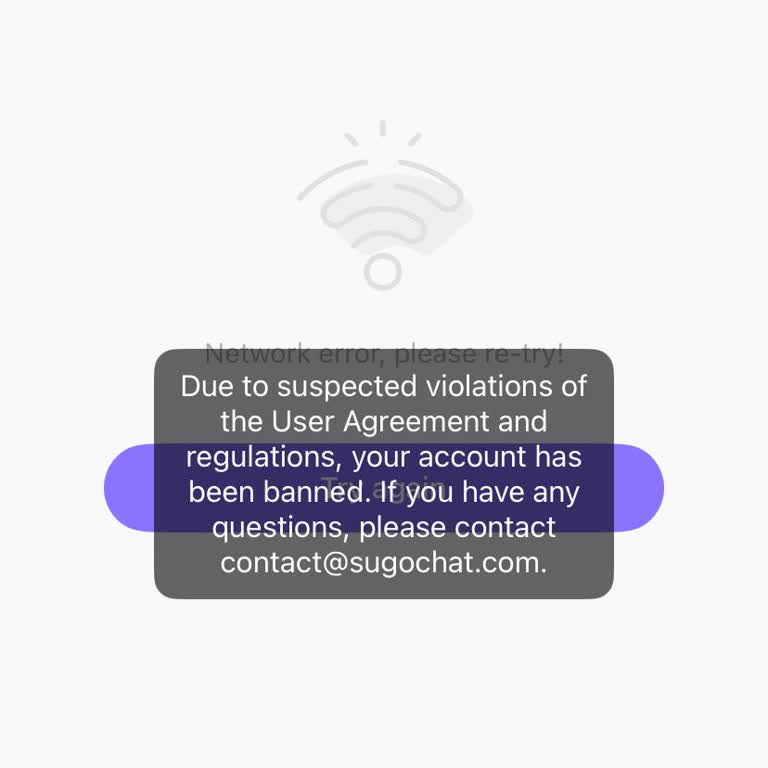
My Sugo gaming account was suddenly banned even though I did not violate any rules. I had normally been using the accoun...t in Turkey, and later I traveled to China, where I continued logging in from the same device. When I tried accessing my account, I received a warning saying, “current device has b
As of today, I am unable to log into the Sugo and Sugo Lite apps from my Samsung A51 phone. I was previously using both ...applications without any issues, but now I receive a “suspicious device” warning and cannot access either app. I had been purchasing in-app Colin’s credits, and I currently have a
I contacted the in-app help center on Sugo because I was unable to withdraw my money from my account registered under th...e name “Buse Yur***.” A person there claimed they would assist me, but instead changed my account from a female profile to a male profile and then had my account suspended. As a re
I am writing to report a serious issue I experienced on Sugo on March 11, 2026. A user on Sugo named “Hania Hania” first... sent me her number through Sugo and then shared her WhatsApp number. She told me that if I sent 2,000, I would receive a Sugo plan. Trusting her, I sent the money through Easypais
My account named L**** on the Sugo mobile app was banned today, February 8, with the reason stated as “due to suspicious... activities and violations.” That was the only explanation shown in the notification. However, I do not believe I committed any violation. In fact, I noticed exclamation marks appe
My Sugo account, with ID 193088240, was suddenly suspended on January 20, 2026, at approximately 8:04 PM. I only receive...d an in-app notification about the suspension and was not given any clear reason or prior warning. Before the suspension, I had submitted a withdrawal request for 200,000 diamonds
For about a week now, when I try to access Sugo on my primary device, a warning appears on the device screen stating tha...t the “current device is flagged for suspicious activity and violations,” and because of this, I am unable to log into Sugo. Although I was previously able to use the app without a