MetaMask shows an incorrect balance in my wallet after a transaction, how can I fix it?
84 Views
If MetaMask shows the wrong amount after a transaction, there may be a problem with synchronization or connecting to the network.
To begin, reconnect your wallet to the blockchain again. Select "Settings," then "Advanced," and finally "Reset Account" from the menu that appears. This will resync the wallet, but it won't change your funds.
Next, use a blockchain explorer, such as Etherscan or BscScan, based on the network you're using, to check the status of the transaction.
Enter your wallet address to see a list of all the transactions you've made and to make sure the transaction went through successfully. If the balance still doesn't seem right, make sure you're on the right network in MetaMask.
This could be Ethereum, Binance Smart Chain, or something else.
If the problems don't go away, clear your browser's files or reinstall the MetaMask app or extension.
Make a safe copy of your Secret Recovery Phrase before you do that. If you need more help, you can get in touch with MetaMask Support at https://support.metamask.io.
If you’ve faced a similar issue, don’t hesitate to share your story. You can also file a complaint on Xolvie to help others in the same situation.
My name is Jibrin M*** and I am a Sidra Bank customer in Nigeria. Today I connected my Sidra account to my new Metamask ...wallet, but after doing this I could not see my coins in the wallet even though I have about 205 coins. My new personal Metamask wallet address is 0x019e80e0-c685-7***-b7ed-f013b7b
I experienced a serious problem with the Metamask mobile app that caused me to lose funds after a failed transaction. On... December 29, Monday at around 6:45 pm, I attempted a transaction on the Ethereum network, but the transaction failed and my funds did not reach their destination. Despite this, th
On October 1, at around 03:10 a.m., I attempted to transfer 1,156 USDT from my MetaMask wallet (0xA95dfCDfcA73777a15**) ...to my Binance Global account using the BEP20 network. However, the transaction failed, and afterward, my USDT balance disappeared — it now shows zero both in my MetaMask wallet and
I’m unable to withdraw the balance from my MetaMask account. The balance is visible, but the transfer doesn’t go through.... I would appreciate your assistance with this issue — could you please advise me on what I need to do? I need urgent help. Thank you for support.
I purchased $200 worth of Babybnbtiger coins through MetaMask using the BNB Smart Chain network. After completing the tr...ansaction, I attempted to sell my coins, but it was completely impossible to do so. Shortly after, the Babybnbtiger coins in my account reset to zero. This issue has happened four
I downloaded the Metamask app and sent some crypto from the BSC (Binance Smart Chain) network. After the transfer, I tri...ed to manually add the custom token using the "Import Tokens" feature. I carefully filled out all the required details—including the contract address and decimals—and tapped “Impor
I sent 40.199 CORE to my MetaMask wallet address 0xADB789cDCf1D90aeD3b1c64fEd54991570A44*** from another wallet, Roqqu, ...with the address 0x0c2444a26790a07cf85e5c42498e9c29235ca*** over an hour ago, but it still hasn’t reflected in my MetaMask wallet. I just realized that the transaction process may
I joined the INIT (Initia) launchpool via MetaMask yesterday, expecting a smooth and reliable process. While the platfor...m shows that I received 1,560 tokens, it also says “conversion rate not found,” and those tokens have not been reflected in my balance or wallet in any usable way. Worse yet, I ca
I’ve been trying to get help from MetaMask for a full week now, and I’m getting nowhere. I sent USDT from my Binance TR ...account to my MetaMask wallet, but the funds never showed up. I’ve double-checked everything—wallet address, network, transaction ID—and everything seems correct on my end. Still,
I approved a transaction for Goat-based tokens on MetaMask, but the coins never appeared in my account. When I contacted... customer support, they claimed it was a "misleading transaction," which is entirely untrue. The issue arose after I copied the contract address directly from CoinMarketCap and ve
I have some funds in my MetaMask account, but I’m unable to access or convert them. The main page shows “holdings,” but ...my coins aren’t visible. When I search for them in the portfolio, they appear, but they disappeared from the main page and wallet on their own. I’m trying to convert the funds, but
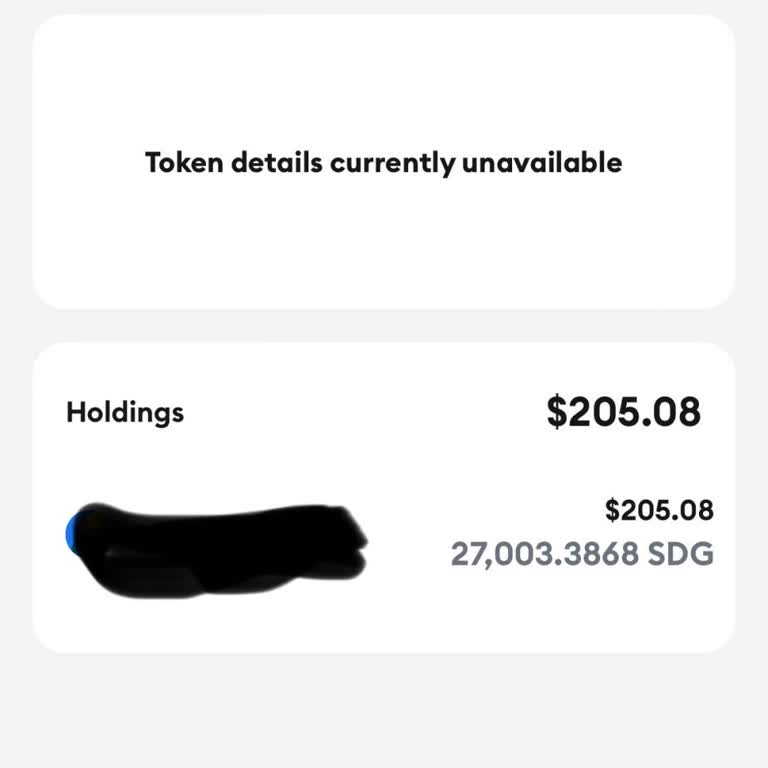
I made two deposits of $1,750 each into my Metamask wallet, resulting in a total of $3,500. Unfortunately, the funds are... not reflecting in my balance. I can see the transactions on BscScan, but unfortunately, I am unable to withdraw the funds from there. I require help in obtaining a refund for the
I've been using the Metamask wallet, feeling confident in its security, and holding different tokens on various networks.... Today, when I logged in, I was surprised to see that my balances were displayed as 0 in certain networks and $10 in others. After carefully examining the transaction history for