Xolvie Resolution Specialist12 Ocak 2026 08:56
If Meditopia charged you a yearly fee after a free trial and you want a refund;
• Check your Meditopia subscription status and trial terms in the app or your account settings
• Confirm the date your free trial ended and whether you were notified about the upcoming charge
• Cancel the subscription immediately in your device’s app store (Apple/Google) or Meditopia account
• Request a refund directly through the app store’s refund system (Apple/Google Play billing) with the charge details
• If you signed up on Meditopia’s website, contact Meditopia support with your account email and transaction info
• Provide proof of the free trial, charge date, and that you did not intend to continue the yearly plan
• Monitor your bank statement to ensure no further unwanted charges occur
If the problem persists;
• File a complaint on Xolvie to report unauthorized subscription charges and refund issues
Vote
Related Complaints
Meditopia Charges Annual Fee but Ignores Refund Requests

January 15 11:44 AM
The annual membership fee for the Meditopia app was charged to my account via Google Play on December 28 in the amount o...f approximately $31 USD. Since I do not want to use this membership, I tried to contact the company to request a full refund. So far, even though I have sent 4–5 emails to Meditop
Meditopia Charges My Card During Free Trial Without Consent

December 18, 2025 2:50 AM
After downloading and using the Meditopia app on my Android phone, I started the membership because it advertised a one-...week free trial. However, on December 18, 2025, at 1:21 AM, I noticed that approximately $31 USD was charged to my account. I do not accept this charge, as it was made before the f
Meditopia Charges Annual Fee Despite Showing “Free Trial”

December 10, 2025 8:48 PM
I started a subscription in the Meditopia app that was clearly advertised as a 1-week free trial. Despite the app explic...itly stating that the first week was free, without any warning or additional notice, a one-year subscription was activated directly, and approximately $31 USD was charged to my cre
Meditopia Renews Premium Subscription Without Notice and Charges €49

November 9, 2025 10:22 AM
My Meditopia Premium membership, which I originally started last year, was automatically renewed this year without any n...otification email, and €49 was charged to my account on November 2. I did not receive any prior notice or reminder about this renewal. As stated on Meditopia’s own website, I sent
Meditopia Converts Free Trial Into Paid Subscription Without Consent

November 7, 2025 10:38 AM
I started a 1-week free trial in the Meditopia app. Since I was not satisfied, I planned not to continue the membership ...after the trial ended. However, on November 6, approximately $31 USD was charged to my account without my consent, and an annual subscription was activated. I did not receive any n
Meditopia Free Trial Ended Early and Charged Before 7 Days

September 10, 2025 6:07 PM
I signed up for the 7-day free trial of Meditopia Premium. However, on **September 10, 2025—only 6 days into the trial—*...*my account was charged 900 TL. This happened even though the free trial period had not yet ended, and I had not benefited from the premium features during this time. The payment
Meditopia Annual Plan Wrongly Charged With No Option to Cancel

September 5, 2025 10:08 AM
On September 5, 2025, my account was charged 2,900 TL for a Meditopia annual subscription even though I have never used ...the app. When I tried to cancel my membership through both the app and the website, there was no visible option or section to stop the subscription. I also contacted customer serv
Meditopia Wrongfully Charged 439.99 TL For Accidental Annual Subscription

August 18, 2025 7:11 PM
On August 14, 2025, while browsing the Meditopia app for sleep meditations, I accidentally purchased an annual membershi...p. The moment I confirmed the payment, I realized my mistake and immediately canceled the subscription along with the membership. Despite this, ₺439.99 was still withdrawn from my
Meditopia Charged Me Without Consent After Free Trial

December 19, 2024 1:02 PM
I signed up for a free membership on Meditopia, but before the one-month trial ended, they charged me 899₺ without my pe...rmission. As soon as I received the notification, I canceled the subscription within 10 minutes through Google Play Store. I never used the paid features, and I did not authorize
Meditopia Charged Me ₺899.99 Instead of Free Trial

December 6, 2024 12:27 PM
I wanted to start a Meditopia subscription using a one-month promo code from my bank, so I downloaded the app. However, ...after installing it, I was only given the option for a one-week free trial. When I selected it, instead of activating a free trial, Meditopia immediately charged me ₺899.99 for a f
Meditopia Charged My Card – I Demand a Refund

October 11, 2024 1:08 AM
Meditopia has been charging my account without my authorization, and I have never even used or signed up for this app. W...hy is a service I’ve never seen or subscribed to taking money from my account? I demand a full refund of all unauthorized charges immediately. I have already contacted my bank, an
Meditopia Charged Me After Free Trial & Refuses to Refund

September 19, 2024 12:11 AM
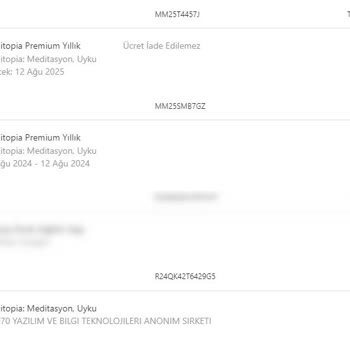
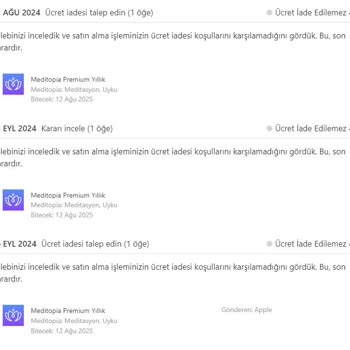
On August 6, 2024, I downloaded the Meditopia app for its one-week free trial. Before the trial ended, I selected "Yes" ...to receive a reminder notification, but I never received one. Then, on August 12, 2024, they charged my credit card ₺649 without warning. I noticed the charge the next day and imm

Meditopia
View All Complaints