My child made in-game purchases and Google Play approved them — how can I reverse family purchases?
3 Views
If your child made in-game purchases and Google Play approved them, and you want to reverse them:
• Go to play.google.com → Order History and locate the charges (ID GPA.XXXX)
• Check the date and amount, as refund eligibility may depend on timing
• Review or enable Parental Controls and purchase authentication for future transactions
• Change your password and enable two-step verification
Request a refund through Google Play:
• Use the “Request a refund” option for the specific order
• Explain that it was an unintentional purchase made by a minor
• Attach screenshots and confirm you’ve enabled controls to prevent it from happening again
Ask them to:
• Review the case as an unauthorized purchase by a minor
• Confirm whether the in-app purchase refund policy applies
• Provide a response timeframe and case number
• Clarify whether the developer must approve the refund
If Google Play rejects the request:
Share your case on Xolvie so others are aware and the company is prompted to act.
I am writing regarding an accidental in‑game purchase I made today in Free Fire through the Google Play Store on my Andr...oid phone. I purchased a diamond package worth 3,440 INR by mistake. Although the purchase was unintentional, the diamonds were subsequently used in the game. I live in Tenali, And
I am writing regarding unauthorized in-game purchases made in the games Viking Rise and Doomsday, published by IGG Games..., through my Google Play account. My child made these purchases without my knowledge or consent between April 1 and April 17, totaling €119.87. I only became aware of the situation
I am a parent writing about an unauthorized in-app purchase made through the Google Play Store on my Redmi C15 device. O...n February 27, 2026, my 8-year-old son spent a total of ₹12,000 in the Free Fire game using Google Play without my knowledge or permission. After I discovered the issue, I contact
On February 11, 12, and 13, I discovered — after receiving the billing statements — that my 4½-year-old son made in-app ...purchases through Google Play without our knowledge or consent. Although the total amount of the transactions appears as $39, we were not aware of these games, nor are they being p
On February 17 at around 7:38 PM, an unauthorized payment of $16 was made through the game Gamexis on the Google Play St...ore using a Redmi 12 device, without my knowledge or approval. I noticed the transaction within 24 hours. The game was never played, and after the purchase, I immediately followed
I am writing to complain about unauthorized in‑game purchases made in the Free Fire game through Google Play. On 25/01/2...026, purchases were made from inside the game using my Google Play account linked to the email address aishajana***@gmaiil.com, with a total value of 217 US dollars, which is appro
I am writing regarding multiple unauthorized in‑app purchases made through Google Play for the Free Fire gaming bundle p...acks on my Android device. On 14 January 2026, between approximately 6:00 pm and 7:30 pm, my child used my phone without my knowledge and made several purchases in the game. These
I downloaded a game called Kingshot through an advertisement shown on Google Play. The ad gave the impression that the g...ame was educational and entertaining, but in reality, the game is entirely designed to push users into spending money. When you first start the game, there is a short tutorial simi
My 10-year-old son was able to make ₺7000 worth of purchases on Brawl Stars through the Play Store within 25 days, using... a billed mobile line, without my knowledge. Even though the app itself and my account settings clearly indicate my son's age and that I am the account manager, how can the system
My 7-year-old son put several games on my phone without my permission, and when I tried to get my money back through Goo...gle Play, they all said no. They told me that their refund policy doesn't apply to my case, and while they said they were sorry, they didn't offer any real help. I keep getting the
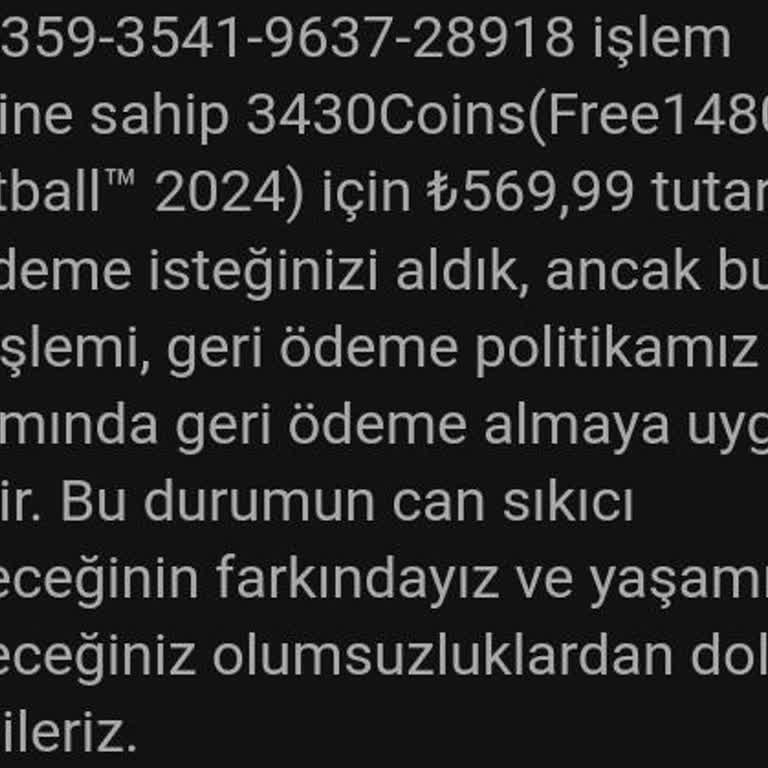
My child accidentally made a game purchase on Google Play, resulting in ₺569.99 being charged to my card. I requested a ...refund, but it was denied. I am seeking the return of this amount, as I do not wish to pay ₺569.99 for a game. Please help.