Airalo eSIM keeps disconnecting while I travel, how can I make it stable abroad?
38 Views
When your device keeps switching between cell towers or networks, the eSIM link is likely to become loose or drop.
To make it more stable, lock your device to a single network (like LTE or 4G) instead of letting it move between 5G, 4G, and 3G. You can do this in the Mobile Network settings.
Check that the APN settings on your Airalo eSIM are exactly as shown in the "Access Data" part. Also, make sure that Data Roaming is turned on and that any VPNs or private DNS settings that might be in the way are turned off.
If you have more than one SIM card, turn them off briefly so the eSIM doesn't have to fight for the radio, and then restart the phone to make a new connection.
If the instability stays in one place, check the coverage strength (you might be in a weak-signal area) or send logs or photos to Airalo support.
❗ If none of the above solutions work, please feel free to share your experience. You can also file a complaint on our website.
On February 26, 2026, I purchased a 10 GB / 7-day eSIM package for Germany through Airalo for $15. I was able to use the... package on the day I purchased it while in Germany. However, during February 27, February 28, and March 1, the connection completely stopped working and I was unable to use the li
I purchased an Airalo eSIM for my trip to Germany, successfully installed it, and everything worked fine—at first. About... 6 to 7 hours after activation, the internet suddenly cut off for no reason. I tried everything to troubleshoot the issue—restarting my phone, reinstalling the eSIM, resetting netw
I purchased an eSIM via the Airalo app, followed all the setup instructions, and completed the installation successfully... before traveling. Everything appeared fine during the initial setup, and I made sure to activate the eSIM as soon as I arrived in my destination country. However, despite the sign
I purchased an Airalo eSIM specifically for my trip to Cyprus, expecting smooth connectivity. However, as soon as I land...ed and turned it on, the internet only worked for about 15 minutes. After that, the service completely cut out. The eSIM is still installed and showing up on my phone, but I keep g
I purchased an Airalo eSIM for use in Cyprus, expecting to stay connected throughout my trip. Despite activating the eSI...M properly and ensuring that all international roaming settings were turned on, the internet never worked—not even once. My friend, who also bought the same 15-day Airalo plan, had
I recently bought a South Asia package from Airalo, but sadly, it hasn't functioned at all since I activated it. I dilig...ently adhered to all the instructions provided via the Live Chatbot—activating airplane mode, restarting the phone, and then deactivating airplane mode again—repeatedly. Unfortunat
I had previously used Airola eSIM in Northern Cyprus without any problems, so I confidently purchased a 3GB package agai...n. However, this time it didn’t work at all. I barely got any signal, and even when it did show up briefly, I couldn’t connect to the internet. I reached out to customer service,
I purchased an Airalo eSIM for my trip to Northern Cyprus, expecting reliable internet service. However, it turned out t...o be a complete waste of money. No matter where I went or stayed, the eSIM never worked—I had zero connection the entire time. I regret buying it, as I ended up returning home wit
Hello, I’ve been using my Airalo E-SIM without issues for a long time, but starting January 1, 2025, my line has stoppe...d connecting to any available operator network. I keep getting a “No Service” error despite it previously working perfectly. I’m requesting immediate assistance to resolve this is
Airalo attempted to charge my account without my authorization, even though I don’t have an automatic payment set up. Th...ey also didn’t notify me via email about the charge, which is unacceptable. Additionally, despite the “Automatic Network Selection” option, when I arrived in Denmark, the SIM star
I purchased a 3GB data-based Airalo SIM card to use in Northern Cyprus, but it stopped working around midday today. I im...mediately contacted Airalo’s WhatsApp support line and live chat via the app, but they completely ignored my issue. I chose this SIM card due to the urgent need for reliable servi
I purchased a 1-year Global Airalo eSIM, and while it worked fine in Munich, it won’t connect to the internet in Düsseld...orf. Despite following all the setup instructions, the network is detected, but there’s no internet access. Everything appears active, yet I can’t use 4G or 5G—it only shows "E" (E
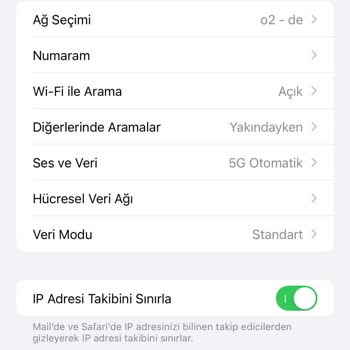
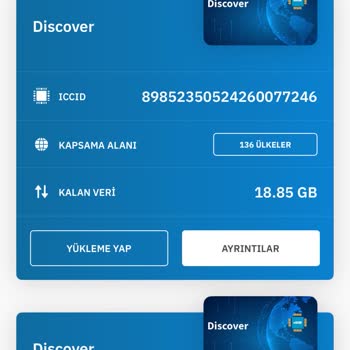
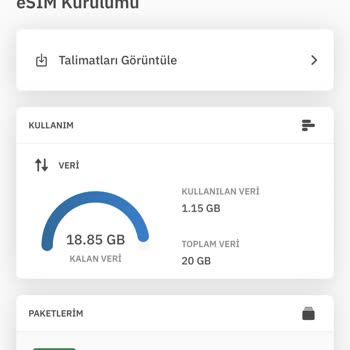
On October 22, I purchased an Airalo Europe Regional eSIM with 10GB of data for 30 days, priced at $37 USD (after applyi...ng a $3 discount code, I paid $34 USD). However, upon arriving in Germany, I followed all setup instructions carefully, yet the eSIM does not connect to any network. This issue is