I lost access to my StarMaker account after changing phones, what should I do?
234 Views
If you lost access to your StarMaker account after changing phones, try these steps to recover it:
Try logging in with the original method;
• Open StarMaker and choose the same login method you used before:
– Facebook
– Google
– Apple ID
– Phone number
• Your account is usually linked to one of these methods
Use the “Forgot Password” option;
• If you used email or phone login, tap Forgot Password
• Enter your registered email or phone number
• Follow the reset instructions
Check if your account was linked;
• Go to Login → Other login options
• Try signing in through Google, Facebook, or Apple
• Sometimes users forget which login method they originally used
Search for your StarMaker ID;
• Ask a friend who follows you to check your StarMaker profile
• Note your username or user ID
• Screenshot it to help support locate your account
Contact StarMaker Support;
• Email: [email protected]
• Provide:
– Your username or StarMaker ID
– Old device model
– New device model
– Screenshots if available
• Ask them to restore access or link the account to your new device
If support does not respond or you cannot recover the account, you may also file a complaint on Xolvie to escalate the issue and request assistance.
I am using the StarMaker iOS mobile app and I am having a problem accessing my old account. My previous phone was accide...ntally broken and I bought a new iPhone of the same model. When I installed StarMaker and tried to log in with my Facebook account, the app created a new ID every time instead of o

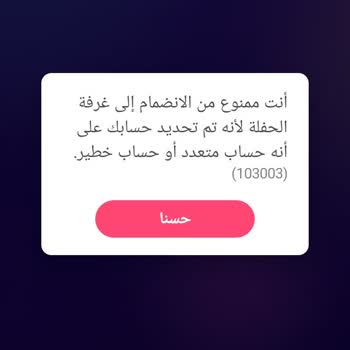
My name is Ganesh Kumar and I am urgently requesting assistance regarding my StarMaker account. My StarMaker account wit...h ID 100134617614 appears to have been logged in on someone else’s mobile device without my permission, and I have been unable to access it on my own mobile since 25/06/2026. This
I am using the StarMaker iOS mobile app and I am having a problem accessing my old account. My previous phone was accide...ntally broken and I bought a new iPhone of the same model. When I installed StarMaker and tried to log in with my Facebook account, the app created a new ID every time instead of o
I am a StarMaker user and since 6 July 2026 I have not been able to access my original account. Every time I log in usin...g my email, the system opens a new account instead of my existing one. At the moment, the account that appears has the ID 100135320302, but I want to regain access to my old accoun
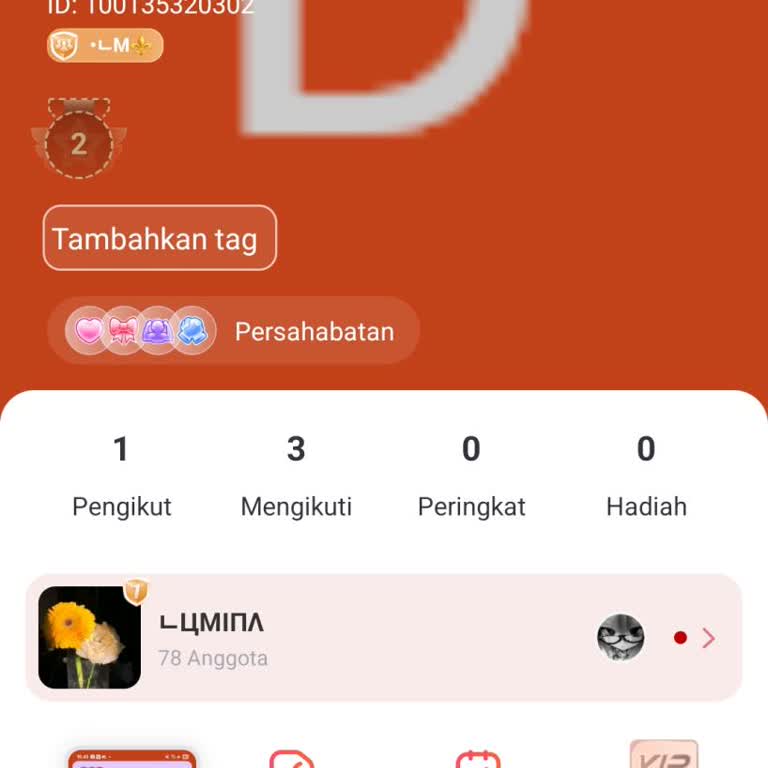
I am a mobile user of the Starmaker application and I am having a serious problem with my account related to multiple ac...counts, the live room and the live feature. Because of an issue with my ID / Open ID, I cannot properly access or use my live room and live features, and I am unable to open or res

Dear StarMaker Support, I am writing to urgently appeal the suspension of my StarMaker account. My account was recently ...hacked by an unauthorized user, and as a result, it has been banned. I believe the hacker violated the community guidelines while they had unauthorized access, which led to this au
I used to actively use a StarMaker account with the username “nadhiya,” registered with the email address nadhiyanoufal*...***@gmail.com. About one and a half years ago, during my pregnancy, I deleted this ID myself. At that time I did not think I would need the account again, but now I would very much
My old StarMaker account was linked to my Facebook profile. After my Facebook account was deleted, I lost access to my o...ld StarMaker profile. When I tried to log in again on the same phone, the application tried to create a new profile on this device, which appears to have triggered your security sy
I was using the StarMaker app on my Oppo device and logged in with my TikTok account. A few days ago, my StarMaker accou...nt was accidentally deleted, and around the same time, my TikTok account was also deleted, so I completely lost access to my StarMaker profile. My StarMaker profile name was “Capta
Despite spending the entire day trying to have an account opened in my ten-year-old daughter’s name removed from the Sta...rMaker application, I have not been able to achieve any result. My daughter created this account using her iPhone, but since the phone was broken, she no longer has any way to acce
I have been unable to use my StarMaker account for about two months because my ID appears to be restricted on my device.... My StarMaker ID is 100112165*** and I am trying to log in on an Android phone, but I cannot access the account due to the device/ID problem. Until this issue started two months ag
I have been using the StarMaker application on my Android device, and as of today I am no longer able to find or access ...my old account. When I open the app, my previous account does not appear, and I am unable to log back into it. I still have access to the phone number and email address that were
I am a StarMaker user, and I have not been able to access my account for about two months, since I changed my phone. I f...orgot my login ID and therefore cannot log in to my account, even though I have my SID information with me. Before changing my phone, I was logging in without any problems, but now
I can no longer access my Star Maker Restali account, which I created three years ago using my Facebook login. Since my ...Facebook account has been closed, I am unable to log in to my Star Maker account. I have tried many times to recover it, but I have not been successful, and no solution has been pr
I want to install the Star app on my new Samsung A34 device and access my old account. However, the app requires an emai...l address to log in, and I no longer remember the email I used at that time. I first started using the app when it was free, and my username was “a***.” After selling my previous d
I deleted my StarMaker account associated with “n***************@gmail.com” myself about two months ago, but later I wan...ted to recover it. I contacted the app’s support team to reopen my account, but I was informed that it had been permanently deleted and could not be restored. My account contained
I was using the StarMaker app with the nickname “Atases,” logging in through my Google account. I had to delete that Goo...gle account and created a new one. I reported this to StarMaker and provided all the necessary information — where I joined from, the date and name of the last song I uploaded, and




















5 Comment