Payeer froze my account without notice, how can I unfreeze it and regain access?
140 Views
First go to payeer.com/auth/?forgot_password=yes and try to change your password.
For each account, you'll need to give your account number, email address, or phone number.
After you send in the necessary information, Payeer will send a master key to the email address you used to register.
This key is needed to recover your account. This master key will not be sent again, so it's important to keep it safe.
If changing the password doesn't fix the problem, you should get in touch with Payeer's help team.
If the issue persists after contacting the team, share your experience and consider filing a complaint on Xolvie to seek a resolution.
I have a Payeer account that I can no longer access, and I am unable to reach the balance that is inside. The account wa...s registered with the email address mojgan.ah***@gmail.com. I had not logged in for a long time, but when I recently tried to access my account because I urgently need my money, th
I had an active account with Payeer in which I had a balance of 300 US dollars. On 05/01/2026 I suddenly lost access bec...ause the Payeer platform and website were closed, and since then I have not been able to reach my balance. As proof that this money existed in my account, I have an email from Paye
I have been unable to access my Payeer wallet account for months and my funds are stuck inside. Each time I try to log i...n, the application simply does not allow me to log in and I cannot reach my account in any way. Recently I even deleted the app from my Android phone and tried to download and use
I am a customer of Payeer and I use a standard wallet account. Without any prior notice or warning, access to the servic...e was completely shut down and I am no longer able to use my account. As a result, my funds are currently trapped in my wallet balance. Today I discovered that I cannot recover my
I recently discovered that I can no longer access my Payeer wallet account, which contains XRP (Ripple). I had not check...ed my account for a long time and may not have made any transactions for approximately three years. My account number is p81822529, and when I try to access payeer.com, I cannot re
I am a customer of Payeer and I use their wallet service under the account ID P1111814***. Without any prior notice or w...arning, access to the service was completely shut down and I am no longer able to use my account, which has left my funds trapped inside the wallet. Today I discovered that I canno
I had been using my Payeer wallet account mainly for trading, transferring funds from Perfect Money and, in the last per...iod, only as a place to keep my savings. About a year ago, when I tried to log in, I suddenly saw that the website was no longer accessible and I could not reach my account at all.
I have been using a Payeer wallet with the account number P1072425*** and the registered email address mhomhofgf***@gmai...l.com. Recently, the Payeer website has completely stopped opening in my region without any prior notice. When I try to access the website, I only receive a browser error page stat
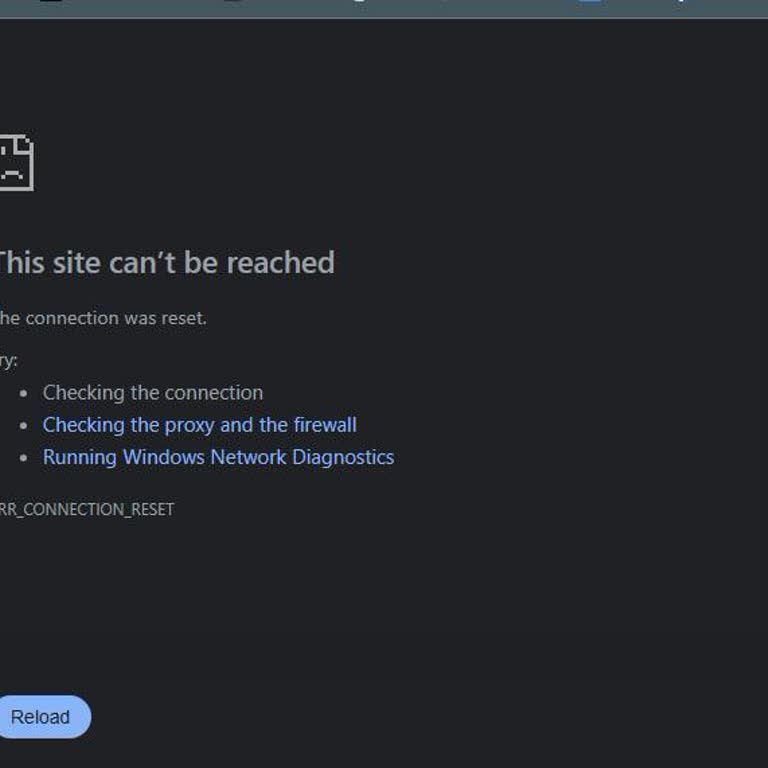
I am using a personal Payeer e‑wallet and my account has effectively been unusable since 2025. The last time I was able ...to access my wallet and use it normally was in January 2025. After that date, the Payeer application stopped opening and their website also does not open properly for me. When I tr
I am filing a complaint about my Payeer account being blocked without prior notice and my funds remaining inaccessible. ...My Payeer wallet ID is P1030953***, registered with the email address I use for this complaint. Until around 10 November 2025 I was able to log in and see my balance, which consist
I am addressing this complaint regarding my locked Payeer account and the fact that both the website and the mobile appl...ication are currently unavailable. My Payeer wallet ID is P1036956755 and the registered email address is ravr99**@gmail.com. Due to the shutdown of your services, I can no longer
I have been a user of Payeer for several years and I trusted this company because it has been active since 2012. However..., my account has been blocked and I have not been able to access it for about four years. Inside this wallet there is approximately 1,000 USD of my money. Since January 2026 my Pay
I had an account with Payeer with the number P1092500*** and there was a balance of approximately 15,000 TRX in it. This... balance is the result of my hard work over a long period of time. I recently discovered that the Payeer site is shutting down, but I was never informed in advance by email or any
I am writing regarding the blocking of my Payeer electronic wallet with ID P87684***, which contains funds in the amount... of 0.05413391 BTC. My wallet was blocked at the end of November 2025 while I was using the service from Ukraine, and since then I have not been able to access my funds. I have con
I have been using a Payeer account from Morocco, and about a year ago my account was locked and my access to my balance ...was restricted. After that, Payeer asked me to provide proof of the source of funds in my account, which I submitted as requested. Following the document submission, Payeer support
I hold a Payeer wallet with the account number P1069507301. As of today, my account has been blocked due to geolocation ...restrictions when accessing from Ukraine. I still have a remaining balance in Russian Rubles (RUB) in this wallet. I tried to reach your support team, but the official support emai
I have been using the crypto exchange service on Payeer.com and as of today I am no longer able to access the platform t...o withdraw my funds. I was never informed in advance that the platform or service would be discontinued or made inaccessible, and I only realized the problem when I tried to log in
I am writing regarding a serious problem with my Payeer account and an amount of 3,130 USD that was sent there by mistak...e. The money was sent to my Payeer account ID P1048968*** in the third month of this year, around the 1st, by a friend who did not know that Payeer’s banking operations had effecti
I am submitting this complaint because of a serious access issue I have been experiencing with Payeer. Since 2024, I hav...e been unable to access either the Payeer mobile app or the payeer.com website. I also cannot find the official Payeer app on Google Play, which means I have no way to log into or
I have a balance of 15 USD in my Payeer wallet, but for about six months I have not been able to access the official Pay...eer website and therefore I cannot withdraw my money. Previously I could log in and see my balance normally, but now I am completely unable to reach the site and cannot get into my
I have a problem accessing my Payeer wallet account and withdrawing my funds. I am currently trying to use Payeer from S...audi Arabia. I can enter my login details and remember my password, but when I try to log in and reach my wallet, the system does not load and I receive the error message “Timed ou
I have a serious access problem with my Payeer account which currently holds a balance of 127 USD, and I have been unabl...e to withdraw my funds for the last two days. When I try to log in through the Chrome browser on the Payeer website, the process gets stuck right after the Cloudflare verification
I had a Payeer account that I mainly used from Italy to manage my funds and make withdrawals. After the closure of the c...ompany imposed by the EU, the Payeer website disappeared and the service is no longer accessible or contactable. As a result, I can no longer log in and I am unable to withdraw my
I have a serious problem with my Payeer personal wallet account. I can log in to my account, but the system does not acc...ept it properly and I am unable to use my balance. As a result, all my funds are stuck and I cannot withdraw them. This problem has been going on for almost four months. During thi
I am writing to you from Yemen regarding my Payeer wallet, account number P1075971***, which I created approximately fou...r years ago and can no longer access. The last time I was able to log in successfully was about seven months ago, when my balance was approximately $15 USD in various currencies. T