Xolvie Resolution Specialist26 Mart 2025 13:24
The first thing to do is see if it was linked to a Supercell ID. Open the game, tap "Play with Supercell ID," and then use the email address that's linked to your account to log in.
You'll get an email with a proof code. Type it in to get back to your farm. If you used Google Play or Game Center instead, make sure that both devices are signed in with the same account. Finally, Hay Day should load your farm on its own.
Go to Settings > Help and Support > Contact Us in the game if the account isn't linked or won't load. Include the name of your farm, your level, your player tag (if you know it), the date you last played, and any records you have from purchases.
This helps Supercell make sure you own the game. Go to support.supercell.com and choose Hay Day > Account > Lost Account if you can't get into the game at all.
If you can't get in at all, you can also email them at [email protected].
If the problem remains unresolved, consider filing a complaint on Xolvie to raise awareness about the issue and inform others.
Vote
Related Complaints
Hay Day Account Recovery Failed After Phone Number Change

June 24 3:08 AM
I have been unable to access my Hay Day account for approximately one year because the phone number associated with it h...as changed. My farm is level 83, and my neighborhood is called "Eski Dostlar" ("Old Friends"). Although I was able to recover the account through Supercell ID, every time I try to
Hay Day Recovery Code Problem Locked Me Out of My Level 120 Account

May 29 9:50 AM
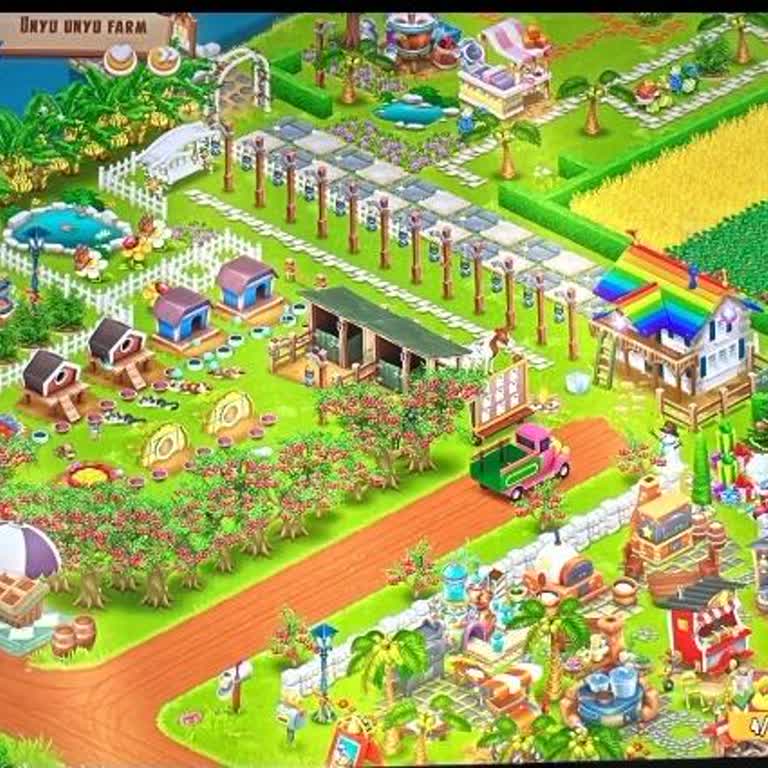
I am an active Hay Day player on an Android Vivo Y21D device, and I sign in using my Gmail account. My farm is named “Un...yu unyu Farm” and has reached level 120. About two months ago, before I changed my phone at the beginning of May, I could still access and play this farm normally. After switching
Hay Day Account Permanently Banned Without Reason

April 22 8:16 PM
My Hay Day account was permanently banned even though I did not violate any rules, and I believe this happened by mistak...e. I discovered the ban around 17 April, when I tried to log in and saw the message that the account was permanently banned, although I had not been playing at that moment and had
Hay Day Verification Code Not Working Login Issue Android

April 4 9:50 PM
Since April 2, I have been experiencing a verification code issue in the Hay Day game on my Android phone. When I try to... log in, the same verification code is repeatedly sent to my email address. However, when I enter this code, the system behaves as if it is incorrect. After that, no new code is se
Hay Day Cannot Download Game Content on Redmi Note 9

April 4 11:11 AM
I have been unable to access my Hay Day account on my Redmi Note 9 device for some time. When I try to enter the game, I... receive an error message saying, “New game content cannot be downloaded.” Even though I have sufficient storage space on my device, the game fails to download the required content
Hay Day Account Lost - I Can’t Log In Anymore

November 14, 2025 2:05 AM
I need assistance in recovering my old Hay Day account, ID 8141953327, which is linked to saifm***@gmail.com. I’m having... trouble logging in, and nothing I’ve attempted has resolved the issue yet. After dedicating so much time and effort to my farm, it feels really unjust to lose access like this. I
Cannot Change Email Address on My Hay Day Account

September 23, 2025 9:55 PM
I play Hay Day on Android and I want to change the email linked to my account. However, I can’t receive the verification... code because I no longer use the old email address, so I cannot complete the change. I tried to contact support, but I couldn’t find any proper help option inside the app. I’ve b
I Want to Recover My Hay Day Farm Linked to Facebook Without Supercell ID

July 16, 2025 1:19 AM
I’m trying to recover my old Hay Day account that I last played actively in 2018. Back then, I linked the account only t...hrough Facebook, not Supercell ID. The Facebook account is still active, and I can even provide screenshots if needed. The email connected to my Facebook was [r***********@hotmail.
Hay Day Lost My Account, Facebook Login Gone

June 21, 2025 12:52 AM
I am absolutely furious with Hay Day! I'm an old player who had to take a break from the game for a while. I recently re...installed it, only to find that they've removed Facebook login and switched entirely to Supercell ID! Now, they're demanding my username, level, and neighborhood name to recover m
My Hay Day Account is Locked, Level 74 Gone

June 21, 2025 12:21 AM
I am absolutely furious with Hay Day! I cannot access my old farm account, which is at Level 74. I've provided my user t...ag, neighborhood tag, and all the information they've asked for, but all I get is a ridiculous robot giving me nonsensical answers. I'll include screenshots as well. I'm begging y
Hay Day Is Not Helping Me Recover My Stolen Account After I Lost Access

May 8, 2025 10:03 AM
On May 5, 2025, my game was stolen, and I can’t recover my Hay Day account. Since I can’t remember the email address I r...egistered with, I’m unable to initiate the account recovery process from within the game. I contacted support via email, but they said they couldn’t help that way and instructed me

I Can’t Restore My Level 71 Hay Day Account—Need Help Recovering It

April 9, 2025 7:19 PM
I’m having serious trouble restoring my Hay Day account, which was at level 71. My farm was part of a neighborhood calle...d “Sulamayın”, but I’m no longer in the neighborhood and can’t retrieve the account through the usual methods. When I try to get help, the game refers me to Greg, but he doesn’t a
Hay Day Reset My Farm to Level 1 – Can’t Access My Old Account

March 8, 2025 11:59 PM
I logged into Hay Day as usual, but while playing, I suddenly got a connection error, and then the game completely reset.... My farm, which was at level 75, was erased, and now my account has been reset to level 1. What’s strange is that my friends can still see my old farm, which means my progress is
Hay Day Facebook Link Removed – Can’t Access My Old Account

February 22, 2025 10:18 AM
My Hay Day account was linked to Facebook, but now the Facebook connection has been removed, and I can’t recover my old ...account. I have spent years playing and building my farm, reaching level 25, and now I’m locked out! I need urgent help from Hay Day’s support team. This account is the result of
Can't Access My Old Hay Day Account Linked to Facebook

February 20, 2025 12:44 AM
I can no longer access my old Hay Day account, which was linked to Facebook. I originally created this account in 2014, ...and I have no idea what level it had reached, but I put a lot of time and effort into it. I don’t remember all the account details, but I was able to retrieve my in-game user ID f
Can't Access My Facebook-Linked Hay Day Account – Need a Recovery Option

February 18, 2025 10:35 AM
I have been playing Hay Day for years, and my account was linked to Facebook. However, now I can’t access it, and I don’...t even remember the exact account name or level to submit a recovery request. This is extremely frustrating! Why has Hay Day made account recovery so difficult? Players who have s
Can't Access My Hay Day Farm Due to Supercell ID – Need Email Login Option

February 16, 2025 3:54 PM
I can’t access my Hay Day farm through Facebook anymore because of the Supercell ID system. This has forced me to start ...over, and I do not want to lose years of progress! I should be able to log in using my email to recover my original account. I still remember my farm's name, but I don’t recall th
Unable to Access My Hay Day Farm via Facebook – Need Account Recovery
January 23, 2025 1:13 AM
I am unable to log into my Hay Day farm using Facebook, and now I am forced to start over due to Supercell ID. I have sp...ent years building my farm, and I am extremely frustrated that I can no longer access it. I remember my account name, but it is asking for my neighborhood name, which I do not rec
Unable to Access My Hay Day Farm Through Facebook Connection

December 26, 2024 12:10 PM
I can no longer connect to my Hay Day farm using Facebook due to the introduction of Supercell ID. Because of this, I wa...s forced to start over, losing years of effort and progress on my original farm. I remember my account name but cannot recall the neighborhood name being requested during the recov
Unable to Access My Hay Day Farm via Facebook Login

December 24, 2024 8:10 PM
I am unable to connect to my Hay Day farm through Facebook due to an issue with Supercell’s system. As a result, I was f...orced to start the game from scratch, which is incredibly frustrating. I remember my farm’s details, including the neighborhood name and account level, yet I’ve received no respons
Unable to Access My Old Hay Day Account – Requesting Help to Recover Farm

December 18, 2024 5:37 AM
I am unable to access my old Hay Day account, which I previously played using Facebook. My farm was named Y**'in Çiftliğ...i**, and I had reached level 43. Unfortunately, I did not save my progress with Supercell ID, and I don’t have the farm recovery code. After a long break, I attempted to log in on
Unable to Recover My Hay Day Account Despite Correct Information

December 13, 2024 1:58 AM
I have been trying to recover my Hay Day account, which I used to access via Facebook, but I can’t get it back due to th...e new system update. I provided all the correct details, including my level, neighborhood, and phone number, but the system keeps rejecting my answers. I even entered the code sen
Unauthorized Access to My Hay Day Account, Requesting Help

November 23, 2024 4:05 PM
Someone has gained unauthorized access to my Hay Day account and is actively playing on my farm. They’ve even changed th...e email address linked to the account. I’m currently at level 75 and have put a lot of time and effort into building my farm, which is now being used without my permission. I requ
Hay Day Won't Restore My Level 34 Account Linked to Gmail

November 22, 2024 12:42 AM
I previously had a Level 34 account on Hay Day linked to my Gmail. After reinstalling the game, I tried logging in with ...the associated Supercell ID, but my account doesn’t load. Instead, it defaults to a Level 1 account, and it seems like this new account has somehow overwritten my Gmail link. I’ve
Unable to Connect Hay Day Farm to Facebook, Lost Level 55-56 Account

November 17, 2024 6:14 PM
I can no longer connect my Hay Day farm to Facebook, and because of the Supercell system, I was forced to start over. I ...want access to my original farm. My neighborhood name and account level are being requested, but I can’t recall all the details. I need help recovering my account, either through
Hay Day
View All Complaints
1 Comment