Garena charged unauthorized diamonds on my Free Fire Max account, how can I request a refund from Garena?
17 Views
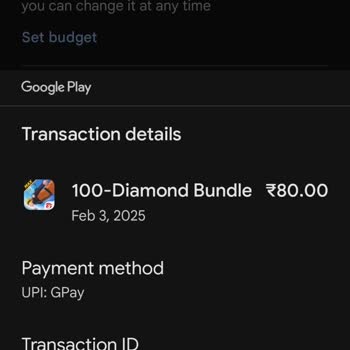
If you've seen diamond charges on your Free Fire Max account that you didn't make, check your Google Play or Apple ID purchase records to make sure the charges are real.
After making sure you are who you say you are, go to Garena's help page (https://ffsupport.garena.com/hc/en-us), log in with your Free Fire Max information, and make a request under "Payment Issues" or "Unauthorised Transactions." Describe the problem, including times and amounts of transactions, and send Garena relevant screenshots to help them look into it.
Keep an eye on your email for updates from Garena, and make sure you don't miss any answers by checking your spam folder. If you don't hear back quickly, try exploring Xolvie to read about the challenges others have faced and share your story.
In 2022 my Free Fire account, which was linked with my Facebook login, was hacked. After this incident I completely lost... access both to my Facebook account and to my Free Fire game account. Because of this hack I can no longer enter the game or use the account that I invested time and effort into. M
I am a Free Fire player on Android and I recently discovered that my diamond balance has become negative, even though I ...do not know how this happened. After this negative balance appeared, my account was also blocked. My player ID is 3832443376. I contacted Free Fire customer support and they asked
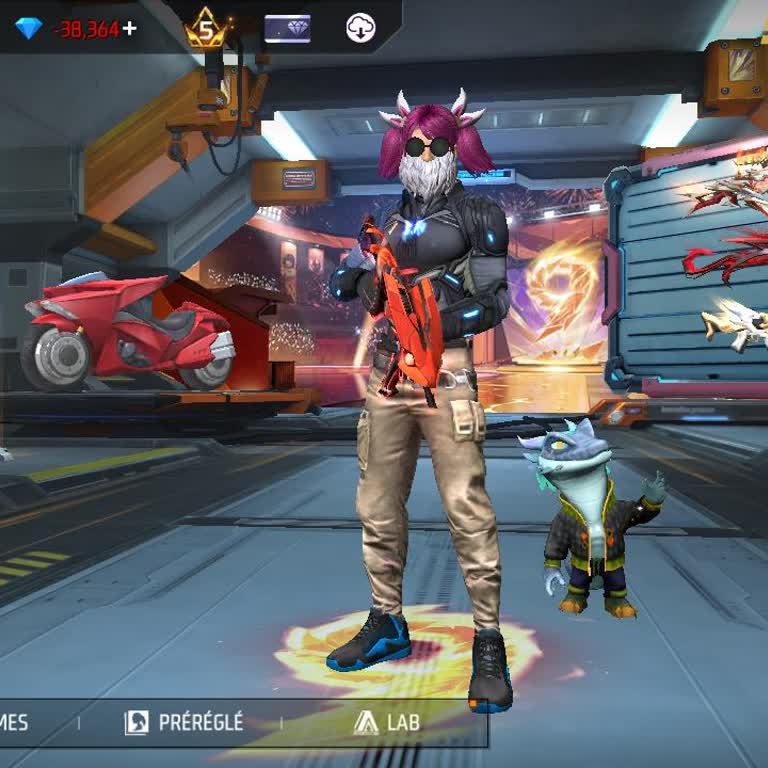
I am writing regarding several accidental in‑app purchases made in Free Fire Max, billed by Google Asia Pacific Pte. Ltd.... through my Indian UPI account. On 16/08/2026, multiple diamond and item purchases were made in Free Fire Max by mistake, in different amounts, with a total of 29,069 rupees. Thes
Today, I made a top-up payment for Free Fire Max through Family Pay, but I did not receive any diamonds in my account de...spite the payment being completed. I used the in‑game top-up option, and the transaction was processed under the reference/transaction ID 613763126238 for my game account with UID
I am writing about a serious issue with my Free Fire account related to a negative diamond balance. On 5/5/2026, I notic...ed that my account suddenly showed a negative balance of 7,500 diamonds, which is preventing me from using my account normally. I contacted customer support and received a response
I am writing regarding accidental in-game purchases made in Free Fire Max on February 19, 2026, through my Google Play a...ccount. These purchases were made by my 7-year-old child without my knowledge or consent. The total amount charged is approximately 8,000, which is a significant financial burden
I am filing a complaint regarding an issue in Garena Free Fire Max that I have been experiencing for about three days an...d that I believe is unfair. I am currently around level 57–58, and for the first time, I spent money to purchase diamonds in the game. I invested approximately 800 diamonds and the
On October 10, 2025, at 21:30:20, a total of ₺245.31 (≈ $9 USD) was withdrawn from my Vodafone Pay account without my kn...owledge or authorization. These transactions appear to have been made through Google Free Fire Max, but I have never played this game nor have I ever linked my account to Google Pl
I have been playing Free Fire for about 2–3 years, but for the past year, the cheating in this game has gotten completel...y out of control. Hackers are not being detected or banned, and it is destroying the entire experience. Just recently, I killed 8 players in a match, yet another player with only 4
I’m experiencing an unfair issue in Free Fire Max where my diamonds have been deducted without any refund or reversal fr...om my side. I load diamonds into my account using Google Play codes, and until now, I’ve never faced such a problem. Despite not performing any refunds or transactions that would r
I humbly request Free Fire Max not to deduct money from my account this time. I do not want a free card top-up or diamon...ds. If I made a mistake or if there was any tampering with the settings, please fix it. Thank you very much.
My child accidentally made payments through the Free Fire Max game. The amount was deducted from my Axis Bank account wi...thout any PIN code. These transactions were made by mistake. Please resolve the issue and refund the amount to the same account. It would be greatly appreciated. Thank you.
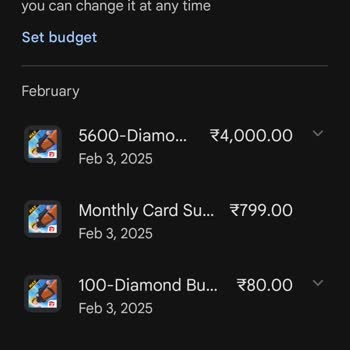
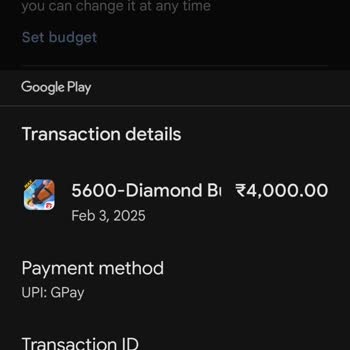
In the Free Fire Max game, my subscription fee of ₺299.99 was charged a day before the due date, and I never received a ...refund. My bank is Halkbank, and since I’m under 18, I can’t contact customer service to resolve this issue. No one has been able to explain where my money went. On top of this, I
A ₺299 diamond package was purchased from my Free Fire Max account without my knowledge. I reached out to the Play Store... for a refund, but they denied my request and directed me to contact the game’s support team. However, I’ve been unable to reach anyone for assistance. This unauthorized transacti
My child made an unauthorized purchase of diamonds in Free Fire Max using my phone and bank card without my knowledge. W...e are already struggling financially, and this unexpected expense has caused significant distress in our household. This situation has even led to conflict with my spouse. I kindl
I loaded 5600 diamonds in Free Fire Max, paying ₺1500, but the diamonds never appeared in my account. Frustrated, I trie...d loading the diamonds again with another ₺1500, yet once more, nothing was delivered. This has left me without any of the items I planned to purchase in-game and out of pocket for
I’ve faced the same issue twice now with Free Fire Max. I purchased diamonds using my ID, but they never appeared in my ...account. Despite trusting this platform for my transactions, I am left frustrated and disappointed. I either want the diamonds to be credited immediately or my money refunded. I ex