Eneba allows sellers who deliver wrong keys, how can I file a claim about this?
112 Views
When a seller on Eneba delivers the wrong keys, the most effective step is to file a claim within the platform with evidence and demand a refund or replacement. Here are practical steps:
• Screenshot of the wrong key: save the screen showing that the code doesn’t match the game or DLC you purchased. Also include your order confirmation.
• Order invoice: download the proof of purchase from your Eneba profile. Note the order number and payment date.
• Claim on Eneba: go to Eneba → Support → My Orders → select the product → Report a problem. Attach the proof of purchase and the evidence of the error.
• Direct email: write to [email protected] with the subject Wrong key – order #XXXX. Explain the case and demand either a refund or the correct key.
If you don’t receive a solution, file a complaint on Xolvie to connect with others and find support.
On July 13, 2026 at 6:41 pm I purchased a “Top Up PUBG Mobile 6000 + 2100 UC Global” via Eneba as a direct top up for my... PUBG Mobile account. The payment of 99.16 USD was completed successfully and, as shown on the Eneba order screen, the order with number O‑Y6EHKPO is marked as “Order fulfilled”. D
I purchased a Steam key for Disney Dreamlight Valley on Eneba on 08/07/2026 at 6:06 pm. On the product page it was clear...ly stated that the key could be redeemed globally, but when I tried to activate it on Steam I received the message “Sorry, but this product is not available for purchase in this co
I purchased an Amazon.com gift card worth 1,000 USD today through the Eneba website. When I tried to redeem the code on ...my Amazon.com account, I received a message stating that the gift card has been deactivated and it could not be applied to my balance. Right after seeing this error, I contacted En
On 28/05/2026, I purchased a “Fortnite – 2800 V-Bucks (PS4/PS5) PSN Key UNITED KINGDOM” from Eneba for my UK-registered ...PlayStation account. The code provided has never worked despite my trying to redeem it multiple times exactly as instructed. Immediately after the purchase I contacted Eneba suppor
I purchased a Steam key for “The Elder Scrolls IV: Oblivion GOTY Edition – Steam Key Global” on Eneba today. The product... page and the seller’s offer clearly stated that the key is global and can be redeemed in Poland. However, when I tried to activate the key on Steam today, I received an error indi
On 07.01.2026, I purchased a Steam key for God of War: Ragnarok from Eneba, where the product was clearly marked as GLOB...AL and stated that it could be activated in Montenegro. However, when I tried to activate the key on Steam in Montenegro, it turned out to be region-locked and could not be used, d
On 22 December 2025 I purchased the game Silent Hill f for Xbox Series S (Xbox global key) from Eneba.com as a Christmas... present, paying 50 € via Apple Pay from my personal account. Instead of the Silent Hill f key, Eneba delivered a key for a completely different game, Tintin. I have not activated
On November 16, 2025, I purchased a Steam game code for Resident Evil 4 Remake through Eneba. However, the code I receiv...ed was actually for the Resident Evil 4 Ultimate HD 2005 version. Even though the purchase page clearly displayed visuals of the Remake version, I was sent the code for the origina
I purchased a digital code from Eneba because I thought it was for Xbox Game Pass Premium. However, after activating the... key on my Xbox console, I discovered that the code is actually for PC Game Pass, which I cannot use on my Xbox Series X. I have not used the subscription, and I bought it by mista
I made a purchase worth 150 USDT on the Eneba website. Later, I was told that the order was canceled and that my payment... had never reached them. I asked my bank for confirmation, and they provided me with an account statement showing that the money had indeed left my account and was successfully del
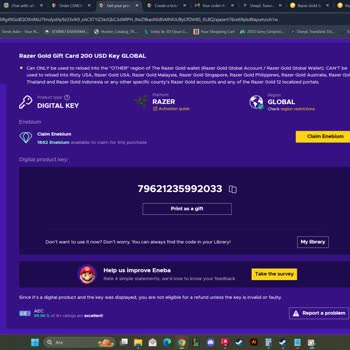
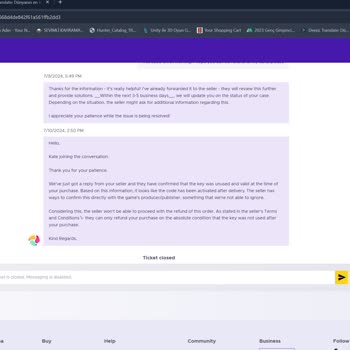
I purchased a $200 Razer Gold code from Eneba, but the code they sent me was only 14 characters long, while Razer Gold r...equires a 16-character code (XXXX-XXXX-XXXX-XXXX). Since the code was incomplete, I received a “Invalid Code” error when I tried to redeem it. I contacted Eneba’s support team and