Xolvie Resolution Specialist22 Ağustos 2025 11:15
Most Viomi devices only support 2.4 GHz Wi-Fi, so ensure that your router broadcasts distinct 2.4 GHz and 5 GHz networks, and connect the vacuum exclusively to 2.4 GHz with WPA2 security.
If your network is merged or set to WPA3-only, the robot frequently goes offline.
Signal strength is also important; place the charging dock in an area with strong, steady Wi-Fi, or use an extender to avoid dead zones.
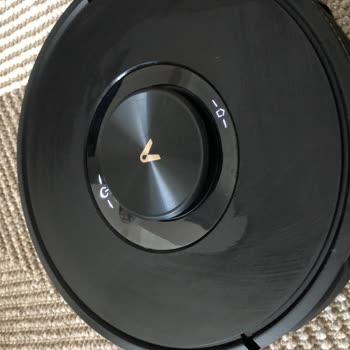
If you change routers or change the password, reset the vacuum's Wi-Fi by holding down the Power and Home buttons until it says "waiting to configure network," then re-add it to Mi Home.
Router settings might potentially cause problems: avoid using special characters in SSID/password, turn off MAC filtering during setup, and update router firmware.
To increase reliability, assign the robot a fixed IP address on your router so that it always connects with the same settings.
These are key solutions that we can offer. If you have more, please share.
Vote
Related Complaints
My Viomi V2 Pro Shuts Down Automatically and Shows Offline

March 23, 2025 8:36 PM
I purchased the Viomi V2 Pro robot vacuum, and for the past 3 months, I haven’t been able to use it at all. The device a...utomatically shuts itself off every time I try to operate it. I’ve tried resetting it and reconfiguring it from scratch. During setup, it begins mapping as expected—but then it tr
Viomi V5 Constant Malfunctions - Request for Replacement or Refund

August 3, 2024 5:47 PM
I’m extremely frustrated with my Viomi V5 vacuum. It has been consistently malfunctioning, including issues like losing ...its map, displaying stairs sensor errors, not functioning properly, failing to vacuum, and experiencing map displacement. I am tired of repeatedly resetting the device and mapping
Viomi V5 Robot Vacuum Cleaner Continual Gray Screen, No Map Function

April 2, 2023 6:43 PM
When I use my Xiaomi V5 robot vacuum for the first time, it doesn't make a map, but it does save it to my account. But f...unctions like "start room" and "select area" don't work, and it keeps telling me to clean for mapping. I've tried to run it 3–4 times after cleaning it, but the device never gives
Viomi V5 Pro Vacuum Cleaner Won't Respond To Commands

March 30, 2023 3:15 PM
I bought a Xiaomi-Viomi v5 Pro robot vacuum in December 2022. It started giving constant offline errors after about a mo...nth, and today it got stuck while cleaning and kept spinning around in one place. I tried to stop it using the app and send it to the charging station, but the vacuum did not respo

Viomi
View All Complaints