Tod TV auto-renewed my subscription, but there’s no cancel option in settings; how can I stop future charges?
7 Views
To stop future charges, log in to your account using a mobile or desktop browser, click on your profile icon, go to "My Account," then "Subscriptions," and pick "Cancel Subscription."
If you subscribed through the Apple App Store, you must cancel your subscription using your iOS device's Apple ID settings.
For Google Play Store subscriptions, open the app, select "Payments & Subscriptions," then "Subscriptions," and cancel TOD TV from there.
If you still can't find the cancellation option, email TOD TV customer service at [email protected] for help.
To assist them in resolving the issue quickly, include your account information as well as a description of it.
Many people have shared their issues here and found resolutions. If you have one, feel free to reach out to Xolvie.
I’ve been trying to cancel my TOD Spor Extra package and it’s been an absolute nightmare. I called every contact number ...available, but none of the departments are helping. In fact, some even hang up the phone on me! I was directed to call 0212 473 73 73, but that number only connects to an automated
When I purchased a TOD TV subscription, I expressed concerns about streaming quality and connectivity issues. The custom...er representative assured me over the phone that I could cancel anytime if dissatisfied and would receive a refund for the remaining months. This conversation is recorded and avail
I cannot find replays of any F1 sessions I missed on the Tod app. When I go to the F1 section on the platform, it is eit...her empty or only shows sessions from the previous race. We never had such issues with the previous broadcasting platform. I subscribed solely to watch F1 races, but I am unable to
I just recently chose to renew my Tod Tv membership, which I did today. But I was charged for a full 12-month contract e...ven though I only planned to use the service for 11 months. I was caught off guard by this difference, and I'm now asking that it be fixed right away. The extra fee should be taken
Yesterday, I purchased a TOD TV seasonal membership, which started at ₺289 per month for 12 installments (excluding Smar...t TV). However, today I received a message informing me that I can renew for only ₺229 (as shown in the attached image). I want to cancel and restart my subscription (preferably th
25187747. The current membership is set to expire on August 4, 2024, and I wish to confirm that I do not consent to any ...renewal of this membership after the expiration date. Despite multiple attempts to contact TOD live support and customer service via phone and online channels, I have been unable t
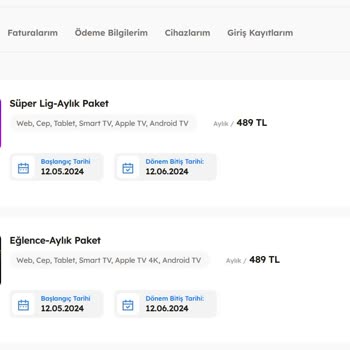
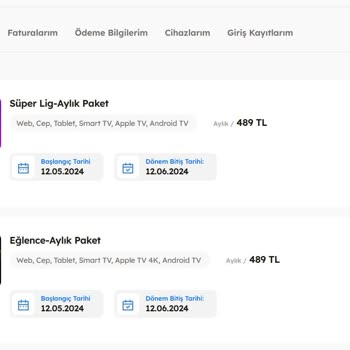
I'm a loyal subscriber to TOD TV, renewing my subscription every month. It'll keep going unless I stop it. Unfortunately..., I don't see any way to cancel my account. It seems like your call center is not very helpful. How do I put an end to this renewal? The date for my next renewal is June 12th. Can
I see an offer under the "Exclusive Packages" section on Tod's website. Since the season has ended, I assume this campai...gn is for the new season, but I'm not entirely sure. I've been unable to reach customer service for clarification. Is there a misunderstanding regarding this promotion? Please get
On May 26, 2024, I received a message from Tod TV about a fixed-price guarantee for the entire 2024-2025 Trendyol Süper ...Lig season. However, problems arose after that. I renewed my subscription, but the end date was listed as August 4, 2024, for the 2023-2024 season. After renewing, the subscription
When I wanted to cancel my Tod TV subscription, I found that there was no cancellation option available in the packages ...section, despite being directed to do so through all of Tod's channels (even though we purchased a monthly package, not an annual one). I cannot connect with a customer representat
I extended my Tod TV package on May 30, 2024, by following a link that was sent to me, even though it was initially sche...duled to end in August 2024. Nevertheless, the system has now extended my expiration date to May 29, 2025. In regular situations, the renewal would have commenced from the initial