I get error messages as I try to make purchases on the Play Station website. How can I troubleshoot these?
12 Views
If you get error messages when you try to buy something on the PlayStation website, follow these steps to fix the problem:
• Check your account and license:
Make sure you're logged in to the right account that you bought the game with.
Make sure the purchase went through by looking at your transaction history.
If the game is part of your PlayStation Plus membership, make sure that your membership is still on.
Make sure the Console Sharing and Offline Play settings are correct, especially if someone else on the same console owns the game.
• Look at the PSN status and system software:
To see if there are any problems going on, go to the PSN status page. If there are any alerts, try again after the service is up and running.
Make sure that the most recent system software is on your console. Click on System > System Software > System Software Update and Settings in the Settings menu.
• Bring back licenses and rebuild the database:
Bring back licenses for your account.
If the problems don't go away, start up your console in Safe Mode and choose Rebuild Database to make a new database with all of your data.
• Trouble Downloading Games:
Click on Downloads/Uploads in the control center if you're having trouble getting a game. You can either stop the download, pick it up again, or cancel it, delete it from the list, and try again.
Make sure there is enough space to store the game. Look in your Game Library to see if you have enough space.
• Can't Find Content You Bought:
Check your purchase history to make sure you made the purchase.
Look through the game library for any hidden games.
Make sure that the Offline Play and Console Sharing settings are turned on.
• Talk to PlayStation Support:
If the issues don't go away, you can contact PlayStation Support.
Give them any error codes or messages, a full description of the problem, steps to make the problem happen again, and the time the access was attempted.
Include a picture or video of the problem if you can.
I recently attempted to redeem a gift code on the PlayStation Store, but I continuously encounter an error message durin...g the process. The last time I successfully used a code was over two months ago, so this is not a repeated or recent code entry issue. Frustrated by this problem, I tried reaching
I am an active PlayStation user and currently hold a PlayStation Plus Extra subscription. However, I am writing to repor...t an ongoing issue that negatively impacts my user experience on the PlayStation platform. Specifically, when browsing the PlayStation Plus Extra library, I noticed inconsistencie
I tried to subscribe to the Fortnite Crew Pack in the game, but no matter how many times I tried, PlayStation Store kept... showing the E-8210604A error, preventing me from purchasing the content even though there was sufficient money on my card. I had previously made purchases on PlayStation Store wit
I attempted to purchase FM24 on the PlayStation Store on April 26, 2024. During payment, it showed an error message "An ...error occurred, please try again in a few minutes," but the money was deducted from my account. When I tried again, the same error occurred, and it deducted the money again. How wi
On May 29, 2024, I bought two games from the PlayStation Store and paid ₺1,171.52 using my Nays card. Unfortunately, I c...ame across an error message that simply stated, "An error occurred." Even though the charge went through, the games didn't show up in my library. I have made several attempts to re
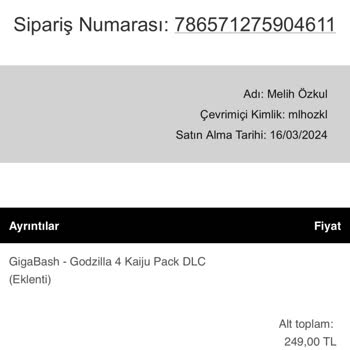
On March 16, 2024, I attempted to purchase the game "Giga-Bash" from the PlayStation Store for my son. However, instead ...of the game, I accidentally bought one of the in-game packages. I realized this after downloading it. I immediately requested a refund. Today, the PlayStation support team emailed
dealing with Sony is just like wrestling!! both when trying to find a person to talk to and trying to buy games through ...the PlayStation website. people there should expect to do better. I've been trying to buy a game for two days now, calling and emailing, but no one has been available to help me.
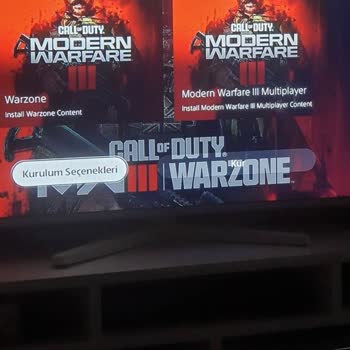
attempting to purchase Call of Duty: Modern Warfare 3, due to a system error, I unintentionally bought Modern Warfare 2,... a product I did not want. The combined cost of both games is 1999 TL, creating confusion and dissatisfaction. To initiate a refund, I was advised not to download the game, but the