My Investing.com Pro features don’t work after paying; how can I fix access issues?
8 Views
If your Investing.com Pro features don’t work after paying and you want to fix the access issues;
Contact Investing.com support with a clear escalation;
• State that you paid for Pro but are unable to access the features you paid for
• Provide your email/account ID, subscription plan (Pro/Pro+), date of payment, transaction ID, and billing receipt
• Detail exactly what features aren’t working (charts, real-time data, AI tools)
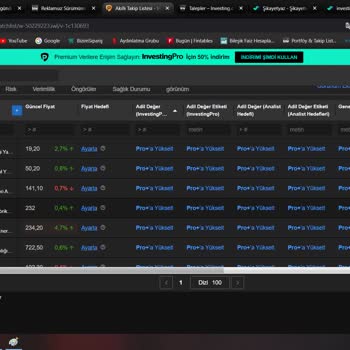
• Attach screenshots of your subscription confirmation, the non-working screens, and your account status
Ask them to;
• Confirm that your subscription is active and linked to the correct account
• Explain why the Pro features aren’t working (activation delay, app glitch, account mismatch)
• Provide steps to restore full access (app restore purchase, account relink, troubleshooting steps)
• Escalate your case to their technical or billing team if basic support does not resolve it
• Tell you how long the fix will take
If support does not reply, you might want to consider posting a complaint on Xolvie in order to bring attention to the issue and try to find a solution.
Last month, I purchased an annual Pro membership through Investing.com. However, despite having an active paid subscript...ion, I have been receiving constant error messages for approximately the last two weeks while trying to use the application. The app repeatedly displays the message: “Unable to acc
I am reporting a serious failure in the InvestingPro subscription and billing process. On January 24, 2026, I purchased ...a 2‑year InvestingPro Pro+ plan using my existing account registered under the email address arvindsar**@gmail.com. The payment of ₹24,043.68 was successfully processed via Paddle
Even though my Investing Pro subscription is active and I have already paid, I have not been able to comment in the mobi...le app since November 13, 2025 at 18:00. I used to comment without any issues, but now when I try to post a comment, a message appears saying: “We encourage you to use comments to
I am an Investing Pro subscriber, and for about a week the chart section on both the mobile app and the website was not ...showing the last 10 days of data. Because of this issue, I contacted Investing through the feedback section. They advised me to delete and reinstall the app. However, after doing t
Even though I have a Pro subscription with Investing.com and paid for August, I’m still unable to use the service. I con...tacted the technical team, but their suggestions were insufficient, and the issue remains unresolved. It’s frustrating to not be able to access a service that I’ve already paid for
I bought a ProPlus subscription for one month on Investing.com, but my membership got canceled just two days after I pai...d. Even after submitting a support request and giving all my information, my support tickets were removed. On January 16, 2024, I purchased the Pro+ membership at a reduced price,