My Facebook post was deleted without explanation. How can I appeal this decision?
16 Views
First, check your Support Inbox for any messages about the removal. These messages usually explain why the action was taken and give you a way to ask for a review.
As soon as you log in to Facebook, click on the arrow that points down in the upper right spot, choose "Help & Support," and then "Support Inbox."
There is a way to argue if you think the removal was wrong. There should be a way to disagree with Facebook's choice in the message that tells you that your content was removed.
If you click this, the appeal process will begin, and Facebook's team will look over the case. Make sure you give any information or background that supports your case that is important.
If none of the above solutions work, please feel free to share your experience. You can also file a complaint on our website.
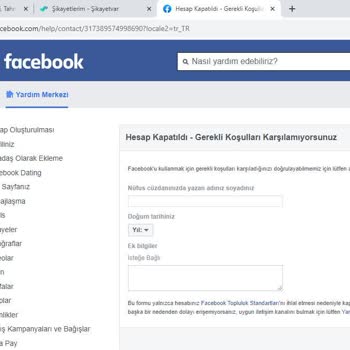
I am writing about my personal Facebook account, which has been banned several times without me understanding the reason.... The account is registered with the phone number 0776403***. For about four months I have not been able to access my account and I keep receiving messages that it violates communi
My name is Seda Nurdan K****, and I am an animal rescue volunteer living in Konya, Turkey. On April 17, 2026, my Faceboo...k account named “Seda Boncuk” was permanently disabled due to alleged “account integrity” and “community standards violations.” I was informed that I had no right to appeal the dec
My personal Facebook account, which I have actively used for many years, was suddenly disabled last week without any pri...or warning, based on an unjust and deeply humiliating accusation. While there is a strong possibility that my account may have been compromised by hackers, it was shut down using a
I am absolutely outraged and deeply insulted that my Facebook account has been suspended! The reason given is for "sexua...lly explicit content," which is a complete and utter lie. I have never posted a single piece of sexually explicit content, nor have I ever shared anything that violates Facebook's
I was removed from the admin position on my Facebook news page, which I’ve been managing for about 4 years and has nearl...y 14,000 followers. The page is still active, but it no longer appears in my pages panel, and I’ve completely lost access. I did not receive any warning, notification, or explanati
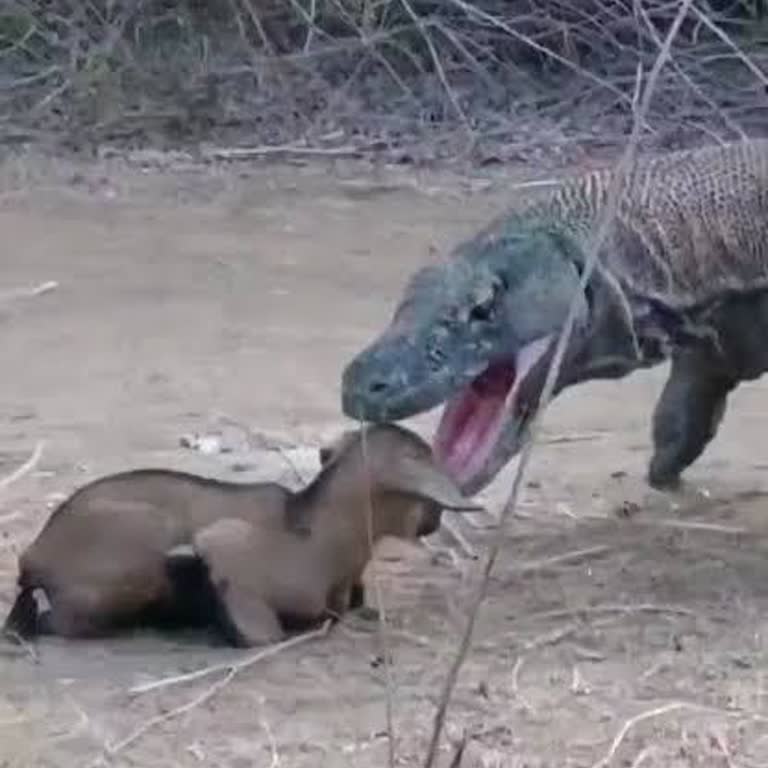
Facebook turns a blind eye to posts that harm people’s mental health. They allow disturbing content where a tiny lamb is... thrown in front of a giant, crocodile-like creature and torn apart alive—I can still hear the cries of that poor animal in pain. It’s shocking that such cruelty is considered acce
Hello, on March 13, 2025, my Facebook, Instagram, and WhatsApp accounts were directly closed without any justification, ...prior warning, or notification. I have been using these platforms for years without any issues, and I have always followed community guidelines. I believe that my accounts were unj
My Instagram account "akiriyus" was closed last week, along with my Facebook account "Yuno min." This happened due to a ...violation I did not commit, caused by someone exploiting a vulnerability in Meta’s AI system. If you review the chat history with the account that filed the complaint against me, y
I have been using Facebook for a long time as a corporate identity and have also paid for ads. However, Facebook suddenl...y closed my advertising account without providing any warning. This action has caused significant inconvenience, and I am deeply dissatisfied that my account has not been reopened
My Facebook pages are still shut down, and I can't post or manage them, which is very frustrating. I’ve put a tonne of t...ime and effort into these pages, so it isn’t very pleasant to see them get shut down without any clear reason. I’ve got the closed pages listed below, and just last night, another
My Instagram account was recently suspended, and, along with it, my 15-year-old Facebook account was also deactivated. T...he reason cited was a community guideline violation, but I have done nothing wrong. I’ve invested years of memories and effort into these accounts, and this is the first time I’ve
Upon a person's complaint, Facebook disrupts the system without giving the accused any right to defend themselves. Since... we don't have access to a copy of the correspondence with that person, we are left with only verbal defense. However, Facebook hasn’t provided a section where you can properly exe
On Facebook groups, people are openly exchanging insults and using offensive language, but my reports are being ignored.... Warnings are given out for using a seemingly harmless word like "bark." What is the basis for the community standards? Whose criteria are they adhering to? What type of system is
Facebook: "Your account has been temporarily suspended. We regret to inform you that your Instagram account (6vr1r67xqfm...bw3uv) has been suspended due to a violation of our rules. We regret to inform you that your account has been suspended due to a violation of our guidelines. If you'd like to conte
Out of the blue, my Facebook account, which I've had for a while, was unexpectedly closed. I haven't created any content... related to politics, society, or sexuality, but they closed it without presenting any evidence. Countless memories have been lost. What actions can I take to address this situatio
Despite refraining from using any offensive language, inappropriate content, profanity, or explicit material, my Faceboo...k account is consistently subjected to restrictions. I fail to understand why such actions are taken against my account. Why is my account restricted arbitrarily? Despite the absen
It's really hard to get in touch with you. I'm not sure if the Facebook team reads this post. I've sent a bunch of email...s, but I haven't gotten any replies. I want to ask the Facebook team something: is it really hard to set up a customer service team? You need to have a customer service number so t
Facebook is arbitrarily limiting my posts. There are no penalties on my profile or page, so I'm not sure what's going on.... My posts get very few likes, compared to similar ones that used to get 5,000 likes each. The engagement has abruptly ended. I contacted Facebook to inquire about the reason, but
I am deeply frustrated and confused because my E*** g*** page on Facebook was abruptly shut down. To my utter dismay, I ...have no idea why this has occurred, given that we have never harmed anyone on the platform. So far, all we've done is provide a valuable service, and there haven't been any issues
The constant limitations Facebook places on my profiles and pages annoy me. The problem has been brought up several time...s, but no resolution has been found. There has been a lot of pain and inconvenience caused by this, and I would like it fixed as soon as possible. The arbitrary blocking of my page