Easypaisa deducted money but payment never went through, how can I get a refund?
40 Views
If Easypaisa deducted money but the payment never went through and you want a refund;
Confirm the failed transaction first;
• Check your Easypaisa transaction history
• Note:
– Amount deducted
– Date & time
– Merchant/recipient
• Screenshot the failed transaction
Check bank/card/agent record;
• Confirm whether the amount was actually deducted from your source
• Screenshot bank/card statement showing the deduction
Contact Easypaisa Support urgently;
• Use the in-app Help/Support or call their helpline
• State:
– “Money was deducted but payment never completed”
• Provide:
– Registered phone number
– Transaction amount/date/time
– Screenshot of failed transaction
• Ask them to:
– Reverse the deducted amount
– Provide a refund reference
– Confirm when the refund will reflect
If they ask for proof;
• Attach:
– Screenshot of the failed payment
– Bank/card statement if relevant
If it still isn’t resolved;
Consider filing a complaint on Xolvie for added leverage
I am writing about a problem I experienced with WIN786 GAME regarding a payment made through Easypaisa on my Android dev...ice. On 23 August 2026, I made a payment of 48,000 Rs, and both Easypaisa and PayGrid show that this transaction was completed successfully and the amount was cashed out. However,
I have been using the market-qx.trade platform for online transactions and have successfully deposited many times before... via Easypaisa. For the last 2 hours, however, I have been unable to make any deposits through the Easypaisa option number 1 on the deposit page. At first, each time I selected Eas
I am an Easypaisa user and I am writing because money has been withdrawn from my account through game deposits made by m...y children without my knowledge and I am facing a serious financial loss. From 5 August to 13 August, several transactions were made from my Easypaisa number 03039211***. During th
I used the Easypaisa mobile app to transfer 3,668 PKR from my account to a UBL bank account on 25 July 2026. The transac...tion shows as successfully sent to the beneficiary Nadim K*** in my Easypaisa transfer history. However, the money has not been received in the UBL bank account. Although the trans
My account on 1win is registered under the name Mbilal and my user ID is 362658***. On 23-07-2026, I requested a withdra...wal of 4,000 via Easypaisa from my 1win account. As of today, the transaction is still pending and the money has not been credited to my Easypaisa account. I contacted 1win custome
I recently purchased in-game diamonds through Noor Senter for my game account with ID 90231***. I sent a total of 1,450 ...PKR via Easypaisa to the account holder Rafia K***, number 03437445277, but the diamonds have not been added to my account. After making the payment, I contacted them around 30 min
I deposited 1000 into my 1ee.com slots game account on the night of 21 June at around 10:45 pm via Easypaisa, but the am...ount has still not been credited to my game ID 480985***. On my side, the payment appears as successful and I also have the Easypaisa approved screenshots and in‑game screenshots s
I made my first withdrawal of 50,000 PKR from the Tashan Win application to my Easypaisa account. In the app, the withdr...awal status showed “processing” starting from 17/05/2026 and then on 18/06/2026 it changed to “complete”. However, despite the status being completed, the money has still not been
I am writing regarding the withdrawal problem I am experiencing on the 192pkr space lottery game platform. My user ID is... 105***. I requested a withdrawal of 50,000 PKR today and another withdrawal of 20,000 PKR three days ago. Both withdrawals were requested via Easypaisa, but in my account they hav
I use an Easypaisa mobile wallet with the number 03702054***. On 11-06-2026 at around 03:15 AM, an amount of 300 rupees ...was deducted from my account to a funding source automatically. I did not make or approve this payment in any way, and it appears to be an unauthorized transaction. I tried to reac
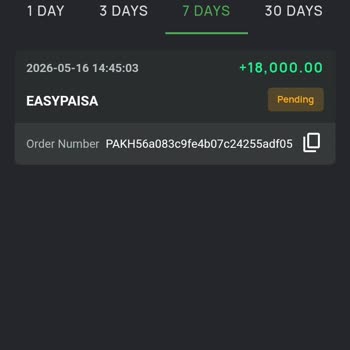
I deposited 18,000 via Easypaisa QR payment to the B9 game on the 16th, but the amount has still not been credited to my... game account. The payment was made from the Easypaisa number 03086060534, and the money was successfully deducted from my wallet. After noticing that the balance was not added, I
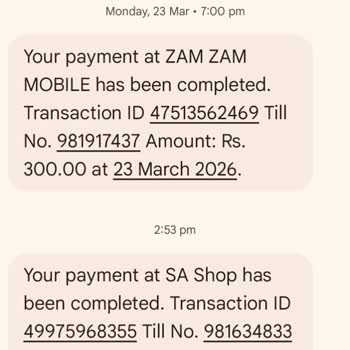
I am using an EasyPaisa account registered in the name of Misbah A***. On 14 May, I made a payment of PKR 1,000 through ...the scanner/QR option for a purchase at a shop. The amount was deducted from my EasyPaisa account, but the shop did not receive the payment and I did not receive any refund. Since
Today, I attempted to deposit 1,900 PKR into my Megapari account using Easypaisa. However, because of a mistake on my si...de, the amount was incorrectly entered as 500 PKR in the app, and the transaction did not process correctly. As a result, my deposit was not reflected properly in my Megapari accou
I am writing to report an issue with a withdrawal related to my Easypaisa wallet and the 1win platform. On April 13, 202...6, I requested a withdrawal of PKR 3,000 from my 1win account to be received via Easypaisa. However, the transaction is still showing as pending, and the amount has not been credit
I am facing a serious problem with the B999 platform regarding my withdrawal. On 16/03/2026, I requested a withdrawal of... 12,750 rupees to my Easypaisa account from Hyderabad, Pakistan, but the money has still not been received in my Easypaisa account. I have tried to reach B999 customer service thro
I am a player from Pakistan on the website zc7**.com, and recently I won 1000 in one of their games on March 8, 2026. Ho...wever, even though the game clearly showed that I had won, the amount has not been credited to me, and I have not received the money in my EasyPaisa account. My EasyPaisa account
I am using Easypaisa on my Jazz SIM number 032206357**. I made a withdrawal of 50,000 PKR, which is my winning amount fr...om the B9 game. Although all the steps and selections in the app were completed correctly, the withdrawal status has been stuck on “processing” for 24 hours, and the money has not
I am a BC Game user from Pakistan and I am writing because I am unable to withdraw my funds despite following the instru...ctions given in the app. After downloading BC Game, I received a bonus, played the games and won money. When I tried to withdraw, I received an in‑app message stating: “Withdrawal
I am writing regarding a problem I experienced with the Tashan b9 online game concerning a withdrawal that has been stuc...k in processing. I requested a withdrawal of Rs 4000 to my Easypaisa account, and it has been in “processing” status for about 24 hours without any further update or completion. De
On January 20, 2026, at approximately 10:32 AM, I made a deposit of PKR 3000 through Easypaisa using the Swift Collect S...ystem for an online gaming transaction to my BC Casino account. Although the amount was successfully deducted from my Easypaisa account, the transaction through the Swift Collect S
I am writing about a problem with my Bc. Game account has been inactive for the last 4 days after an issue with a deposi...t, and my communication with support. I tried to deposit approximately 75 USD to my Bc. Game account via Easypaisa bank, but the deposit was not successful, and the money did not a
For days now, I have been seeking assistance from Easypaisa, but their customer service is really hilarious. Over thirty... times, most of which go unreported, I have contacted them; when they do, I am placed on wait for more than ten minutes just to be informed that there is some "system error," or th
I have never experienced better customer service than what Easypaisa offers. They took ₨450 from my account out of nowhe...re without asking or telling me. I approved no transaction, hence the app offers no justification anywhere. I have been trying to get in touch with their help-seeking support; I ha
My Easypaisa mobile account is active, and I paid my electricity bill in the morning using my Easypaisa account. The pay...ment was transferred from my account at 03121368***. Please look into my issue, as the amount was deducted from my Easypaisa account this morning.