
Xolvie Resolution Specialist24 Kasım 2024 14:10
If someone got into your Bybit account without your permission, do these things to get it back:
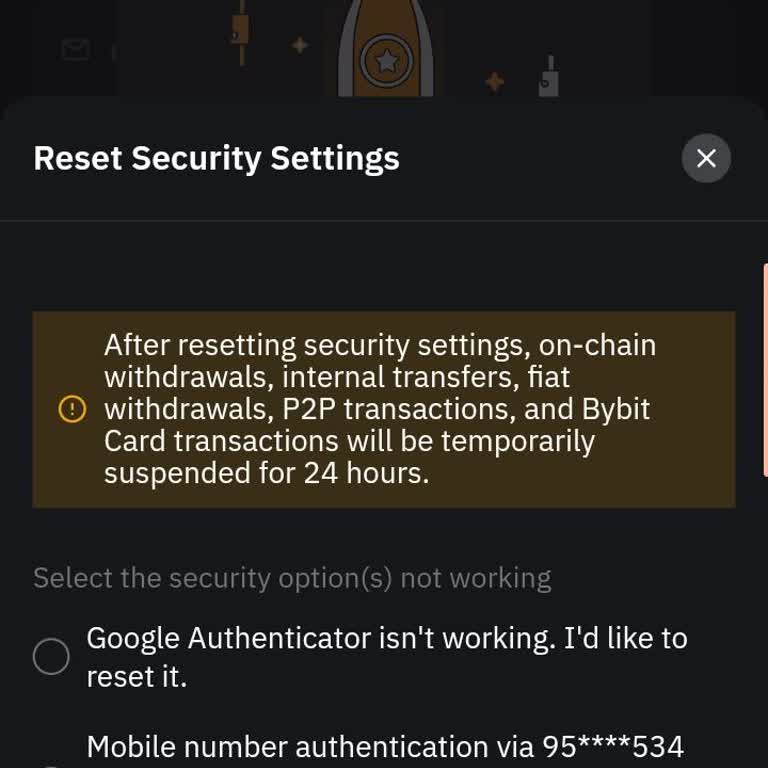
1. Deactivate your account right away. This will stop any more transfers that aren't supposed to happen. You can do this on the account security page or by clicking on the link in the email that tells you about new logins or changes to your payout address.
2. Reset your password: Go to the Bybit login page and click on "Forgot Password." Type in your registered phone number or email address, and then follow the steps sent to that way of contact to make a new, strong password.
3. Reactivate Your Account: If you closed your account and then want to open it again, log in with your passwords and follow the on-screen instructions. Your account will be enabled again if the system finds a low-security risk.
4. For detailed inquiries, log in to your account, click the profile icon, select "Get Support," and then choose "Live Chat" to connect with a support agent. You may also email [email protected].
This is the information we have, but if you have more insights from your experience, please share in the comments.
Vote
Related Complaints
Unauthorized Trade By Bybit

March 9 3:02 PM
I am using a TradeFi MT5 standard account from Morocco, and I want to report a very serious issue regarding an unauthori...zed position that was opened on my account without my permission. On 08.03.2026 at 23:23:22 GMT, a position was opened on my MT5 account even though I did not log in or trade at th
ByBit Account Hacked, Email Changed - Unable To Access Mobile App

January 8 10:30 AM
I am a Bybit user on the mobile application and my account has been hacked. About two months ago, someone gained unautho...rized access to my account and changed the email address linked to it. Since then, I have not been able to log in or use my account. I contacted Bybit customer support, but they di
Kindly Request That My Access To My ByBit Account Be Restored

December 7, 2025 4:27 PM
My Gmail account was hacked on 21 August 2025, and immediately after that, my Bybit account was accessed without my perm...ission. Bybit sent me a notification that unfamiliar access to my account was detected and advised me to disable the account. Since then, I have not been able to access my Bybit ac
Bybit Account Hacked — Email and Phone Changed Without Permission

October 19, 2025 6:22 PM
My Bybit account was hacked this week and is now being accessed by unauthorized third parties. I can no longer log in, a...nd the email address and phone number linked to my account have been changed without my permission. There were no funds or crypto assets in my account at the time of the breach. I
Someone Created a Bybit Account Using My Information — Please Delete It

October 5, 2025 11:16 PM
On October 5, 2025, after 10:50 PM, I discovered that a Bybit account had been created under my name without my knowledg...e or consent, using my personal identification information. I did not authorize, approve, or apply for the creation of this account in any way. So far, no transactions or financia
Bybit Account Drained After 2FA Setup; Remaining 460 USDT Withdrawal Blocked

September 6, 2025 10:28 PM
On August 23 around 23:50, I deposited 1,000 USDT into my Bybit account, then immediately enabled Google 2FA and changed... my password. About 30 minutes later, I received an email that a transfer had been made—contrary to my understanding that withdrawals should be locked right after a password change
I Face Withdrawal Block on Bybit After Investing ₺1,200, Asked to Pay Extra ₺4,500

August 18, 2025 2:17 PM
On June 16, I invested a total of ₺1,200 on Bybit using USDT and USDC. Shortly after making this investment, another use...r named Y* Y*** began conducting trades through my account. When I attempted to withdraw the profit that was generated, I was unexpectedly asked to pay an additional ₺4,500. I refu
I Got Hacked on Bybit Within 24 Hours and Lost ₺700—Support Ignored My Complaint

July 19, 2025 8:15 AM
I registered on Bybit on June 21, 2025, and within less than 24 hours, my account was hacked. I had ₺700 worth of crypto... in my balance, and it was stolen without my authorization. Not only did I lose that money, but I was also blocked from placing trades, causing me additional losses due to missed o
My ByBit Account Was Hacked and Email Address Changed Without My Permission

February 5, 2025 2:45 PM
My Bybit account was hacked, and the hacker changed the email address linked to the account. I want to recover it—how is... this possible? I also want to close the account because it contains sensitive information, including my identity card and address details. For privacy and security reasons, I am r
ByBit Account Was Hacked

January 18, 2025 5:50 AM
Someone hacked my account. When I tried to log in to my Bybit account, I found out that everything was changed. The hack...er changed the email address, phone number, password, and Google Authenticator. Please, how can I retrieve it, even if it requires a liveness check and the ID I used to verify the
My Bybit Account Was Hacked by an Unknown Scammer

November 10, 2024 5:14 PM
My Bybit account was hacked by an unknown scammer who sold all my coins, converted them to USD, and transferred the fund...s to another Bybit account. I am requesting urgent assistance in recovering my funds. Thank you, and I look forward to hearing from you soon.

ByBit
View All Complaints
1 Comment