Royal Match tricked me into a purchase during a pop-up, how can I request a refund from support?
46 Views
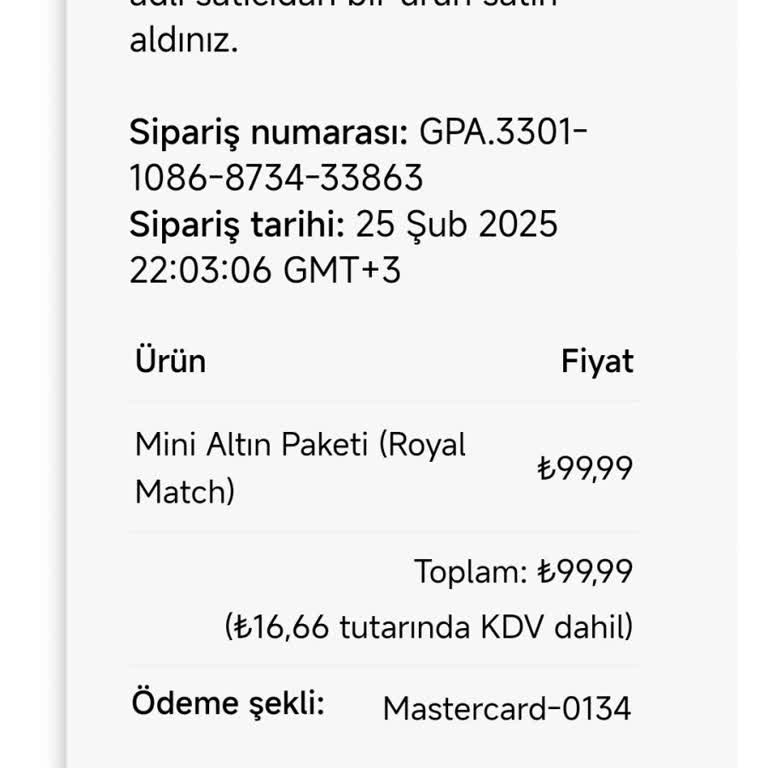
If you were mislead into purchasing Royal Match due to a pop-up, you can seek a refund by contacting Dream Games via their official support page: https://dreamgames.helpshift.com/hc/en/3-royal-match/contact-us/.
Click the "Contact Us" button in the upper right corner, then enter your player ID, the date and amount of the charge, and a description of what happened.
You can also request a refund for purchases made through the App Store or Google Play directly from those platforms.
For Apple users, go to reportaproblem.apple.com and log in to pick the transaction and request a refund.
Android users can seek a refund by visiting play.google.com and navigating to the "Order History" area.
If the refund is refused, you may contact your payment provider to challenge the charge.
If none of the above solutions work, please feel free to share your experience. You can also file a complaint on our website.
In Royal Match, the main account linked to my Google account was suddenly closed about four hours ago while I was trying... to purchase the Royal Pass. I am effectively banned from the game. Not only did the purchase fail, but my existing collection has been reset to zero. I also cannot join any team r
Today in the game Royal Match, I purchased a gold package priced at $2.30, but I noticed that $4.60 was charged to my cr...edit card. In other words, I was charged double the listed package price. As soon as I realized this, I contacted support through the in-game messaging system, but I have not rece
I have been playing Royal Match on my Android device for about 7–8 months. However, I have repeatedly experienced an iss...ue where in-game purchases, especially timed gifts and items like the light ball, disappear before their duration expires. This happens most often right after making a purchase, an
On 27/08/2025 at around 17:00, I purchased the Orman Hazinesi package in the Royal Match game from my Android phone for ...229₺. The payment was successfully charged through my mobile line (0552181****), but the purchased package was never credited to my game account. This is the first time I have expe
I clicked on the ₺129 purchase button in Royal Match, but instead, ₺309 was deducted from my account! To make things wor...se, I never received the gold or rewards I paid for. There is no "Contact Us" button in the game, so I have no way to reach customer support for help. This is completely unaccepta
I have spent a lot of money on Royal Match, and today I made another purchase just to keep my Light Ball power-up. Howev...er, the game took my money and still removed the power-up—leaving me with nothing! This is completely unfair and unacceptable. I paid for an advantage in the game, but instead, I