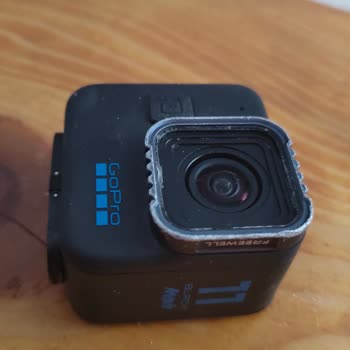
I just took my GoPro to the beach and unfortunately, it's now covered in sand and saltwater. What's the safest way to clean it?
2 Views
Before you try to clean the GoPro, make sure it is dry and clean. If there is still sand or water inside, don't open any doors or compartments.
• Use clean water to rinse the camera to get rid of any sand or saltwater that might be on it. If you need to, use a cloth to gently wipe away any leftover dirt. If sand or other dirt gets stuck around the camera's doors, soaking it in warm tap water for 15 minutes can help get it off before you rinse it well.
• Solvents and harsh chemicals should not be used to clean the camera's lens or outside surface because they can damage the device.
• To keep the sound quality at its best, blow on or shake the camera to clear the microphone holes of water and other debris. However, don't use compressed air because it might damage the waterproof membranes inside.
• Use a soft, lint-free cloth to wipe away any dirt or smudges when you clean the lens or lens protector. If something gets stuck between the lens and the trim ring, use water to gently flush it out. Do not put anything else around the lens; doing so could damage it.
We're listening! Your thoughts and suggestions are welcomed in the comments.
On 20.11.2023, I purchased a GoPro Max action camera from Media Markt. Trusting the information on the product box and i...n the user manual stating that the device is waterproof, I used it once during the summer of 2024 in the sea, at a depth of less than half a meter. During usage, no issues occurred

I’ve been a long-time owner of the GoPro Hero 7, which I recently used during a trip to the sea. Unfortunately, the devi...ce took on water and stopped functioning entirely. When I reached out to the authorized service center, I was informed that "the production period for spare parts has ended," and t
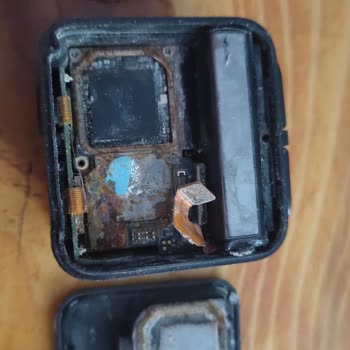
I strongly advise against buying the GoPro Mini. It’s supposed to be waterproof, but mine started leaking, and the insid...e is completely oxidized. I took it to two different repair shops, and both told me it’s impossible to fix. There’s no difference between this and cheaper brands, yet I paid so muc