Face verification keeps failing in Chamet app even with good lighting, how can I complete verification successfully?
110 Views

First, make sure you are using the latest version of the Chamet app, as older builds sometimes cause verification bugs.
Restart your phone, clear cache, and switch to a strong Wi-Fi or mobile data connection before retrying.
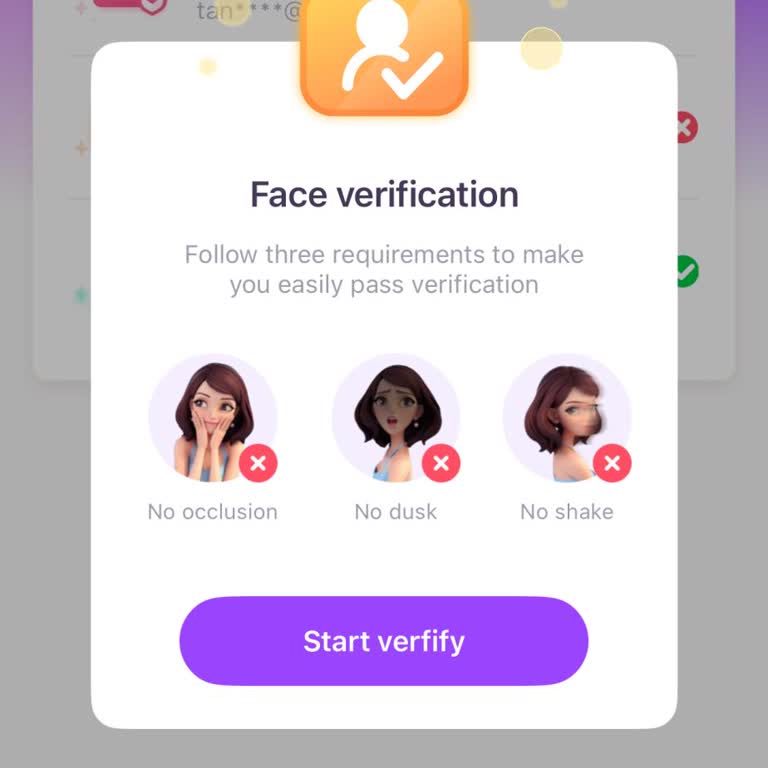
A good light is important, but you should also look at the background. Pick a plain wall and make sure there are no shadows or bright lights behind you.
Remove your glasses, hat, or screen, hold the phone up to your eye, and make sure your whole face fits in the frame.
Change between the front and back cams or use a different device if the system still doesn't work. Some users say that mid-range phones with better front cameras get older more quickly.
This is the information we have, but if you have more insights from your experience, please share in the comments.
I am a Chamet user on an Android phone and my account username is “Adorable***abe”. About two weeks ago, my face verific...ation was disabled without any explanation, and since then I have not been able to withdraw my earnings or go live on the app. This situation has directly affected my ability to us
I am using the Chamet application from India and my account has been blocked by the face verification system for a very ...long time. The app showed a 90‑day waiting period for face verification, but even though more than one year has passed since around February last year, my face verification has sti
I am writing about a problem I am experiencing with the Chamet application on my iPhone in Nigeria. The app itself opens... normally and I am even able to receive calls, but the face verification section is not opening at all. Because of this, I cannot start or complete the required face verification p
Since June 2025, my face verification feature on the Chamet app has been disabled without any explanation. As a result, ...I am unable to withdraw my account balance of $184, and this has caused significant inconvenience. When I contacted the support team, they confirmed that my face verification feat
My Chamet account with the username “cancan 686868.04” has been blocked for nearly three months, and despite multiple at...tempts, I have not been able to resolve the issue. The app repeatedly asked me to complete face verification, which I tried several times, but it was never accepted. I did not rece
I am experiencing a serious problem with the Chamet app and can no longer log into my account. No matter how many times ...I try, the system blocks me, and I am left without access. Because of these issues, I have been forced to open and delete multiple accounts just to keep using the application. This