I would like to cancel my Cerebrum IQ subscription, how can I easily cancel it?
8.650 Views
To end your Cerebrum IQ contract, you must first log in to your account on their website. You can usually get to the "Account Settings" or "Subscription" area from your profile icon or the main menu.
Find the "Manage Subscription" or "Cancel Subscription" button and follow the on-screen directions to cancel.
If you are having problems, you can get help from Cerebrum IQ's customer service. You can email them at [email protected] or call their service at +1-800-123-4567.
For quick help, they may also offer live chat support right on their website.
If you want to make sure you really did cancel, check your email. This will be proof that you cancelled, and it might include information about how much access you still have or whether you can get a return.
If the problem remains unresolved, consider filing a complaint on Xolvie to raise awareness about the issue and inform others.
I want to cancel my Cerebrum IQ account. I didn’t sign up for any subscription, and when they ask me to log in using my ...email address, they say they cannot find any account associated with it. I also tried logging in with Google and Microsoft, but both say there is no account associated with either.
Please delete my Cerebrum IQ account as I do not use the portal, yet the account is being charged. I never agreed to the...se charges, and they are creating unnecessary stress for me. I do not like the portal, and the account is being charged with large amounts of money. It feels unfair to keep paying
Why is Cerebrum IQ hiding the “cancel subscription” button? I tried following your steps, but even if you click cancel, ...it doesn’t lead anywhere. Furthermore, I never subscribed to your weekly payments or anything—I only did a free trial test, and that was all. Now you are saying I owe you $14.
I did not subscribe to Cerebrum IQ, so please cancel my subscription. I can’t log in to the website, and I don’t know ho...w to do it. I have already been charged twice, and I don’t want to receive any more charges. Please help me with this issue—I no longer want the service. It’s too much money for so
I tried two or three times to cancel my Cerebrum IQ Subscribtion, as I was under the impression that there was a free tr...ial period. I kindly ask you to confirm the cancellation and issue a refund for the month of July to my credit card. Thank you in advance. Michel C*** 514-358-7*** chret***@gmail.
Please cancel my Cerebrum IQ subscription immediately- I don't remember subscribing, however I don't want to go further ...into a lawsuit, so please do it and stop all future charges from my account. Pazgd***@gmsil.com
I didn't subscribe to any weekly payment with Cerebrum IQ now I'm charged every week and it's not even the same amount. ...I want to cancel anything I subscribe to can you help please it's urgent.

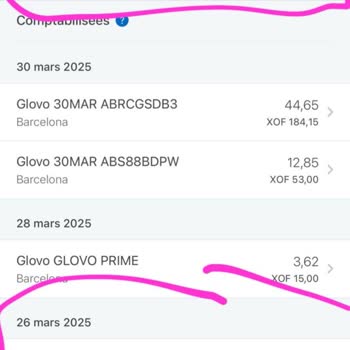
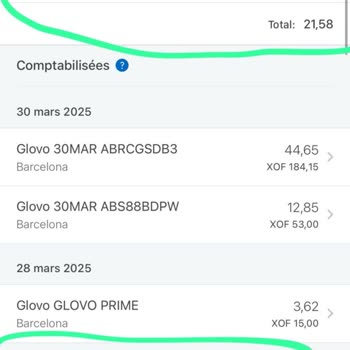
Cerebrum IQ offered a 0.99 cent initial payment for a week access to her full site. This included the IQ test, their bra...in training games & their several 100's of courses offered. Silly me thought it would be easy to cancel subscription before the offer ran out via the Apple Store (like I have befor
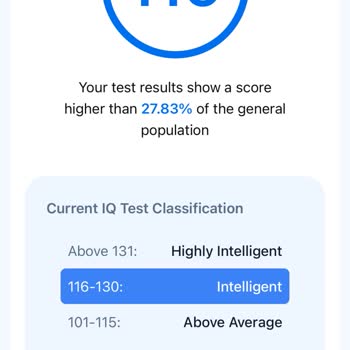
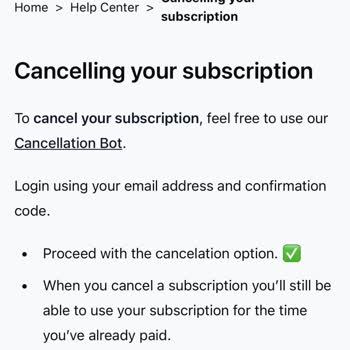
I can't unsubscribe from Cerebrum IQ, and they charged my card. I want to cancel my subscription. I took an IQ test and ...now want to unsubscribe because I don’t want to keep losing money. How can I cancel my subscription? I can't log in with the email I provided, and I need to cancel it immediately.


I want to cancel my Cerebrum IQ membership immediately. My name is Permin Malç** and I’ve been trying to find a clear wa...y to terminate my subscription but haven’t had any success. The process is confusing and unclear, which is incredibly frustrating. I need a straightforward solution to cancel my me














3 Comment