When I try to buy a coin on Trust Wallet, I get an error message. What should I do to fix coin buying problems?
1.122 Views
A failed Trust Wallet purchase is an unsuccessful attempt to purchase cryptocurrency or tokens via the Trust Wallet app.
Follow these steps to fix Trust Wallet coin purchases that fail:
• Update Your App: Use the latest Trust Wallet app. Common issues are fixed by app updates.
• Confirm the Recipient Address: Verify the coin or token recipient address you're sending. The wrong address can cause a failed transaction or fund loss.
• Network Fees: Make sure you have enough money to pay the transaction's network fees. • Check Internet Connection: Make sure your internet is stable. Slow or unreliable connections can delay transactions or cause errors. Consider switching connections or moving closer to your Wi-Fi source. In some cases, VPN configuration may help.
• Synchronize your device's date and time with a time server. If your device's time is wrong, transactions may fail. Enable automatic date and time synchronization and restart your device before retrying the transaction.
• Re-Import or Reinstall the App: If the problem persists, re-import your wallet to synchronize. Uninstall Trust Wallet, restart your device and reinstall it if that doesn't work. Before doing this, back up your wallet.
I’m using the Trust Wallet app and trying to perform a swap with Tea Coin. Every time I attempt the swap I receive the e...rror: “Swap could not be completed, please try again later.” Despite repeated attempts today, the issue persists and the swap doesn’t go through. I do not experience this issue w
My Trust Wallet suddenly says I don’t have permission to scan a QR code for WalletConnect. When I try to connect my wall...et using the camera as I normally do, it no longer works. I’ve checked all the settings but can’t figure out why I’m unable to connect. Thank you in advance.
I purchased a coin through the Trust Wallet app, but I’m unable to perform a swap. Every time I try to exchange it, the ...transaction fails without a clear explanation. The coin is currently rising in value, and I’m starting to wonder if that’s the reason I can’t complete the swap. After researching,
I wanted to test Trust Wallet by sending a very small amount of crypto, just to see how it works before making a bigger ...deposit. I’m beyond glad I didn’t send more, because the experience has been nothing but frustrating. I constantly receive an error saying "Insufficient TRX balance for gas fees,"
I can’t buy or sell specific coins on Trust Wallet—what can I do, and what’s causing this issue? I’ve successfully made ...swaps before, but now there’s no option to exchange tokens at all. I’ve double-checked my internet connection, reconnected my wallet multiple times, and even updated the Trust Wall
I’ve been using Trust Wallet to manage my crypto assets, including some BSC (Binance Smart Chain) coins, but I’ve run in...to a serious issue. I currently hold a BSC-based token in my wallet, but I’m unable to burn, transfer, or sell it. No matter what I try, the transaction fails or the option is simp
Even though I have $15 in my Trust Wallet, I can’t transfer USDT using the TRC20 network. Every time I try, the app give...s an error saying, "You don’t have enough Tron (TRX)." What’s frustrating is that there’s no clear support system, no phone number, and no way to contact anyone for help. Why is t
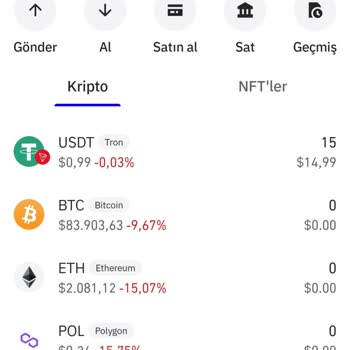
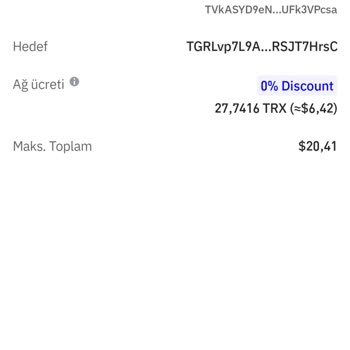
I have been trying to convert my GameStop Coin to BNB on Trust Wallet, but it simply won’t process. I don’t understand w...hy this is happening, and there is no proper sell option available either. To make matters worse, I have been trying to reach customer support all day, but there is no response. Th
Hello, my name is Ajay, and I am using Trust Wallet. I purchased a token called Trump AI, which is on the BNB chain. Now..., I want to swap it, but I am unable to do so. I have tried multiple times to swap, but it doesn't work. I also tried increasing the slippage, one percentage at a time, but the swa
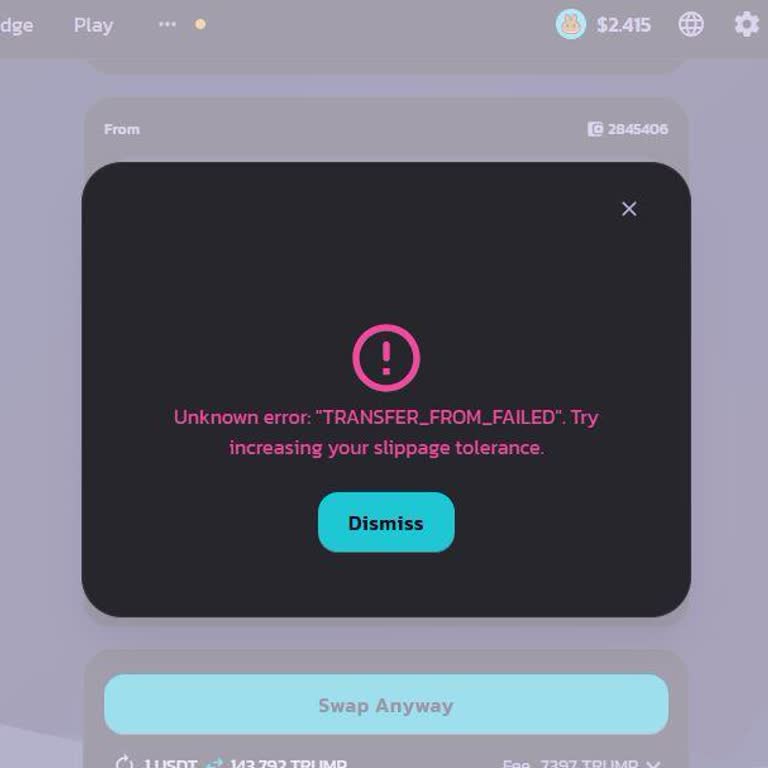
This morning, I discovered that I cannot perform any transactions with my Trust Wallet. I have 12,843 TRX (Tron) and 1,8...39 USDT (Tether) in the wallet, but every time I attempt to send funds, I receive an error message stating, "The transaction is likely to fail." I am extremely frustrated as I cou
I am unable to withdraw USDT from my Trust Wallet due to a recurring issue. Each time I attempt a withdrawal, I receive ...the error message: "Tron Smart Contract simulation failed." Despite multiple attempts, I cannot complete the transaction. This issue is causing significant inconvenience as I rely
Two days ago, I purchased the Bone Trump coin through Trust Wallet. When the coin's value increased, I attempted to sell..., but I’m unable to complete the transaction. The coin now appears suspicious, and I need help resolving this issue. I would appreciate any assistance to address this concern and e
I'm having some trouble with Trust Wallet. Every time I attempt to purchase BNB or any other coin, it keeps showing an e...rror message saying "BNB insufficient." I'm unable to perform any transactions or access my funds. I need assistance, I'm in a difficult situation. What steps can I take to find a
Today, around 09:55 a.m., I found that my BNB Tiger Inu cryptocurrency in Trust Wallet, which was previously valued at a...round $50, had surged to over $500,000, an astounding 100,000-fold increase. When I tried to convert it back to BNB using PancakeSwap, the coin, which was shown as $500,000, return
My Trust wallet, which is linked to Binance, has Bolt coins in it. I used to trade these coins, but there are no trades ...or sales going on right now. I have also noticed that my coins are not worth anything. I'm sorry, but I feel like I'm being taken advantage of, and I need an answer to this problem
Hello, I'm a subscriber to the Lord Crypto Telegram channel. The manager recommended the purchase of tokens by the group..., claiming that the tokens discussed on this channel would quickly appreciate in value. I was fooled, so I followed his instructions for creating a Trust wallet, sent the funds fro