Google Authenticator failed to sync codes when I got a new phone. How can I transfer 2FA to a new device without issues?
6 Views
If Google Authenticator didn't sync your codes to your new phone, you can move your 2FA accounts over by hand to make sure you can get in easily. To begin, make a QR code for sharing on your old phone. Take the old device and open Google Authenticator. Then, go to Settings > Transfer accounts > Export accounts and pick out the accounts you want to move. This turns into a QR code.
First, open Google Authenticator on your new phone. Then, go to Set up account > Import existing accounts and scan the QR code from your old phone. This moves your codes to the new phone without stopping your access.
If you can't find the old device, use backup codes or other 2FA ways to log in to each account. Then, turn off and on 2FA again, this time using the Authenticator app on your new phone.
Do you have another way to solve it? We'd love to hear from you in the comments.

I am a user of the Tashan Win betting platform, and my account ID is 5541262 with the mobile number +91 62833019**. Tod...ay, I deposited ₹500 into my account through Paytm. After that, I gave another person access to my account, and later I discovered that he enabled Google verification (two-factor a
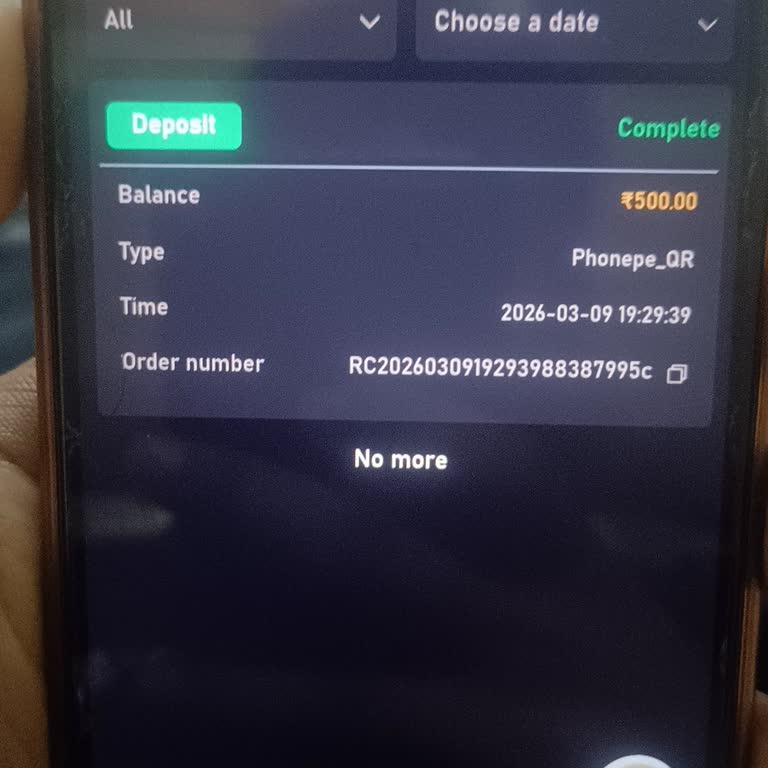

I am writing about a serious security issue with my Tashan Win account. On 18 February, my account was hacked and someon...e else enabled Google authentication on it. Since then, whenever I try to log in, the system asks for a Google authentication code that I do not have access to, so I cannot open my

I am experiencing a serious issue accessing my Google account and have been unable to recover it. I was previously signe...d in on a Panasonic tablet, but the tablet’s display is now broken, and I can no longer use that device. As a result, I am unable to receive verification codes or complete the stan

I use Google Authenticator on my Android phone and on 09/02/2026 I lost access to my authenticator codes. Because of thi...s, I can no longer log in to my Gmail account, which is registered with the email address lawaliabubakar***@gmail.com. I have not yet been able to use any recovery methods or conta

I am a regular user of the Tashan Win website, registered under the mobile number 7978167217. This is a new account, and... although I have not made any withdrawals yet, I have clear proof of my deposits and can provide screenshots as evidence that I am the rightful owner of the account. On January 20

I am writing regarding a serious problem with Google account recovery for my Gmail account (alikazmipu***@gmail.com). Af...ter my phone was reset in December 2025, I tried to recover access to my Google account. During the recovery process, I received a verification code on my phone and entered it corr

I have been unable to access my Sidra mining account for more than two months due to a problem with Google Authenticator... and I am requesting that my access be restored. I created my account in August 2022 using my email address and I use the app from Kaduna, Nigeria. I have not made any payments in

I used Google Authenticator linked to my Gmail address mahmudh***@gmail.com for two-factor authentication on several imp...ortant platforms, including Binance, Bybit, and Bitget. Over the last two weeks, I lost access to my Google Authenticator account, and as a result I can no longer generate verifica

Google wants me to prove I'm not a robot at the expense of my account security. I want to prove that I'm not a robot onc...e and for all in order to avoid erroneous recaptchas of Google, which they even let malicious websites contain one on their pages, yet the company policy turns a blind eye on secur

I can't remember my Gmail password and my 2-step verification is turned on, but I can only use my phone number. I can't ...get to the recovery emails, and the codes sent to my phone aren't enough to get back into my account. I need help recovering my password very badly, but I can't get to the second s