LinkedIn is ignoring me after I opened a ticket for duplicate charges — how can I speed up the process?
6 Views
If LinkedIn doesn’t respond after you opened a ticket for duplicate charges, you can take action to speed up the process and protect your money:
• Resubmit the complaint via https://www.linkedin.com/help/linkedin/solve, selecting “Billing Issues” > “Duplicate Charges.” Include the number of the previous ticket and request that the case be escalated urgently.
• Attach clear evidence: a bank statement showing the duplicate charges, exact dates, and the receipt or invoice available at website.
• At the same time, write from another account (if you have access) or ask someone else to mention your case to LinkedIn support — this can sometimes speed up visibility.
• If the charge was recent, ask your bank to initiate a chargeback for the duplicate amount. Your bank may issue a refund while LinkedIn processes the case.
• Keep screenshots and records of all interactions. If the case stalls, you can present everything to financial services authorities.
❗ If the issue remains unresolved, consider filing a complaint on Xolvie to raise awareness and inform others.
I live in the Netherlands and discovered that LinkedIn made two unexpected charges of €179.88 each from my bank account ...on March 24, 2026, at around 9:00 AM. These charges are related to a LinkedIn Premium subscription, but when I attempted to sign up for Premium, I repeatedly received error message
On March 2, I canceled my LinkedIn Premium Career subscription through the LinkedIn app. Although the app shows that the... subscription has been canceled and the refund has been processed, the amount of 671.06 TRY (approximately $21) charged to my debit card has not been credited back to my Ziraat Ban
On September 27, I canceled my LinkedIn Premium Career Yearly subscription. I received both a confirmation email and a p...ayment notification indicating that the refund had been processed. However, even though five days have passed, the ₺1,329.99 refund has not yet been credited to my bank card. Tran
A charge of ₺389.99 was recently withdrawn from my bank card by Google, listed under the name “LinkedIn.” I did not auth...orize or initiate any such payment. As a student, this amount is significant for me, and it was taken without my knowledge or approval. I immediately checked my LinkedIn and Googl
LinkedIn has been charging me ₺700 monthly despite the fact that I don’t have a Premium account. I have no idea why thes...e payments are being deducted, and I’m unable to cancel them through my bank. This unexplained charge is both frustrating and financially burdensome. LinkedIn, I request that you i
I reached out to LinkedIn for a refund after being unexpectedly charged for a Premium membership I didn't mean to buy. E...ven after trying to get assistance, my request was turned down, putting me in a tough financial spot. The payment was taken from my bank account without my approval, and I never ga
I forgot to cancel my LinkedIn trial, and in October, approximately ₺1800 was charged to my account. Even though I cance...led the subscription through the app, I was charged another ₺1800 in November. If I wanted to continue, I would have done so willingly, but this situation has left me feeling compl
Hello, I am a Linkedin user, but although I do not have a Premium subscription in any of my Gmail accounts, a fee of ₺38...9.90 has been charged via mobile payment for the last 2 months. There is no payment or past subscription in my membership information on their website, but you are charging this fe
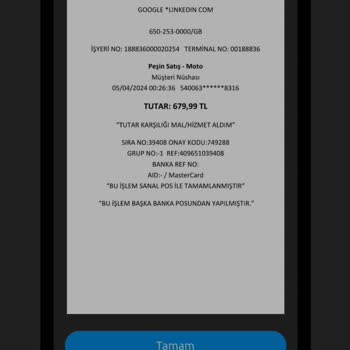
I signed up for a complimentary LinkedIn account. On April 5, 2024, an unauthorized withdrawal was made from my account ...for a Premium membership. I didn't provide my card information. I have buddies who've been using it for free for 5-6 years. What's the deal with activating a Premium membership wit
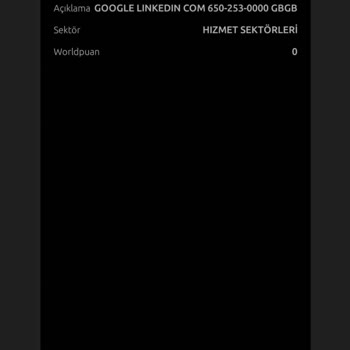
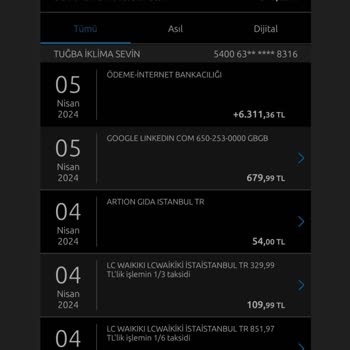
I joined LinkedIn to post a job opening, therefore I subscribed to a Premium account. I entered my credit card informati...on and was charged ₺1,785 for the Premium membership. I posted a job listing, but they charged an extra ₺12,000 for an already free listing that I activated today. I allocated a da
I signed up for a 1-month free Premium membership on LinkedIn for business purposes, thinking it would meet my needs. Ho...wever, I soon realized that the Premium plan fell short, and what I actually required was the Sales Navigator. To make matters worse, when I reached out to customer support to chan