Eneba shows codes as ‘instant’ but they don’t arrive in the email, how can I recover it?
89 Views
When Eneba advertises “instant” codes and they don’t arrive by email, the most effective move is to retrieve access from your account and formally record your claim.
Here are practical steps:
• Check your Eneba account: go to My Orders while logged in. Often the key appears there even if it doesn’t arrive by email.
• Look in spam folders: check spam/promotions for an email titled Your Eneba Order. Take a screenshot if it doesn’t appear.
• Support ticket: from the order, click Report a problem and choose Key not received. Attach the payment confirmation.
• Direct email: write to [email protected] with the subject Instant key not delivered – order #XXXX. Include proof of payment and a screenshot of the order status.
• Payment method: if there’s no response, open a PayPal dispute or request a chargeback with your bank, since the service wasn’t delivered.
• Evidence log: keep invoices, screenshots, and emails to strengthen your claim.
If none of the above works, please share your experience. You can also file a complaint on our Xolvie website.
I purchased a Steam gift card from Eneba on 21 May 2026, but I accidentally entered the wrong email address for the deli...very of the key. As a result, I never received the code. I realised my mistake shortly after and have been trying to contact Eneba for almost a month now, but I have not been able
About one hour ago, I purchased a Steam Wallet Gift Card 15 USD Steam KEY (United States) through Eneba. I completed the... payment using my bank card, and a total of ₺868.31 was withdrawn from my account. However, the purchase was never completed, and I did not receive the gift card. My order number i
On February 15, I purchased a $50 iTunes Gift Card through the Eneba website using my credit card. The payment was charg...ed, but the gift card was never delivered to me. My order number is: o-yu9tkfo. Immediately after the transaction, I filed a dispute both through the site and with my bank. Eneba n
I purchased a Binance Gift Card from the Eneba website, and the payment was successfully withdrawn from my bank account.... However, Eneba marked the payment as “failed” and did not provide me with the code. On top of that, no refund has been issued back to my account. This means I lost my money and ne
Today I purchased a product — App Store and iTunes game cards — and made a payment of ₺530 from my own Ziraat Bank accou...nt via Eneba and Payguru using an IBAN transfer. I reported the issue to support and provided my email, phone number, and other details. My full name is already listed in the payme
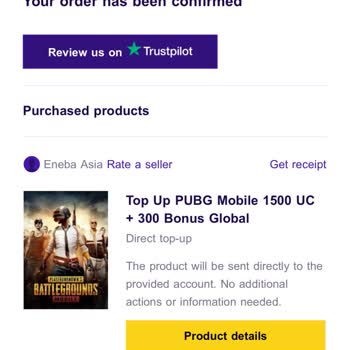
I purchased PUBG Mobile UC through Eneba, and the payment was successfully charged to my card. The app confirmed the tra...nsaction, but even after a full week, the UC has still not been delivered. I actually purchased it twice within the same hour, and neither of the UC packages showed up in my accoun
I’ve purchased from Eneba before without any issues, but recently, my orders have not been delivered. I bought a product..., but instead of receiving it in my account, I only got an email confirmation. This has now happened twice, and despite waiting, the product never arrived. I contacted support, but
I attempted to purchase a Binance gift card on Eneba.com, selecting the credit/debit card option and completing the 3D S...ecure payment process without any issues. The system confirmed my input and processed the transaction, but after a short delay, I received a message stating "payment failed." Howev
Hello, yesterday I tried several times to create a card for a $50 transaction. It appeared to me that the process did no...t complete successfully, but I later noticed that $50 was still charged from my account. I would like to know how I can obtain the password or access details for this transaction