Xolvie Resolution Specialist3 Haziran 2025 12:43
Automatic renewal on Dating.com can be canceled by following a few simple but specific steps to avoid future charges.
🔹 Why does this happen?
• Automatic renewal is enabled by default when you subscribe;
• Cancellation information is often not clearly visible.
🔹 How to cancel it step-by-step:
• Log in to your Dating.com account;
• Go to the “My Account” or “Settings” section (usually in the top right corner);
• Click on “Subscriptions” or “Payment Settings”;
• Look for the option to “Cancel Subscription” or “Turn Off Auto-Renewal” and confirm it;
• Make sure you receive a confirmation email or a notification on the website.
🔹 Additional tip:
• Take screenshots of the cancellation process as proof;
• If you were already charged, contact Dating.com support to request a refund, and if necessary, reach out to your bank.
❗ Can’t cancel or Dating.com keeps charging you? 👉Share your experience on Xolvie👈.
This way you’ll help others and put pressure on the company to act properly.
Vote
Related Complaints
Dating.com Charged Me Twice Without Consent After One-Time Signup

May 8, 2025 2:34 PM
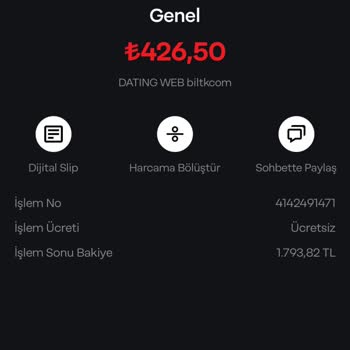
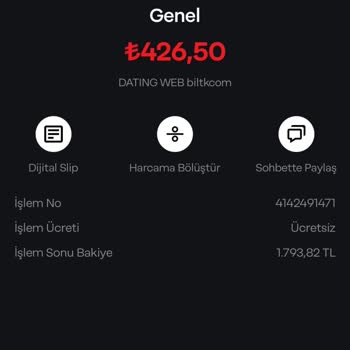
Dating.com withdrew ₺426 from my card without my knowledge or permission. I signed up for what was supposed to be a one-...time membership, yet they somehow turned it into a recurring subscription and started charging me monthly. This isn’t just a mistake—it’s happened twice now. I didn’t authorize an
Dating.com Charged My Card Without Consent Even After I Canceled My Membership

May 2, 2025 7:38 AM
I canceled my membership on Dating.com, yet they continued to withdraw money from my bank account without my knowledge o...r permission. On April 2, they made a charge to my İşbank mobile debit card, which I only noticed later. What’s worse, today at 06:41, I received an alert from my bank about a wit
Dating.com Unauthorized Annual Membership Charge

December 18, 2023 10:13 AM
I did not authorize Dating.com to charge my credit card for an annual membership fee. I only bought a one-year subscript...ion, and I made sure the automatic renewal option was disabled. I'm struggling to comprehend the rationale behind charging an annual membership fee. I no longer want to continue us

Dating.com
View All Complaints