Avakin Life failed to deliver my reward and level-up messages, how can I resolve it?
3 Views
First, make sure your game has been updated to the most recent version, as upgrades frequently address such issues. If the problem persists, restart or reinstall the software to clear any glitches.
If these methods do not solve the problem, you should contact Avakin Life's Player Support for tailored help. You can contact them via their help website.
When contacting support, include your login, email address, and any pertinent information about the problem to help them resolve it faster.
For additional assistance, please contact their support team at [email protected]. Providing thorough information will allow them to address your matter more effectively.
If the problem remains unresolved, consider filing a complaint on Xolvie to raise awareness about the issue and inform others.
My experience as a dedicated player of Avakin Life has led me to discover a recurring problem: there is no notification ...at all for incoming emails or invites. I have no idea when friends send me messages because those messages never show up in my inbox. Let's get these bugs fixed so that your experi
I am not receiving any mail in Avakin Life, which has been a significant issue. I worked in cafes to complete each level..., but even after finishing them, I never received any reward messages. This made me start to question if I was receiving mail at all. A friend also sent me a message, which never c
I’m experiencing serious notification issues in Avakin Life. I never receive alerts in the mail or invite sections, so I... miss messages from friends, invites, and even gift notifications. This has been a persistent problem, leaving me frustrated and unable to fully enjoy the game. Despite reaching ou
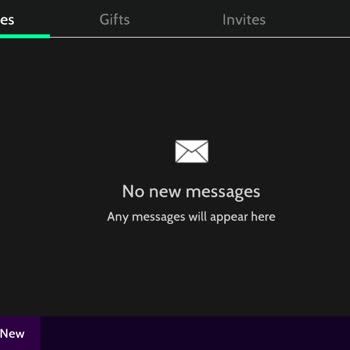

My experience as a dedicated player of Avakin Life has led me to discover a recurring problem: there is no notification ...at all for incoming emails or invites. I have no idea when friends send me messages because those messages never show up in my inbox. This bug affects invitations as well as gifts