I used to have no issues before, but all of a sudden I can no longer access my Zara account, what might be the problem?
1.873 Views
Login issues occur when users try to use their username and password to access a platform, app, or website. The issues prevent users from logging in and accessing platform features and content. Many factors can cause login issues, mistyping login credentials, repeated failed logins, deactivation, technical issues and many more can be regarded as login problems. There are several possible reasons why you can no longer access your Zara account: • You are entering your login credentials incorrectly. Make sure you are entering your email address or phone number and password correctly. • Your account has been blocked. This can happen if you entered the wrong password too many times or if your account was compromised. • Your account has been deleted. This can occur if you haven't used your account for an extended period or if you violated Zara's account usage rules. • If you're certain you're entering your login credentials correctly and haven't received any notifications about your account being blocked or deleted, you can try resetting your password. To do this, go to the Zara website and click on the "Forgot Password?" button. You will receive an email with instructions to reset your password. If you still cannot access your account, you can reach out to Zara's customer support service. They will be able to assist you in resolving the issue.
On September 29, 2025, my Zara app account was hacked, and unauthorized purchases totaling 17,000 TL were made with my c...ard. After the incident, I contacted Zara customer service, but I was repeatedly redirected to different representatives on WhatsApp and received no real assistance. I had to cont
For about a year, I have been trying to place orders on Zara’s online store. Despite attempting multiple times with diff...erent bank cards and accounts, my orders are instantly canceled every time without any explanation. The payment is charged during checkout but immediately refunded after the cancel
On May 24, 2025, I noticed an unauthorized withdrawal of ₺5,040 from my account by MOKAUNITED/Zara Giyim, which I did no...t approve or even know about. I’m baffled by how this transaction was authorized since I never gave my approval for such a payment. This situation has left me feeling quite uneasy
On Friday morning, May 16, 2025, I saw a Zara advertisement online. It was promoting a "mystery box gift" campaign. A us...er named F**** A***** was advertising Zara and directed me to a link. The website that opened looked like Zara’s official site. Trusting this, I proceeded to make a payment using m
I purchased 9 items from Zara on September 30, 2024, and while the products arrived, 2 of them didn’t fit me. I tried to... initiate a return or exchange, but I can’t log into my account—neither through the app nor the website. It says I don’t have access, and I’m starting to wonder if I’ve been blocke
I’ve been facing ongoing issues with Zara's online shopping platform. My account was locked, and I couldn’t log in. Afte...r trying to recover it via email, I had no success, so I created a new account. However, even with the new account, I placed four different orders at various times, and all were ca
I’ve been using the Zara app for a long time, but my information is outdated. I can’t log into my current email address ...through Gmail, and now I have returns pending. Unfortunately, all the return information is being sent to an old email address that I no longer use, don’t remember the password for
My Zara account was blocked. I suddenly logged out of my account and when I tried to log back in, I couldn't log in and ...I got the message “Your account has been blocked”. I don't know why it was blocked, I don't know what happened. I have so many orders, I can neither return them nor access the invo
I've been attempting to make a purchase on the Zara web app since 8:00 PM, but every time, even though there is enough m...oney on my card, the payment does not go through or there is an error, and I am unable to purchase the merchandise. I've had the same problem with other goods while trying. I tried
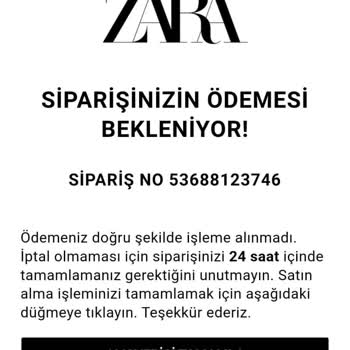
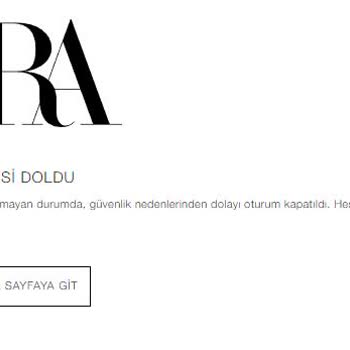
I placed an order on Zara's website and successfully completed the payment. However, I haven't received any notification...s or updates regarding the products I purchased. I was expecting to receive information via email, SMS, or my phone number. When attempting to log into the website to review my ord