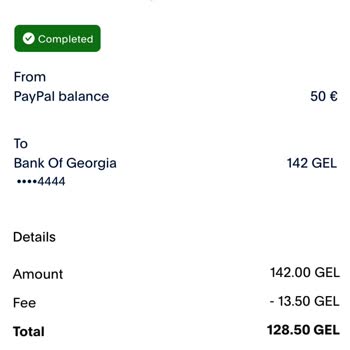
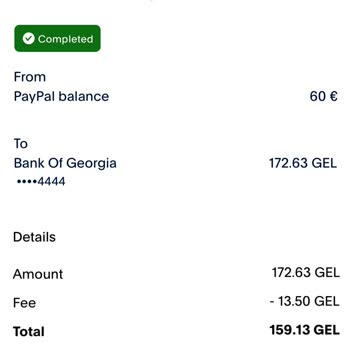
I have a valid bank account linked to my PayPal yet I keep getting payment issues. Why was is declined?
10 Views
If you're having trouble making payments through PayPal even though your bank account is linked, there could be several reasons:
• Pay close attention to any specific error messages you get when you try to make a payment. They may help you figure out what's wrong. If you do business or pay for things in a foreign currency, your bank may have extra security measures or limits in place that could cause your account to drop.
• Another reason your payment might be declined is that your bank might notice strange activity, like a lot of transactions in a short amount of time or spending that is different from how you normally do it. Also, see if your bank requires two-factor authentication (2FA) for online transactions, and make sure you've done everything that needs to be done during the PayPal payment process.
• To figure out what's wrong, you might want to clear your browser's cache and cookies since old information can get in the way of payments. You might also find it helpful to try a different device or browser, since some problems may only happen with the ones you're using. Lastly, make sure that the latest version of the PayPal app is installed. Updates often fix bugs and add new features that can help you with payment issues.
You might be able to fix the PayPal payment problems if you think about these things and follow these steps. If the problems don't go away, you should contact PayPal's customer service for more help.
If you've got more insights to add, don't hesitate to let us know.
I have been using the Hotminidrama application for about four months and have accumulated earnings by regularly watching... videos. Despite this, I have not been able to cash out the money I earned on the platform. At the moment, there is more than £400 in my Hotminidrama account balance, as can be see
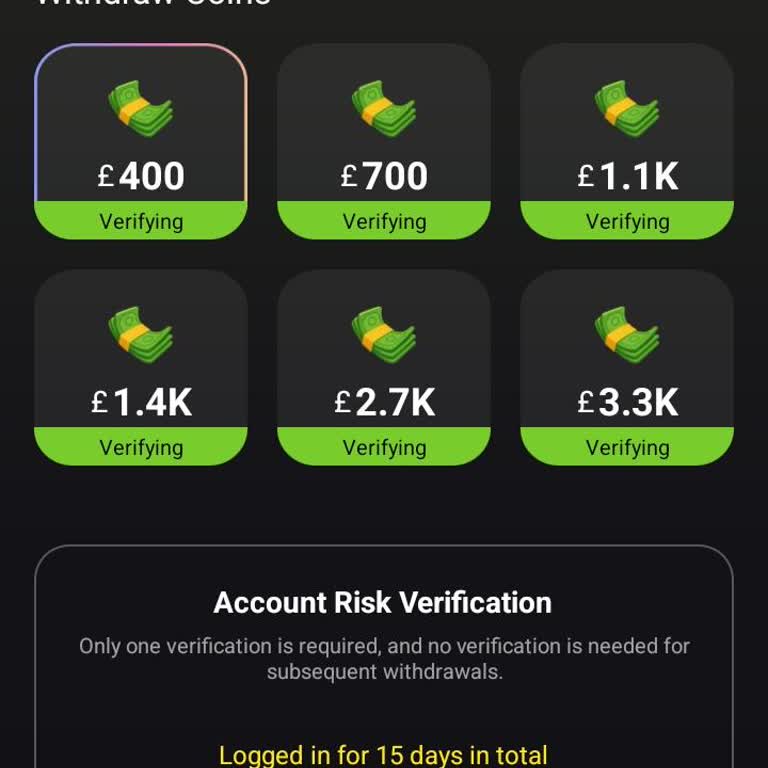
I have been using the Hot Mini Drama app on my Android phone and feel that users are being exploited. The app encourages... people to keep watching videos with the promise of cash rewards, but when it is time to withdraw, the money does not arrive. On 2 August I requested a cash‑out to my PayPal accoun
I am using an Airwallex personal wallet and I am writing from Kenya regarding a problem with a wrong transfer connected ...to my wallet verification. On the stated date at around 9:00 pm, I sent 300 USD from my PayPal account, but instead of going correctly to Airwallex it appears to be verifying PayPa
I am a user of Freecash with the registered email address Marblack0***@gmail.com, and I am writing regarding a missing P...ayPal cash-out. On 03/21/2026, I requested a withdrawal of $71.25 from my Freecash account to my PayPal account using the PayPal cash-out option within the app. Despite waiting a r
I initiated a withdrawal of approximately $36 from my PayPal account to my İş Bank account. Although about six hours hav...e passed since the transaction, the funds have still not been credited to my bank account, which is causing me significant inconvenience. I have experienced similar issues in the
I’m trying to withdraw the balance in my PayPal account (about $68) through the Bubume app, but I haven’t been able to c...omplete the transaction for about a week. Whenever I enter the required details on the withdrawal screen, I keep getting the error message: “The information entered is invalid.” I
I requested a withdrawal of $11 (part of my earned balance) after completing surveys on Multipolls. They told me the pay...ment had been sent to my PayPal account; however, PayPal is not usable in Turkey. As a result, my money is effectively inaccessible and unusable. For about a month, I have not rec
I tried to pay for the permanent ban removal feature on the Ometv iOS app, but the transaction does not go through. Inst...ead of completing the payment, the app constantly redirects me to PayPal. Even after trying several times, the process fails and I cannot finalize the purchase. The fee is clearly
For the past two days, my PayPal withdrawals haven’t arrived, and I’m tired of facing the same problem repeatedly. Every... time I request a withdrawal, it either doesn’t come through, or it only arrives after I file a complaint here. I can’t keep doing this, and I’m requesting a permanent fix to this
I've been trying to open a PayPal account but can't seem to do so. Despite entering the correct email address and passwo...rd, the system refuses to accept them. I've tried multiple times, but it still won’t work. Can someone explain why this is happening or help me figure out how to resolve the issue?
On July 2nd, I transferred money from my PayPal account to my bank account, but it still hasn’t arrived, and it's been 1...7 days. I’m really unsure what to do at this point since the funds just won’t show up in my bank account, and I haven’t been able to withdraw my money. I would really appreciate an